
UnityEQ Blockout Lab
Reference
Who it helps
Section titled “Who it helps”- Level designers blocking out readable play spaces.
- Environment artists translating sketches or reference layouts into Unity geometry.
- Technical designers authoring routes, cover, gameplay zones, sightlines, and spatial annotations.
- Solo developers who need a fast in-editor planning surface before final art pass.
Element coverage
Section titled “Element coverage”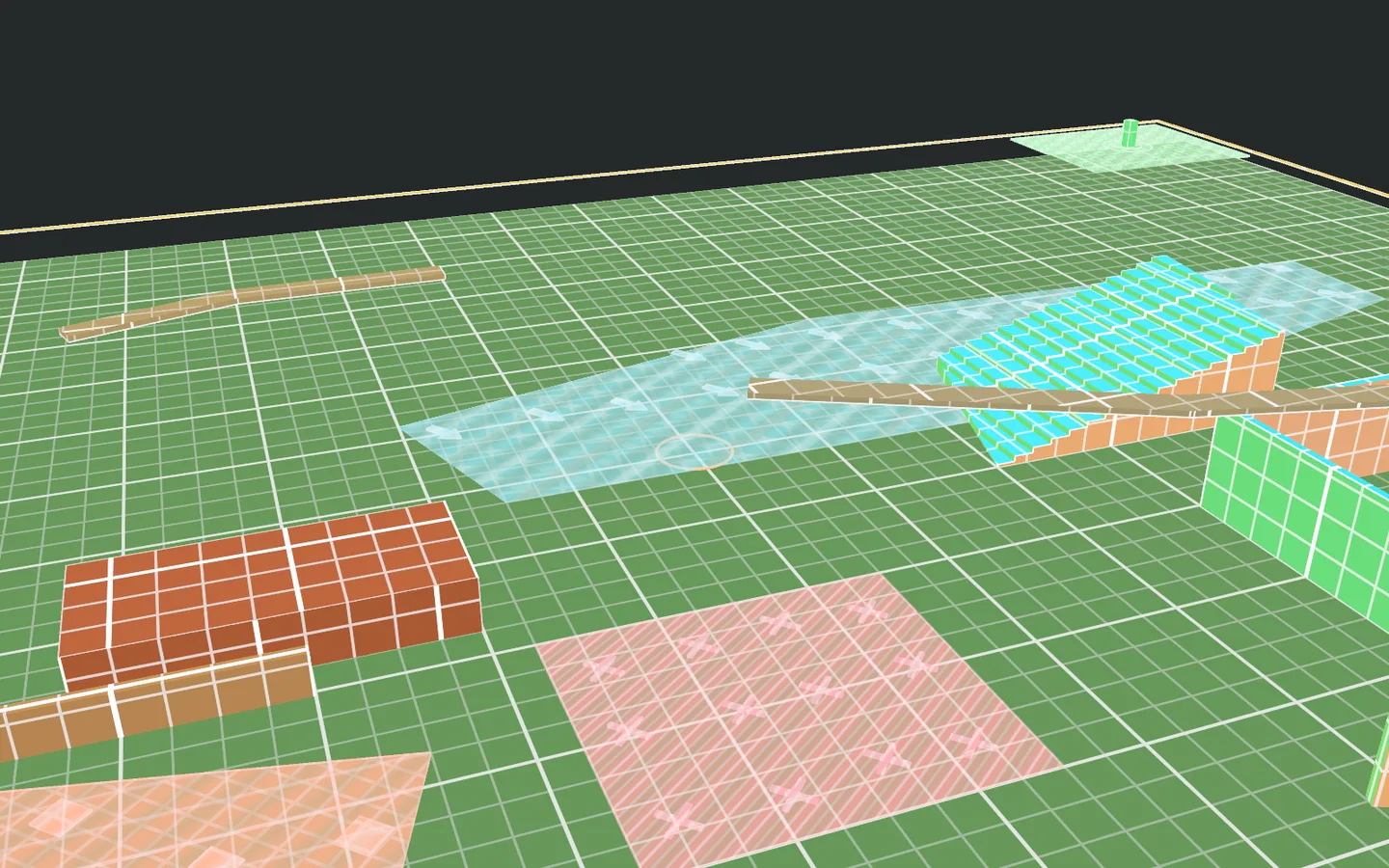
- Structure: Wall, Room, Opening, Stairs.
- Terrain: Ground Zone, Slope, Cliff.
- Water: Water Body, River.
- Navigation: Path, Bridge.
- Cover: Obstacle, Tree Line, Cover Line.
- Zone: Keep Clear Zone, Circulation Zone, Vegetation Zone, Boundary.
- Gameplay: Spawn Point, Spawn Zone, Objective Zone, Trigger Zone, Encounter Zone, Hazard Zone, Scatter Zone.
- Annotation: POI Marker, Sightline, Route Flow.
Export and generated content
Section titled “Export and generated content”- Generated scene assets are stored inside the configured EQBlockoutLab generated mesh and material folder.
- Preview floor planes are editor references only and are not exported as scene geometry.
- Scene export creates generated meshes, materials, colliders, export tags, wall cutouts, scatter groups, and optional element labels.
- Reference image overlays are 2D authoring guides and are not exported.
Safe usage notes
Section titled “Safe usage notes”- EQBlockoutLab does not require another EQLabs package.
- The package has no dependency on a separate EQLabs asset folder.
- Generated scene geometry should be reviewed before committing final scene changes.
- Custom zone materials should expose compatible property names if they need to respond to every authored zone parameter.
- Scatter asset-set export creates one scene object per generated scatter instance.
Known limits
Section titled “Known limits”- Several broad element families intentionally share area, line, marker, or zone workflows while keeping distinct names, defaults, colors, semantic visuals, and export tags.
- Auto-connect paths creates straight graph edges from existing path endpoints.
- Scatter presets store generator and export settings, not generated child marker positions.
- Invalid or extremely thin room polygons can fall back to solid extrusion instead of automatic wall-shell repair.
Report an issue with this tool
Opens our feedback form in a new tab with the tool name pre-filled.