
Unity
EQ Painting Lab
EQPaintingLab is a standalone Unity editor tool for authoring texture maps directly inside the Unity Editor. It is built as its own product folder and does not depend on the EQLabs product line.
Compatibility
Section titled “Compatibility”- Unity
2022.3 LTSor newer, including Unity 6 - Package root:
Assets/EQPaintingLab - Editor-focused package with a small runtime data model for saved paint assets
What it makes
Section titled “What it makes”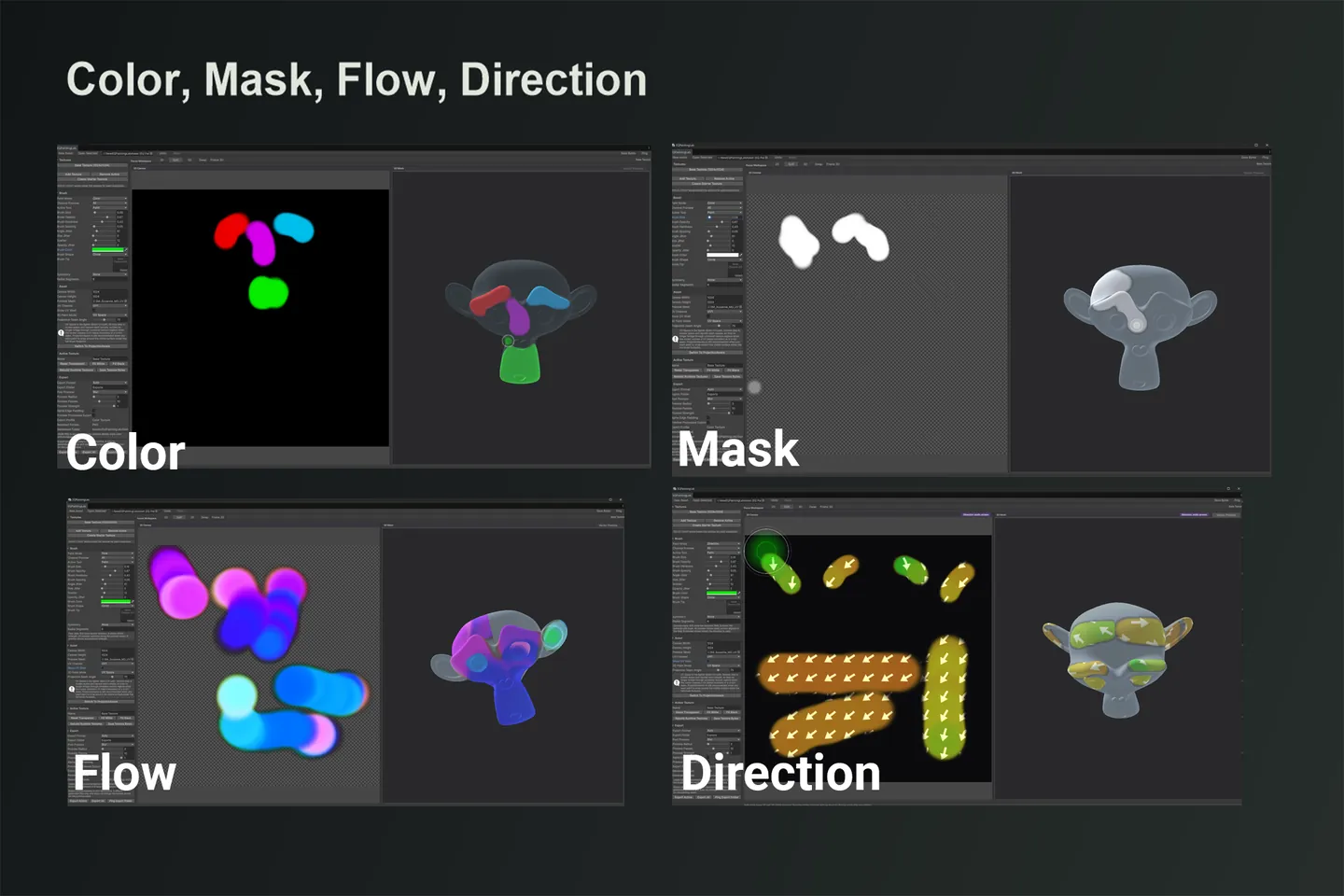
- Color textures
- Mask textures
- Flow maps
- Direction maps
Open the Tool
Section titled “Open the Tool”- Create an asset from
Create/EQ Painting Lab/Painting Asset. - Select the asset in the Project window.
- Click
Open in EQPaintingLab.
You can also open the editor from Tools/EQLabs/EQ Painting Lab/Open Editor.
Key features
Section titled “Key features”- 2D canvas painting with paint, erase, smooth, fill, and clear tools
- 3D mesh preview and mesh painting through selectable UV0-UV3 channels (the 3D preview pane is verified rendering under the Built-in Render Pipeline, URP 17.3.0 and HDRP 17.3.0 on Unity 6000.3.14f1; other pipeline or editor versions are not verified. 2D painting and all exported textures work with every pipeline)
- Projection-aware 3D painting for visible UV seam workflows
- UV shell overlay on both the canvas and 3D preview
- Brush tip textures, circle/square brush shapes, symmetry, spacing, and jitter
- Channel preview for R, G, B, A, and full texture views
- Toggleable decoded vector previews: animated Flow motion and static Direction-field arrows
- Viewport legend badges that label Flow as animated motion and Direction as static arrows
- Mode-aware export profiles for Color, Mask, Flow, and Direction outputs
- Non-destructive export post processing with Smooth, Blur, radius/pass controls, alpha edge padding, and viewport preview
- Persistent texture bytes stored directly on the
EQPaintingLabAsset
Package notes
Section titled “Package notes”- Generated exports are written under
Assets/EQPaintingLab/Generated. - This tool package intentionally ships without demo content; ad-hoc test painting assets and generated exports are excluded from the final product build.
- The package is editor-focused; runtime code only stores the asset and texture data model needed by the editor.
In this manual
Section titled “In this manual”- Quick Start: Open the tool, paint color, mask, flow and direction maps on the canvas or the mesh, and export each one correctly.
- Reference: Who it helps, the export profile for each map type, technical details, usage notes and known limits.
- Release notes: What is in each release of EQ Painting Lab.
Get EQ Painting Lab
Section titled “Get EQ Painting Lab”
Report an issue with this tool
Opens our feedback form in a new tab with the tool name pre-filled.