
No. 0954 AN AnimationEQLabs Pro
Anim Notify Manager
Module: Animation · Category: Notifies · Tool ID:
AnimNotifyManager
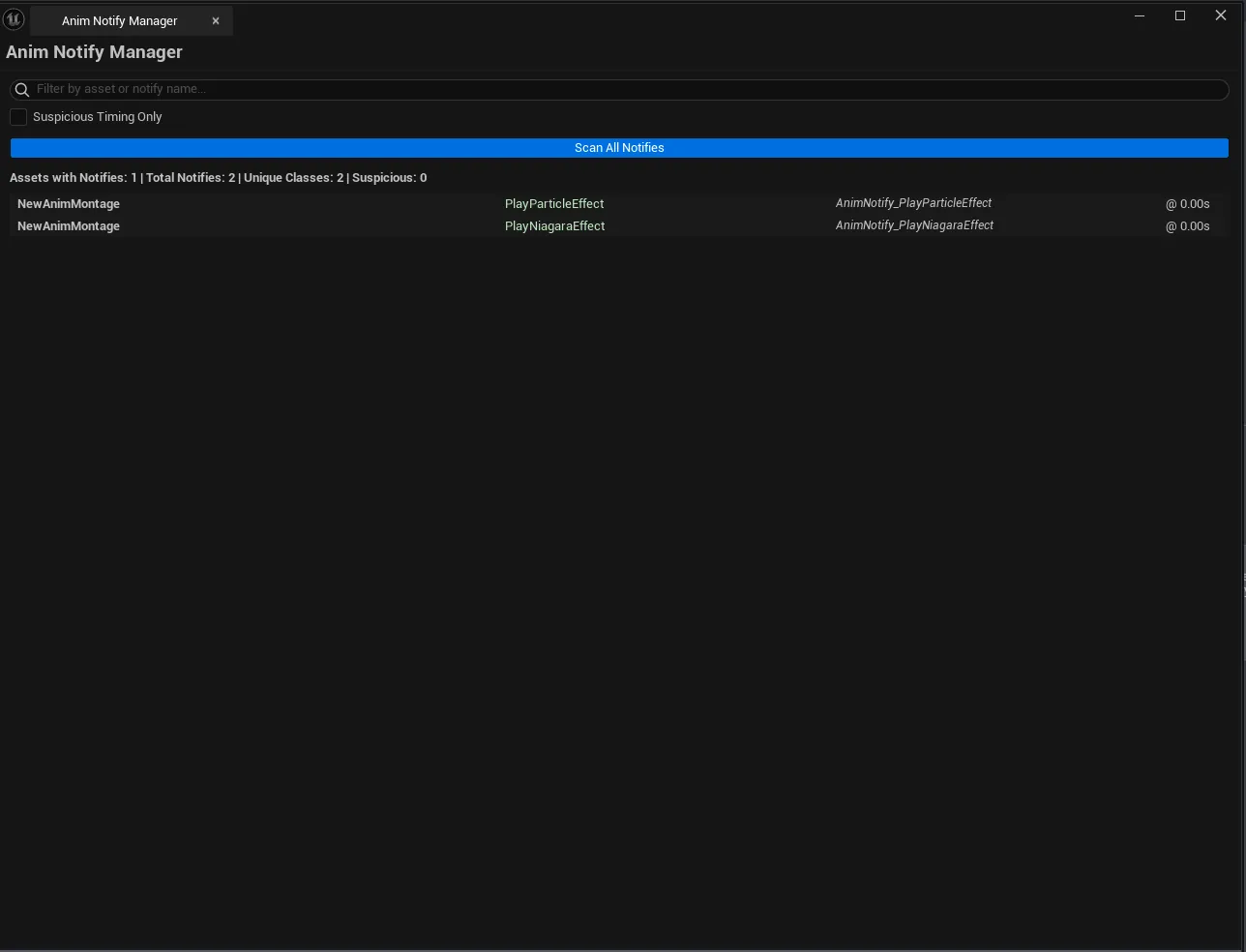
Project-wide audit of every notify event on every AnimSequence and AnimMontage. Groups them by notify class so you can see which event types are actually in use, flags suspicious timings (notifies stuck at 0.0 or at the very last frame), and surfaces orphaned notify Blueprints that nothing references.
When to use it
Section titled “When to use it”- Auditing the full notify roster of a character: confirming gameplay code’s expected events are actually fired
- Cleaning up orphaned Notify Blueprints: find the ones zero animations reference
- Debugging “notify never fires” reports: usually a misplaced notify at frame 0 or the very last frame
- Standardization pass: confirming naming consistency across notify classes used by a team
What it isn’t for
Section titled “What it isn’t for”- Don’t use this to author notifies. Placement happens in UE’s AnimSequence/AnimMontage editor.
- Don’t expect runtime data. This is asset-side analysis, not “what fired during play”.
Opening the tool
Section titled “Opening the tool”- Open the EQLabs Hub and search for Notify (or browse to Animation → Notifies).
- Click the tool card.
- Click Scan to walk every animation asset in the project.
Interface tour
Section titled “Interface tour”| Section | What it does |
|---|---|
| Scan button | Walks every AnimSequence and AnimMontage, builds usage summary + detail list |
| Search box | Filter by notify name |
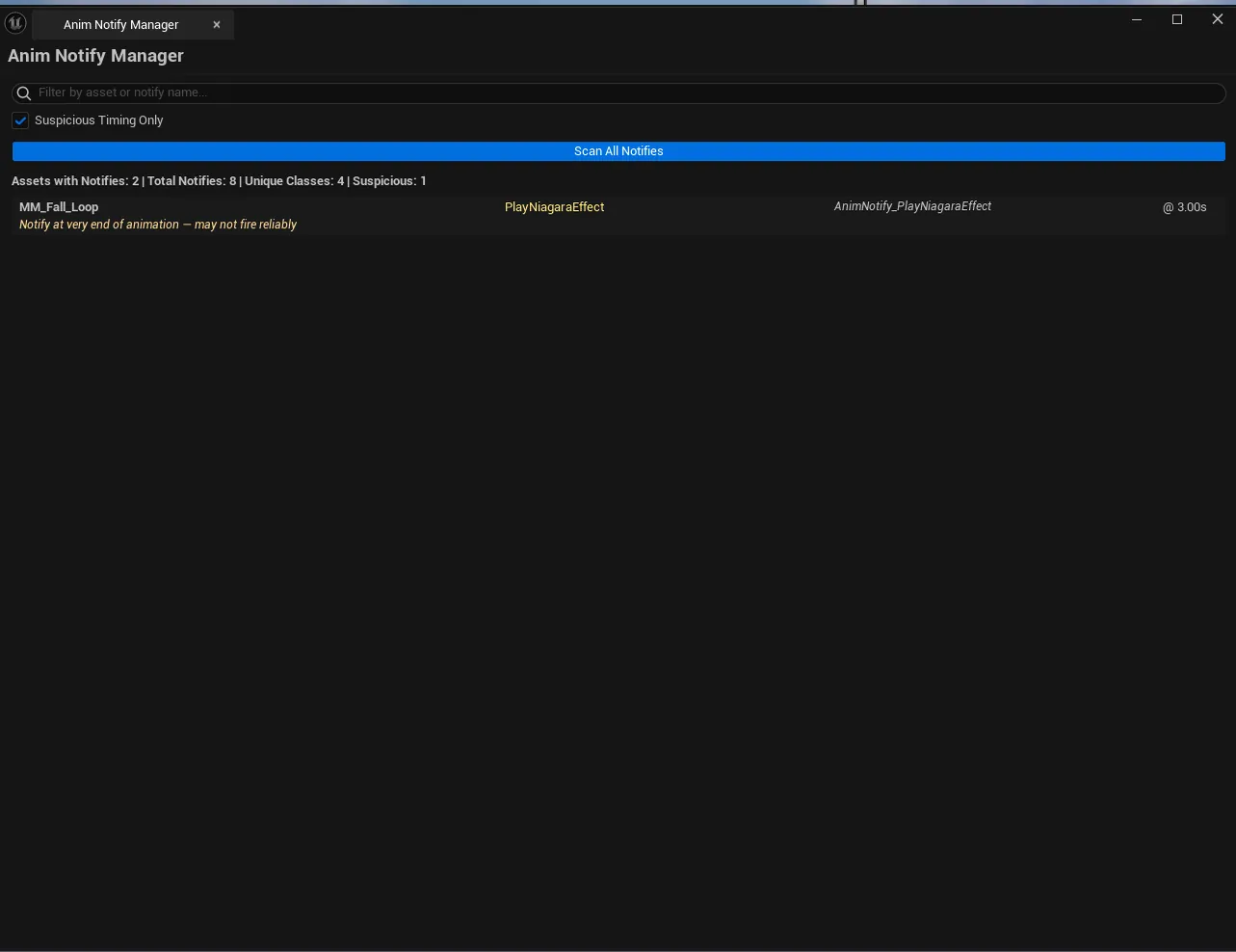
| Suspicious Only checkbox | Hide notifies with normal timing |
| Stats block | Total notifies / total assets / unique notify classes / suspicious count |
| Detail list | Per-notify row: asset name, notify name + class, trigger time, duration, state flag, timing warning |
Suspicious timing detection
Section titled “Suspicious timing detection”| Flag | Meaning |
|---|---|
| At Time 0.0 | Notify placed at the very first frame — often missed by playback if the montage starts blended |
| At End | Notify placed at or beyond the last frame — may not fire reliably depending on playback length |
Notify usage summary
Section titled “Notify usage summary”The internal scan also builds a usage roster keyed by notify class:
- How many assets use each notify class
- Which assets reference it (full list)
- Whether it’s a Blueprint notify or a native C++ notify
Workflow
Section titled “Workflow”Step 1: Run the scan
Section titled “Step 1: Run the scan”Click Scan. The tool walks all assets and populates the detail list and usage summary. On large projects this takes 30 seconds to a couple minutes.
Step 2: Filter for suspicious timing
Section titled “Step 2: Filter for suspicious timing”Toggle Suspicious Only. The remaining rows are the most likely sources of “my notify isn’t firing” bugs.
Step 3: Filter by name
Section titled “Step 3: Filter by name”Type a notify name (full or partial) into the search box to narrow to a specific class.
Step 4: Inspect individual rows
Section titled “Step 4: Inspect individual rows”Single-click pings the asset in the Content Browser. Double-click opens the AnimSequence/AnimMontage editor at the notify’s frame.
Settings reference
Section titled “Settings reference”| Field | What it does | Default |
|---|---|---|
| Search | Substring filter on notify name | empty |
| Suspicious Only | Hide non-suspicious rows | false |
Settings are persisted to
[Project]/Saved/EQLabs/Settings/AnimNotifyManager.json.
Output
Section titled “Output”- In-panel results. Cleared on each rescan.
- No edits. Read-only against the source assets.
Tips and gotchas
Section titled “Tips and gotchas”- Notifies at the literal last frame are routinely missed. If the montage’s blend-out starts before the last frame, the notify never fires. Push these forward by a frame or two.
- State notifies (begin/end pairs) need both halves. The tool counts them, doesn’t validate that they pair correctly.
- Orphaned Notify Blueprints are common. When you delete an animation that was the only reference to a notify class, the Blueprint stays around. Clean them up after the audit.
- Single-click pings; double-click opens the asset editor on the notify’s row.
Related tools
Section titled “Related tools”- Montage Section Builder — section-level notify counts inside a single montage
- Animation Auditor — Curve and Blueprint tabs cover related anim data
Opens our feedback form in a new tab with the tool name pre-filled.