
No. 0412 AR ArtEQLabs Pro
Atlas Studio
Module: Art · Category: Atlas · Tool ID:
AtlasStudio
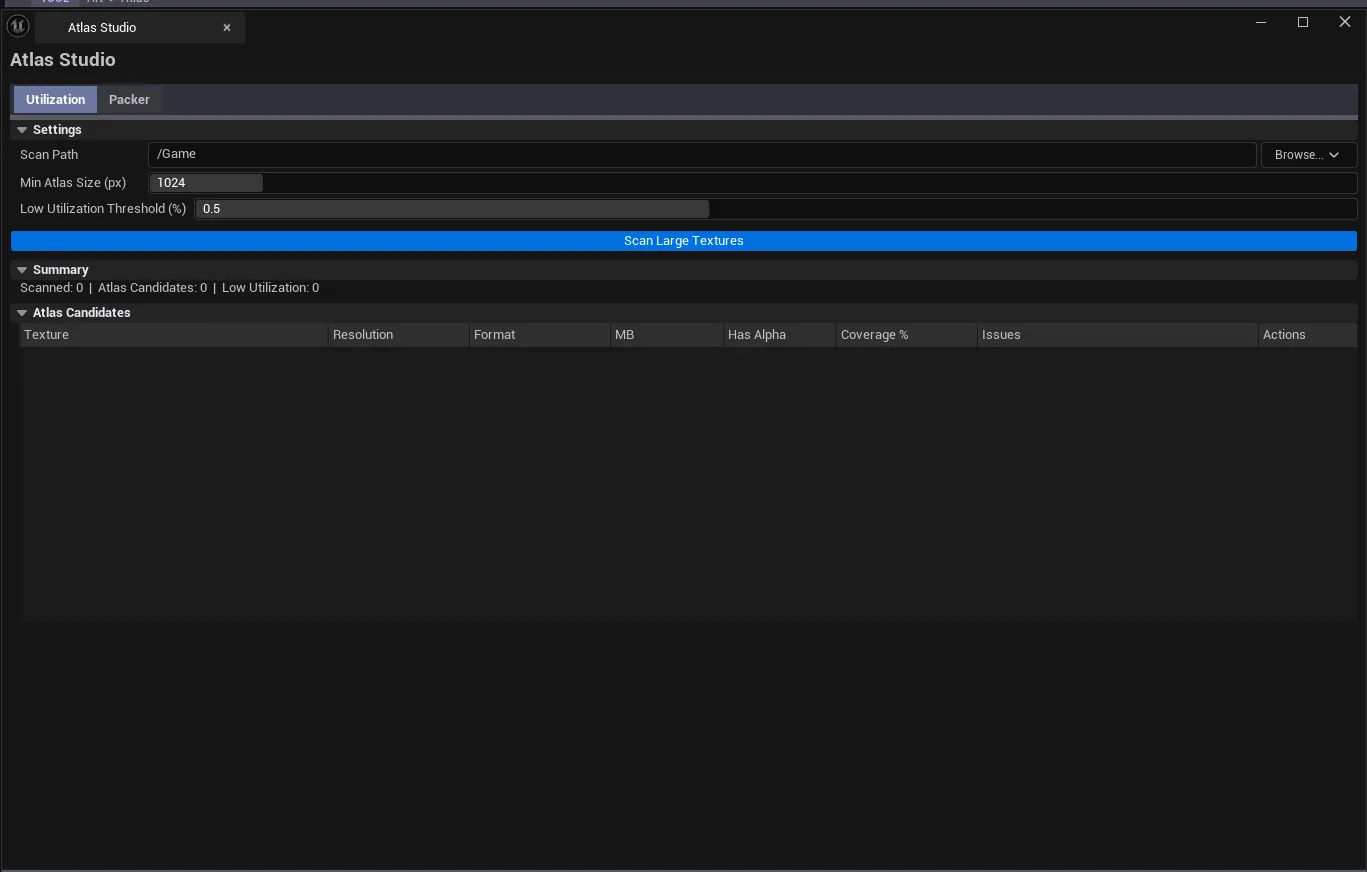
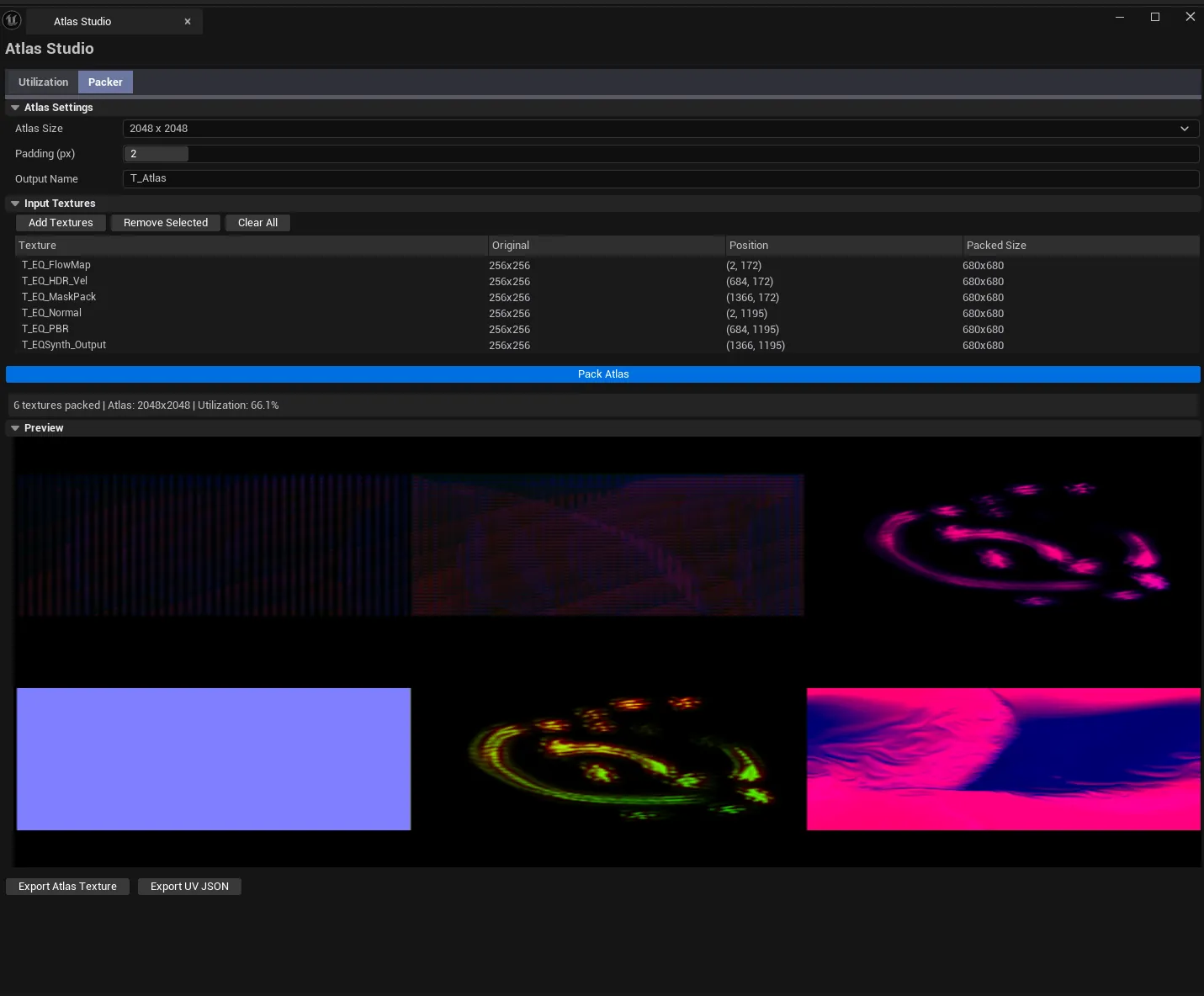
A two-tab atlas workflow. Utilization measures alpha coverage and waste on existing atlases — telling you how much of each atlas is actually carrying data vs. transparent fill. Packer lays out a set of source textures into a grid atlas and exports per-source UV coordinates.
When to use it
Section titled “When to use it”- Auditing existing atlases for waste: many atlases ship with 30–50% transparent space
- Building new atlases from a folder of source textures (icons, decals, detail textures)
- Producing UV coordinate exports to feed material setups
- Pre-cook validation: atlases that pack 4 sprites into a 4096² are usually wrong
What it isn’t for
Section titled “What it isn’t for”- Don’t use this for non-uniform atlases. The packer uses a uniform grid layout. For irregular packing, use a dedicated tool.
Opening the tool
Section titled “Opening the tool”- Open the EQLabs Hub and search for Atlas (or browse to Art → Atlas).
- Click the tool card.
- Use the tab bar to switch between Utilization and Packer.
Tab 1: Utilization Checker
Section titled “Tab 1: Utilization Checker”Audits an existing atlas by sampling alpha coverage.
Interface
Section titled “Interface”| Section | What it does |
|---|---|
| Atlas Texture picker | Drop the atlas to analyze |
| Analyze button | Computes alpha coverage and waste regions |
| Coverage stats | Percentage of non-zero alpha pixels, waste percentage |
| Visual heatmap | Visual indicator of where waste lies |
Workflow
Section titled “Workflow”- Drop an atlas.
- Click Analyze.
- Read the coverage percentage. Anything below ~50% means the atlas is mostly empty space.
Tab 2: Atlas Packer
Section titled “Tab 2: Atlas Packer”Packs a set of source textures into a uniform grid atlas.
Interface
Section titled “Interface”| Section | What it does |
|---|---|
| Source textures list | Add source UTexture2D assets to pack |
| Grid layout settings | Rows / Columns / Padding |
| Output resolution | Final atlas size |
| Pack button | Generates the atlas and computes per-source UVs |
| Export | Save the atlas as a UTexture2D asset and the UV map as JSON |
Workflow
Section titled “Workflow”- Add the source textures via the Content Browser picker.
- Set the grid layout (typically
4×4or8×8). - Click Pack.
- Export the result and the UV map.
Settings reference
Section titled “Settings reference”| Field | What it does | Default |
|---|---|---|
| Grid Rows / Columns | Layout | 4 / 4 |
| Padding | Pixels between cells | 0 |
| Output Resolution | Final atlas size | 1024 |
Settings are persisted to
[Project]/Saved/EQLabs/Settings/AtlasStudio.json.
Output
Section titled “Output”- Utilization. In-panel stats only, no asset edits.
- Packer. Creates a
UTexture2Datlas in the Content Browser and exports a JSON UV map.
Tips and gotchas
Section titled “Tips and gotchas”- High waste percentage doesn’t always mean repacking is worth it. If the atlas is rarely sampled, the memory cost is negligible. Worry about atlases used in tight inner loops or VFX-heavy scenes.
- Padding prevents bleed at mip levels. Use
2–4pixels of padding for atlases that will be sampled at multiple mip levels (especially particle atlases). - Atlas Studio uses a uniform grid. For irregular packing (different-sized sprites), this tool is the wrong choice.
Related tools
Section titled “Related tools”- Texture Sheet Splitter — the inverse: split an atlas into individual textures
- Flipbook Maker — purpose-built flipbook (uniform-grid sprite sheet) creator
Report an issue with this tool
Opens our feedback form in a new tab with the tool name pre-filled.