
No. 0221 TE TechEQLabs Pro
Noise Texture Generator
Module: Tech · Category: TextureGenerators · Tool ID:
NoiseTextureGenerator
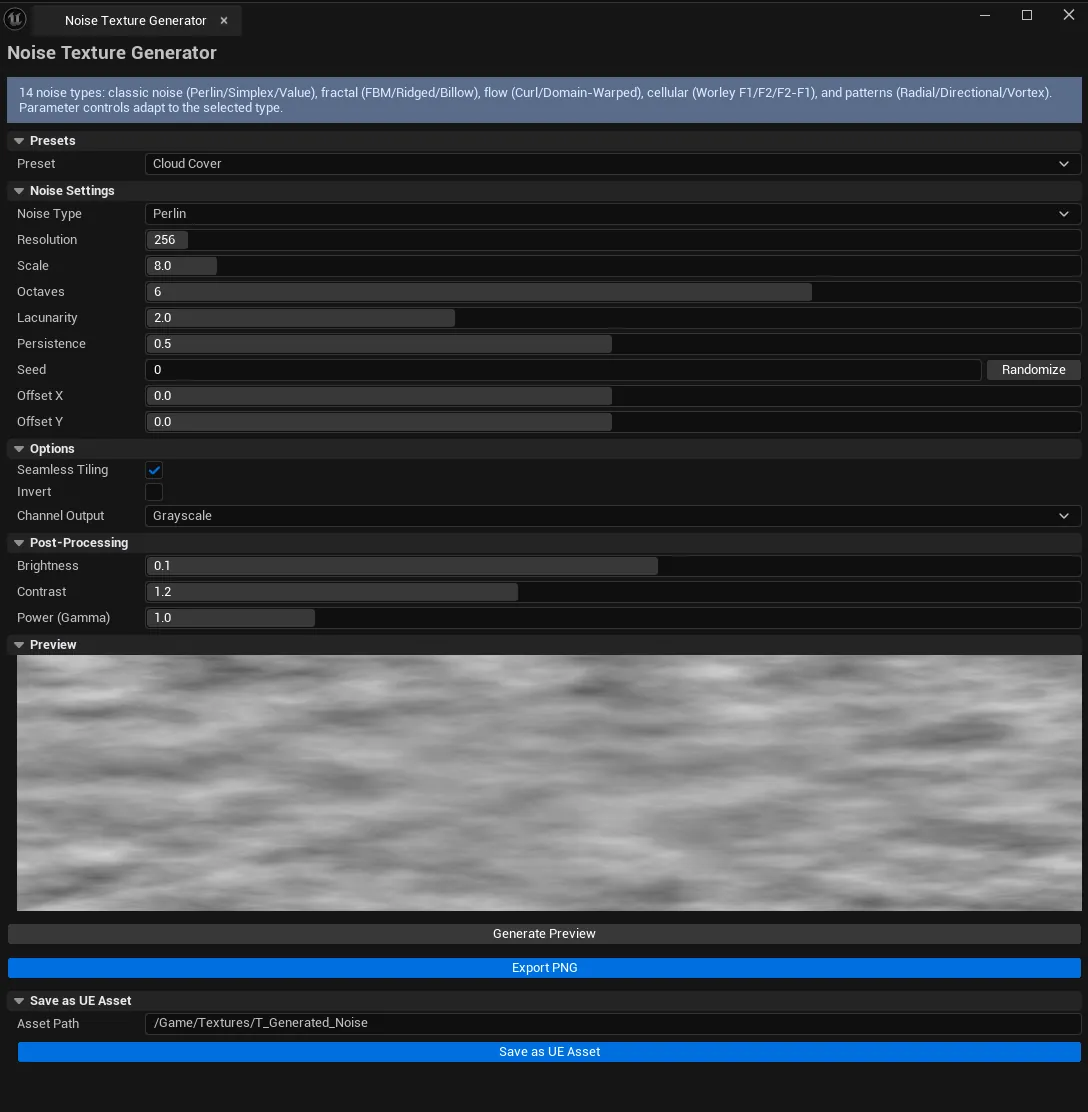
Procedural noise texture generator with 14 noise / pattern types. Covers FBM-stacked noise (Perlin, Simplex, Value, FBM, Ridged, Billow, Curl, Domain-Warped FBM), Worley/Voronoi cellular noise (F1, F2, F2-F1), and procedural patterns (Radial, Directional, Vortex). Configurable scale, octaves, lacunarity, persistence, seed, channel output, and post-processing (brightness / contrast / power). Seamless tiling toggle.
When to use it
Section titled “When to use it”- Detail textures (rust, dirt, surface variation) without leaving UE
- Mask generation for material blending
- VFX displacement / noise inputs
- Procedural pattern overlays (Vortex / Radial / Directional)
- Worley cellular for stylized cracks / membrane / cell patterns
What it isn’t for
Section titled “What it isn’t for”- Don’t use this for runtime procedural. Output is a static texture.
- Don’t expect 3D noise volumes. 2D output only.
Opening the tool
Section titled “Opening the tool”- Open the EQLabs Hub and search for Noise (or browse to Tech → TextureGenerators).
- Click the tool card.
- Pick noise type, configure, click Generate Preview.
Interface tour
Section titled “Interface tour”Noise types (14 total)
Section titled “Noise types (14 total)”| Type | Description |
|---|---|
| Perlin | Classic Perlin noise (FBM-stackable) |
| Simplex | Improved-Perlin variant, faster, fewer artifacts |
| Value | Hash-based value noise — blocky character |
| FBM | Explicit FBM with Perlin base |
| Ridged | `1 - |
| Billow | ` |
| Curl | Curl noise from FBM scalar field — flow-like swirls |
| Domain-Warped FBM | Organic, non-repeating shapes |
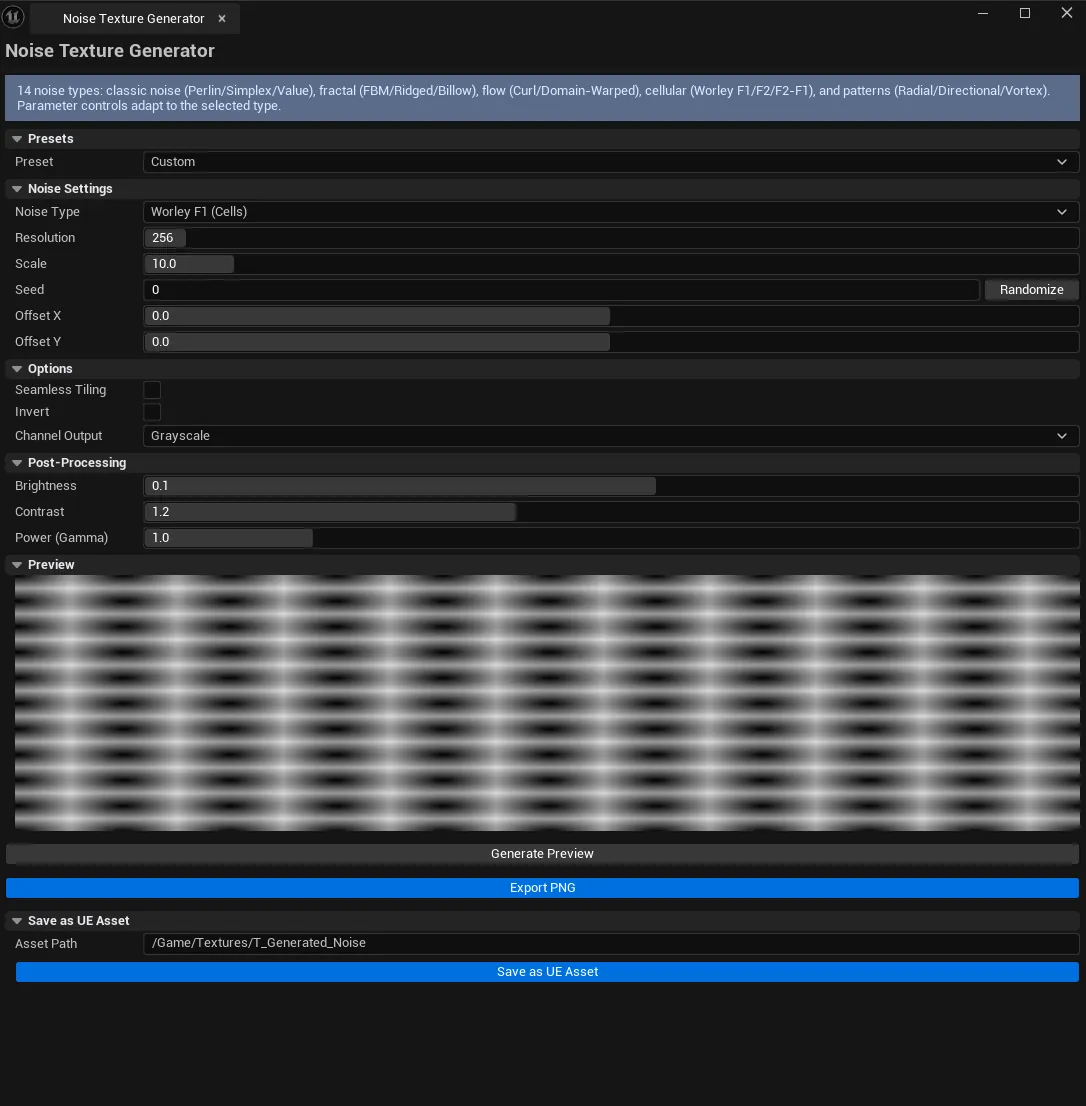
| Worley F1 | Closest-point distance — solid cells |
| Worley F2 | Second-closest distance — borders |
| Worley F2-F1 | F2 - F1 — ridged cells / membrane |
| Radial | Radial gradient from center |
| Directional | Linear gradient along an angle |
| Vortex | Spiral pattern |
Core settings
Section titled “Core settings”| Field | What it does | Default |
|---|---|---|
| Resolution | Output texture size | 256 |
| Scale | Frequency scale | 10.0 |
| Octaves | FBM stacking levels | 4 |
| Lacunarity | Frequency multiplier per octave | 2.0 |
| Persistence | Amplitude multiplier per octave | 0.5 |
| Seed | RNG seed | 0 |
| Offset | UV offset | (0, 0) |
| Seamless | Tileable output | false |
| Invert | Invert output | false |
| Channel Output | Grayscale / RGB / RGBA | Grayscale |
| Warp Strength | (Domain-Warped FBM only) | 0.3 |
| Pattern Center / Angle / Falloff / Vortex Frequency | Pattern-mode params | various |
Post-processing
Section titled “Post-processing”| Field | What it does | Default |
|---|---|---|
| Brightness | Add to value | 0.0 |
| Contrast | Multiply around midpoint | 1.0 |
| Power | Pow curve | 1.0 |
Preset combo
Section titled “Preset combo”Quick-pick built-in presets covering common use cases.
Workflow
Section titled “Workflow”Detail texture for material
Section titled “Detail texture for material”- Pick FBM or Domain-Warped FBM.
- Set Scale, Octaves to taste (
Scale=10,Octaves=4is a good start). - Toggle Seamless if the output will tile.
- Click Save as UE Asset.
Vortex / spiral pattern
Section titled “Vortex / spiral pattern”- Pick Vortex.
- Set Pattern Center (
(0.5, 0.5)for center). - Set Vortex Frequency (
6is moderate; raise for tighter spiral). - Generate.
Settings reference
Section titled “Settings reference”Per-tool parameters persist to [Project]/Saved/EQLabs/Settings/NoiseTextureGenerator.json.
Output
Section titled “Output”UTexture2Dasset. Via Save as UE Asset.- PNG file. Via Export.
- Channel output controls grayscale vs RGB vs RGBA
Tips and gotchas
Section titled “Tips and gotchas”- Seamless tiling has a small cost. Wraps coordinates and blends edges. If the texture won’t tile, leave it off.
- Worley distance modes are different patterns. F1 = solid cells, F2 = boundaries, F2-F1 = ridged cells/membrane.
- Domain-Warped FBM is the most “natural” looking option. Best default for organic textures.
- Curl noise is great for flow maps. But Flow Map Studio has a dedicated tool.
Related tools
Section titled “Related tools”- Gradient Ramp Generator — color-ramp side
- SDF Generator — signed-distance-field generation
- Flow Map Studio — interactive flow-map authoring
- Texture Authoring Suite — seamless + variation generation
Report an issue with this tool
Opens our feedback form in a new tab with the tool name pre-filled.