
No. 0091 TE TechEQLabs Pro
Dependency Explorer
Module: Tech · Category: Workflow · Tool ID:
DependencyExplorer
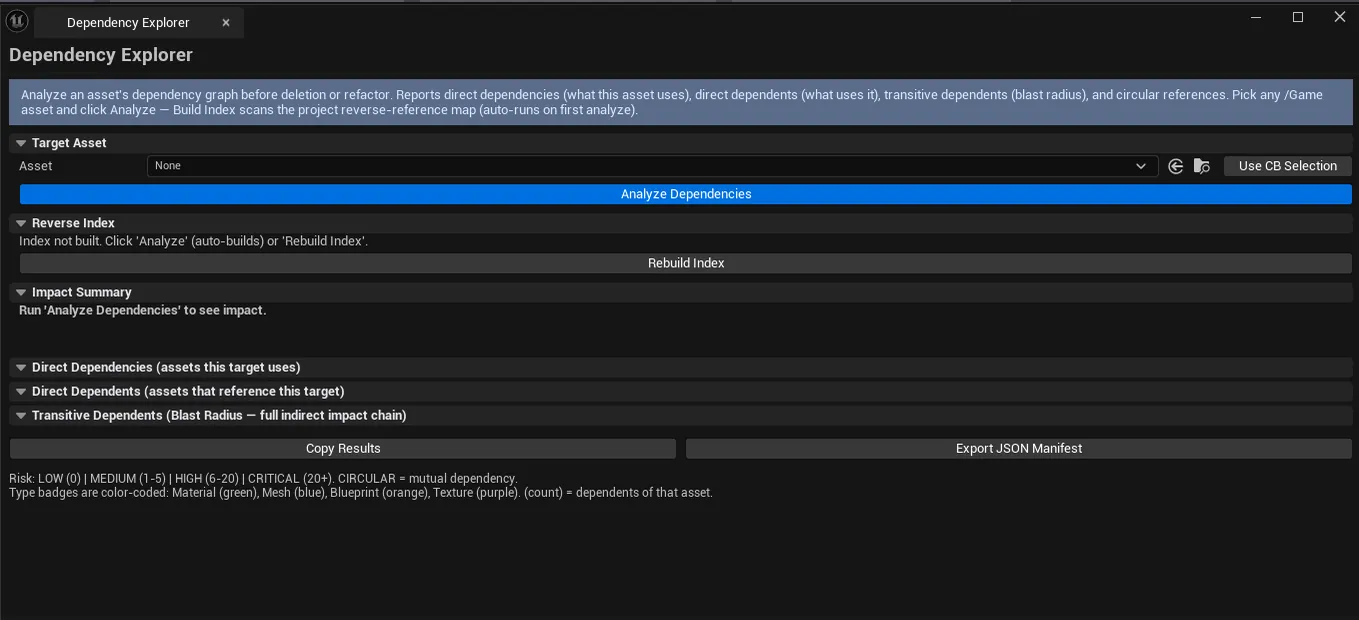
Builds a project-wide reverse-dependency index, then reports for any target asset: direct dependencies (what it references), direct dependents (what references it), transitive dependents (what references it indirectly), type breakdown, circular dependency detection, and a blast-radius risk score for deletion impact assessment.
When to use it
Section titled “When to use it”- “Can I delete this asset safely?”: see who references it before committing
- Refactoring shared assets: knowing the blast radius of a rename or move
- Finding circular dependency chains that prevent cooking
- Auditing how widely a master material or shared Blueprint is used
What it isn’t for
Section titled “What it isn’t for”- Don’t expect runtime reference tracking. It’s asset-registry-based.
- Don’t use this for code-level analysis. Only
UObjectreferences.
Opening the tool
Section titled “Opening the tool”- Open the EQLabs Hub and search for Dependency (or browse to Tech → Workflow).
- Click the tool card.
- Click Build Index (one-time, takes a moment on large projects).
- Drop a target asset, click Analyze.
Interface tour
Section titled “Interface tour”| Section | What it does |
|---|---|
| Build Index | Walks every asset to build the reverse index |
| Indexed Asset / Edge Counts | Stats about the built index |
| Target Asset picker | Asset to analyze |
| Use Selected | Picks the currently-selected Content Browser asset |
| Analyze | Computes deps + dependents + risk |
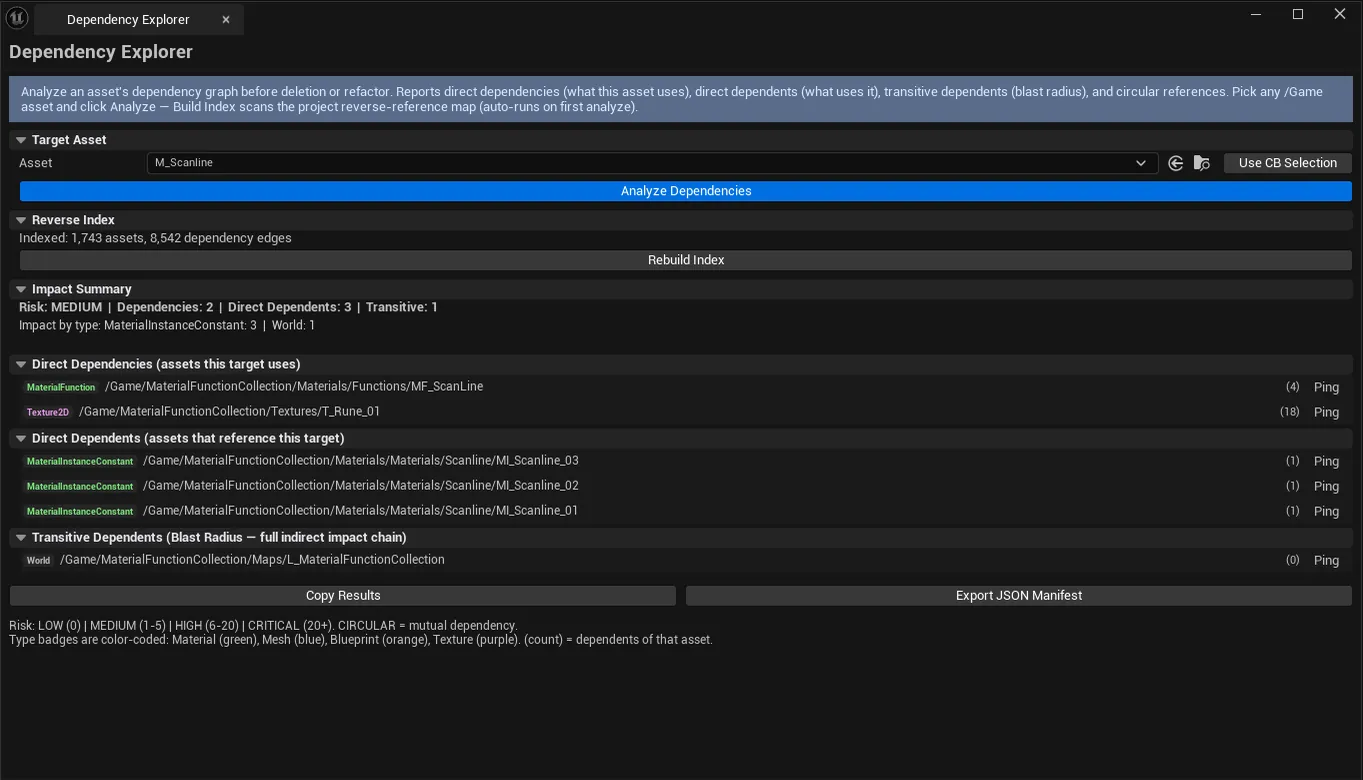
| Risk Level | Low / Medium / High / Critical based on blast radius |
| Direct Dependencies list | What the target references |
| Direct Dependents list | What references the target |
| Transitive Dependents list | Full transitive closure (what would be affected by deletion) |
| Type Breakdown | Per-asset-type counts of dependents |
| Circular Chains | Detected circular dependency loops |
| Copy Results / Export Manifest | Output |
Risk levels
Section titled “Risk levels”| Level | Meaning |
|---|---|
| Low | 0–5 dependents — usually safe to delete |
| Medium | 6–25 — review before deletion |
| High | 26–100 — significant rework if deleted |
| Critical | 100+ — shared infrastructure, deletion breaks the project |
Workflow
Section titled “Workflow”Pre-deletion safety check
Section titled “Pre-deletion safety check”- Build the index (once per session).
- Drop the asset you want to delete into the picker.
- Click Analyze.
- Read the Risk Level + dependents list.
- Decide: safe to delete / needs rework / leave alone.
Find circular deps
Section titled “Find circular deps”- Build index.
- Run analyze on suspected asset.
- Circular Chains list populates if any are found.
Settings reference
Section titled “Settings reference”| Field | Default |
|---|---|
| Target Asset | empty |
Settings file:
[Project]/Saved/EQLabs/Settings/DependencyExplorer.json
Output
Section titled “Output”- In-panel results. Three lists, type breakdown, circular chains.
- Clipboard. Copy Results.
- JSON manifest. Export Manifest writes a full dependency report.
- No edits. Read-only.
Tips and gotchas
Section titled “Tips and gotchas”- Build Index can take 30s+ on large projects. Only needs to run once per session.
- Circular dependencies often block cooking. Fix them before shipping.
- Risk level is heuristic. A Low-risk asset can still break the project if it’s a critical Blueprint base class.
Related tools
Section titled “Related tools”- Material & Asset Browser — for asset browsing
- Plugin Dependency Viewer — plugin-level dependency analysis
Report an issue with this tool
Opens our feedback form in a new tab with the tool name pre-filled.