
No. 0903 DE DesignEQLabs Pro
Sequencer Shot Validator
Module: Design · Category: Cinematic · Tool ID:
SequencerShotValidator
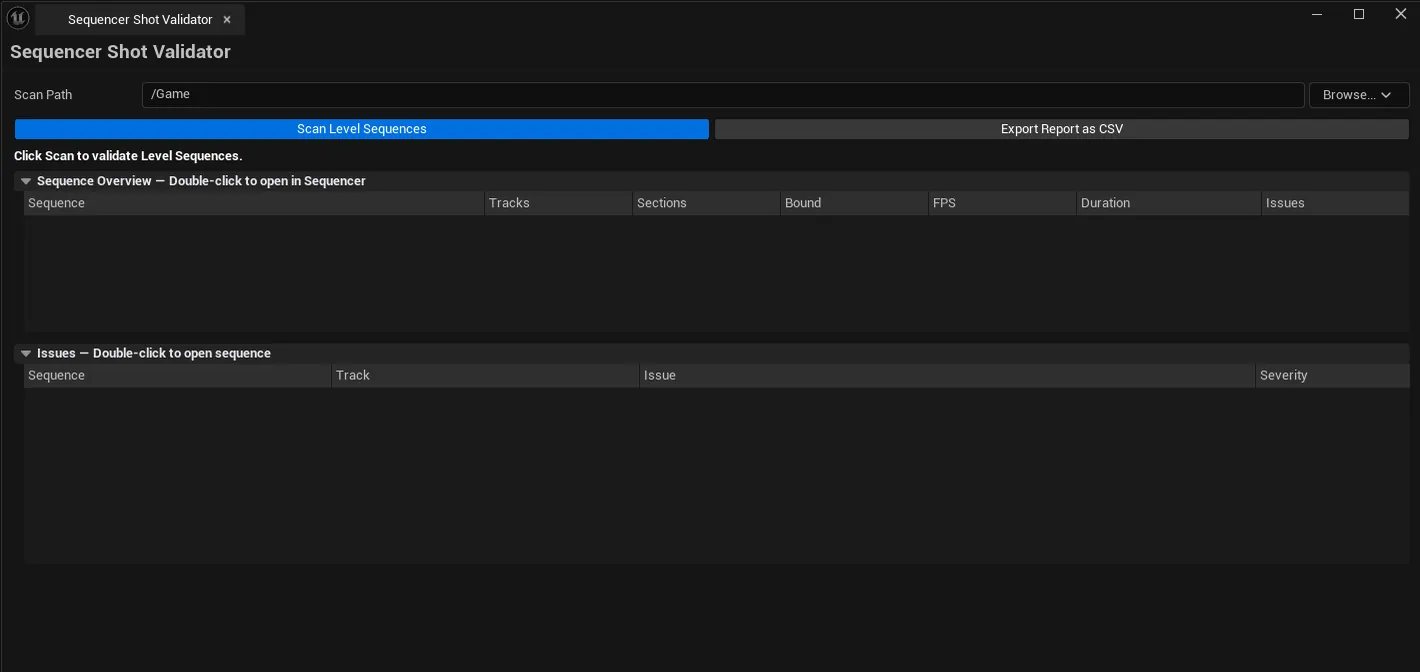
Walks every Level Sequence asset under a content path and validates them for common cinematic production bugs: missing camera cuts tracks, unbound actor references (possessables with no binding), shots with no camera assigned, zero-length sequences, frame rate mismatches between master and sub sequences. Outputs both an asset summary and a per-issue list, plus CSV export for QA pipelines.
When to use it
Section titled “When to use it”- Pre-render QA: catching unbound actors / missing camera cuts before a long render fails
- Cinematic-heavy project audit: getting a CSV roster of every sequence with issue counts
- Frame-rate mismatch hunting: when master + sub sequences drift
- Onboarding to a project: seeing the cinematic content roster at a glance
What it isn’t for
Section titled “What it isn’t for”- Don’t use this to fix sequences. It audits and surfaces; fixes happen in Sequencer.
- Don’t expect this to validate render settings. Only the asset structure.
Opening the tool
Section titled “Opening the tool”- Open the EQLabs Hub and search for Sequencer (or browse to Design → Cinematic).
- Click the tool card.
- Set Scan Path.
- Click Scan Sequences.
Interface tour
Section titled “Interface tour”| Section | What it does | Default |
|---|---|---|
| Scan Path | Folder to recursively scan | /Game |
| Scan Sequences | Walks every ULevelSequence asset | |
| Export CSV | Saves the audit as CSV | |
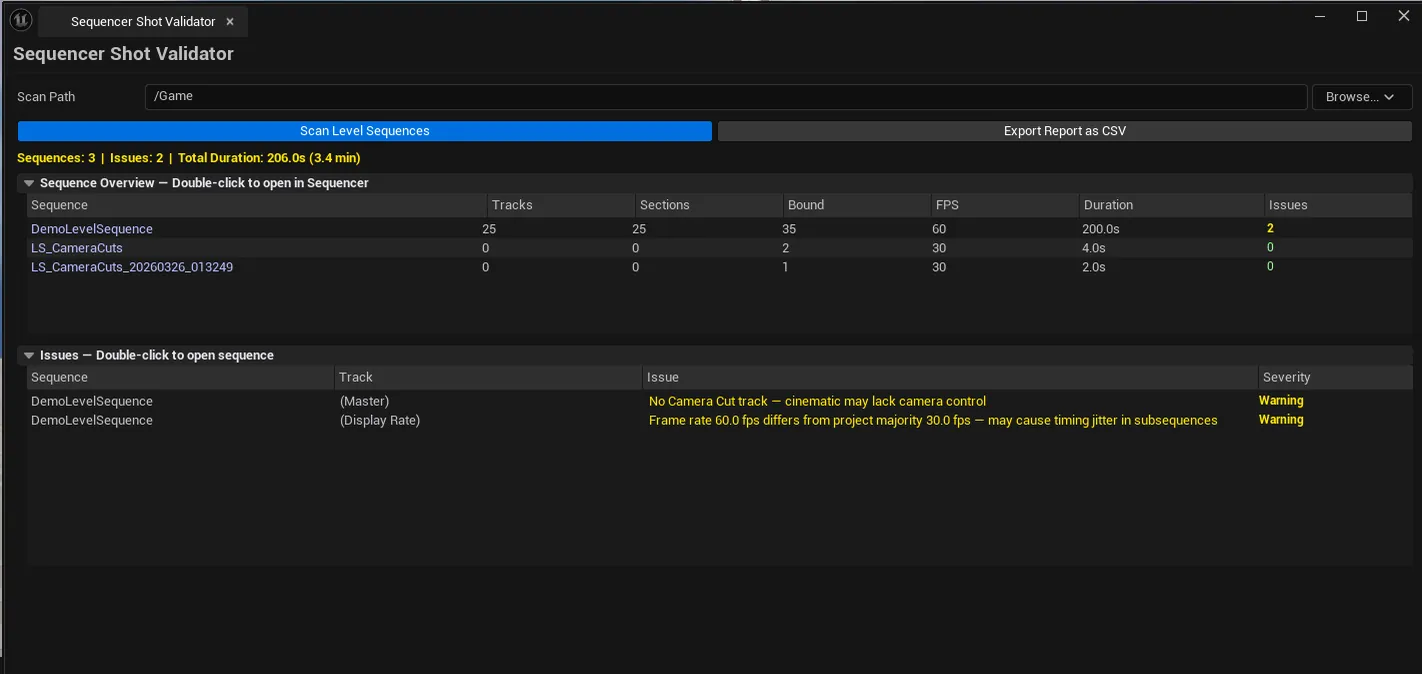
| Summary list | Per-sequence row: name, track count, section count, bound objects, issue count, duration, display rate | |
| Issues list | Per-issue row: sequence name, track name, issue, severity |
What gets flagged
Section titled “What gets flagged”| Severity | Issue |
|---|---|
| Error | Missing camera cuts track on a cinematic, unbound possessables |
| Warning | Frame rate mismatch between master and sub, zero-length sequences |
| Info | Empty subsequence sections (sometimes intentional) |
Single-click pings the asset; double-click opens the sequence in Sequencer.
Workflow
Section titled “Workflow”- Set Scan Path (default
/Game). - Click Scan Sequences.
- Sort by issue count to find the worst offenders.
- Walk the issues list — single-click to ping, double-click to open in Sequencer.
- Export CSV if reporting to the team.
Settings reference
Section titled “Settings reference”| Field | What it does | Default |
|---|---|---|
| Scan Path | Folder to scan | /Game |
Settings file:
[Project]/Saved/EQLabs/Settings/SequencerShotValidator.json
Output
Section titled “Output”- In-panel summary and issues lists.
- CSV export
- No edits. Read-only.
Tips and gotchas
Section titled “Tips and gotchas”- Frame rate mismatches don’t always render wrong. Sequencer adapts at the frame boundary. But fix them anyway for predictable behavior.
- Empty subsequence sections are often intentional (placeholders for future shots). Don’t blanket-fix
- Unbound actors are nearly always bugs. Usually a possessable that lost its actor reference after a level reload.
Related tools
Section titled “Related tools”- OTIO-Sequencer Bridge — editorial timeline import/export
- Camera Sequencer Enhancement — author + setup cameras for shots
Report an issue with this tool
Opens our feedback form in a new tab with the tool name pre-filled.