
Color Palette Extractor
Color Palette Extractor
Section titled “Color Palette Extractor”Module: Art · Category: Lookdev · Tool ID:
ColorPaletteExtractor
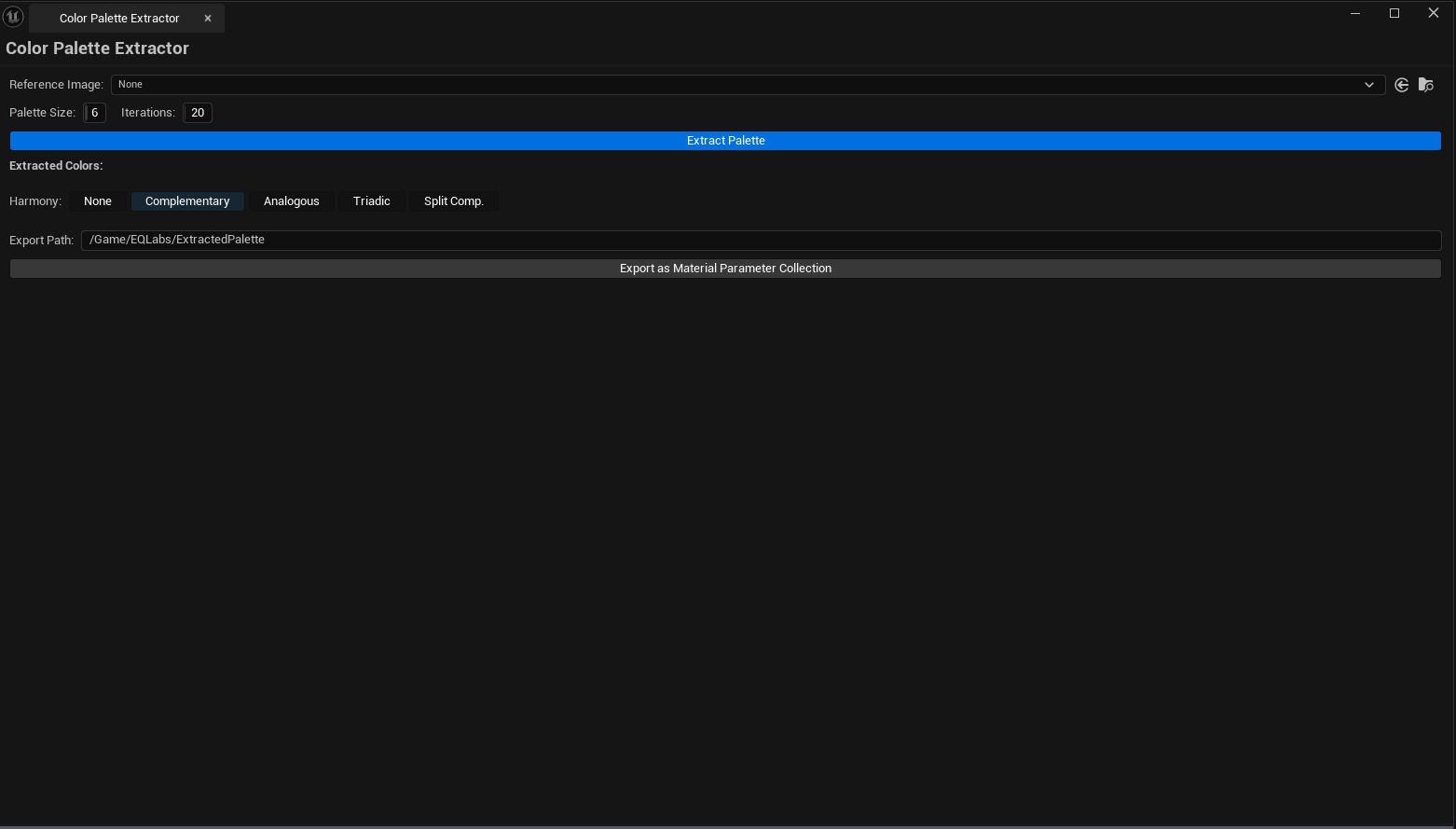
Pulls dominant colors out of a reference image using K-means clustering. Configurable palette size (2–16 colors), generates color harmonies (complementary, analogous, triadic, split-complementary), shows percentage weight per color, and exports the result as a Material Parameter Collection or copies hex/linear values to the clipboard.
When to use it
Section titled “When to use it”- Lookdev pre-pass — extracting a palette from concept art / mood board reference
- Generating MPC values that match a target visual style
- Building harmony suggestions when refining a palette
- Creating swatch documentation for a team
When not to use it
Section titled “When not to use it”- Don’t expect this to grade existing project assets — it operates on a single reference texture
- Don’t use for color blindness simulation — that’s outside scope
Opening the tool
Section titled “Opening the tool”- Open the EQLabs Hub and search for
PaletteorColor(or browse to Art → Lookdev) - Click the tool card
- Drop a reference texture into the Source field
Interface tour
Section titled “Interface tour”| Section | What it does | Default |
|---|---|---|
| Source Texture | Reference image to extract from | (empty) |
| Palette Size | How many dominant colors | 6 |
| K-Means Iterations | Convergence iterations | 20 |
| Sample Count | How many pixels to sample (subsampled for speed) | 10,000 |
| Extract Palette | Runs K-means clustering | |
| Harmony Mode | None / Complementary / Analogous / Triadic / Split-Complementary | None |
| Generate Harmonies | Builds harmony swatches from the extracted palette | |
| Export Path | Asset path for MPC export | /Game/EQLabs/ExtractedPalette |
| Export as MPC | Saves the palette as a Material Parameter Collection | |
| Palette Container | Visual swatch row — click to copy hex/linear | |
| Harmony Container | Visual swatch row for generated harmonies |
Workflow
Section titled “Workflow”Step 1 — Pick a source
Section titled “Step 1 — Pick a source”Drop a reference texture. Stylized concept art and photo references both work.
Step 2 — Set palette size
Section titled “Step 2 — Set palette size”6 is a good default. 4 for tight color schemes, 12+ for detailed palettes.
Step 3 — Extract
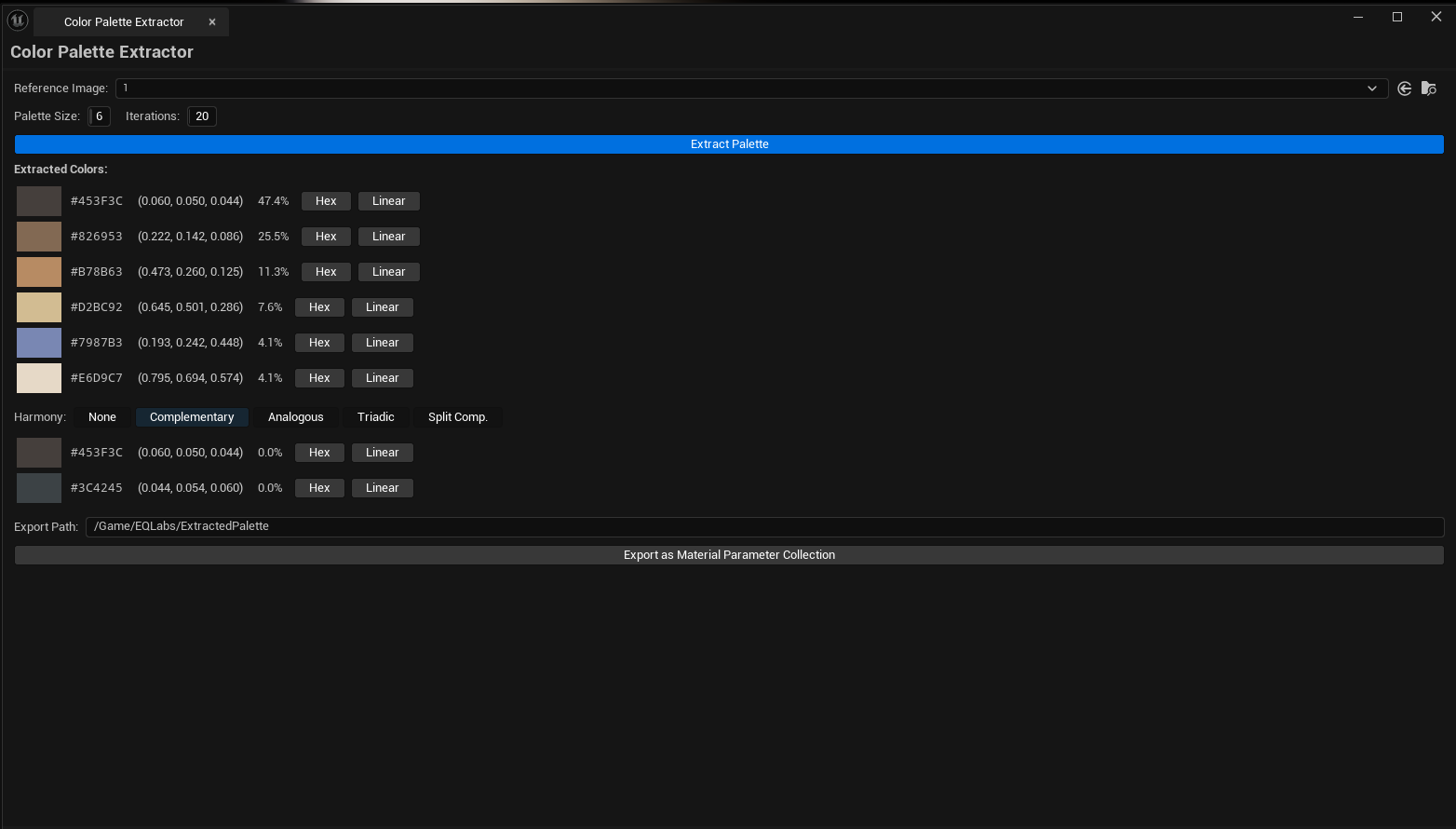
Section titled “Step 3 — Extract”Click Extract Palette. K-means clusters the sampled pixels and the swatches populate, sorted by frequency.
Step 4 — Generate harmonies
Section titled “Step 4 — Generate harmonies”Pick a harmony mode and click Generate Harmonies. The harmony block populates with computed colors based on the extracted dominants.
Step 5 — Use the colors
Section titled “Step 5 — Use the colors”- Click a swatch to copy its hex/linear value to the clipboard
- Export as MPC to save the full palette as a Material Parameter Collection asset
Settings reference
Section titled “Settings reference”| Field | Range | Default |
|---|---|---|
| Palette Size | 2 – 16 | 6 |
| K-Means Iterations | 5 – 100 | 20 |
| Sample Count | 1,000 – 100,000 | 10,000 |
| Harmony Mode | enum | None |
| Export Path | content path | /Game/EQLabs/ExtractedPalette |
Settings are persisted to
[Project]/Saved/EQLabs/Settings/ColorPaletteExtractor.json.
Output
Section titled “Output”- In-panel swatches — extracted palette + harmony swatches with weight percentages
- Clipboard — click a swatch to copy hex / linear values
- Material Parameter Collection — Export as MPC creates a real
UMaterialParameterCollectionasset at the configured path with one Vector parameter per color, namedColor_01,Color_02, etc.
Tips & gotchas
Section titled “Tips & gotchas”- K-means is non-deterministic — slight variation between runs is expected. For repeatable results, lock the sample count and iterations.
- Higher sample counts give more stable results but are slower —
10,000is a good balance; raise to50,000+for very detailed source images. - Weighted percentages reflect pixel count, not perceptual importance — a small accent color may be visually dominant but show as low percentage. Don’t blindly trust the weights.
- Harmonies are computed in HSV — they look right perceptually but may not match strict color theory definitions exactly.
Related tools
Section titled “Related tools”- Color Scheme Manager — for managing palettes manually with persistence to JSON
- HDRI / Cubemap Inspector — for analyzing HDRI tone and color in lookdev
Opens our feedback form in a new tab with the tool name pre-filled.