
No. 0061 TE TechEQLabs Pro
Config/INI Diff Tool
Module: Tech · Category: Workflow · Tool ID:
ConfigINIDiffTool
Compares a project’s DefaultEngine.ini (and other config files) against engine defaults. Per-key diff: which values are overridden, which are added, which are missing relative to a recommended template. Supports built-in templates for common scenarios (Mobile, Shipping, Multiplayer, etc.) and inline value editing with save-to-disk.
When to use it
Section titled “When to use it”- Auditing what’s been customized vs engine defaults
- Applying a known-good config template (Mobile / Shipping / Multiplayer) in one click
- Diff-style review of config changes before commit
- Finding “what did I change last week?” via revert-detection
What it isn’t for
Section titled “What it isn’t for”- Don’t use this for runtime config. It edits
.inifiles in<Project>/Config/. - Don’t expect this to handle plugin configs. Focused on engine + project configs.
Opening the tool
Section titled “Opening the tool”- Open the EQLabs Hub and search for Config or
INI(or browse to Tech → Workflow). - Click the tool card.
- Pick the config file, optionally pick a template, click Scan.
Interface tour
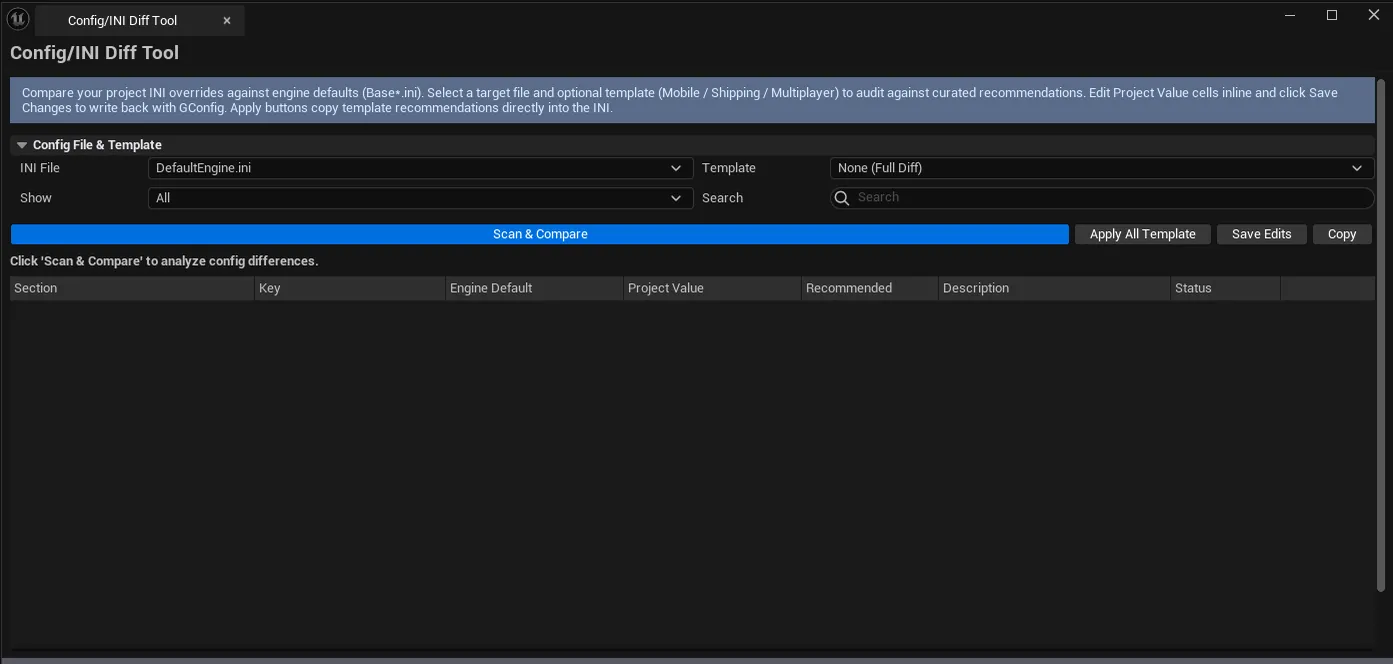
Section titled “Interface tour”| Section | What it does | Default |
|---|---|---|
| Selected Config combo | Which .ini to diff | DefaultEngine.ini |
| Template combo | Optional — built-in template to compare against | None (full diff) |
| Filter combo | All / Overridden / Added / Default / Missing / Dirty | |
| Search | Substring filter on key/value | |
| Scan | Runs the diff | |
| Apply All Template | Applies all template recommendations | |
| Save Changes | Writes dirty edits back to the .ini | |
| Copy Results | Plain-text dump | |
| Stats | Overridden / Added / Default / Missing / Dirty counts | |
| Diff list | Per-key row: section, key, default value, project value, recommended value, description, override flags, dirty flag |
Built-in templates
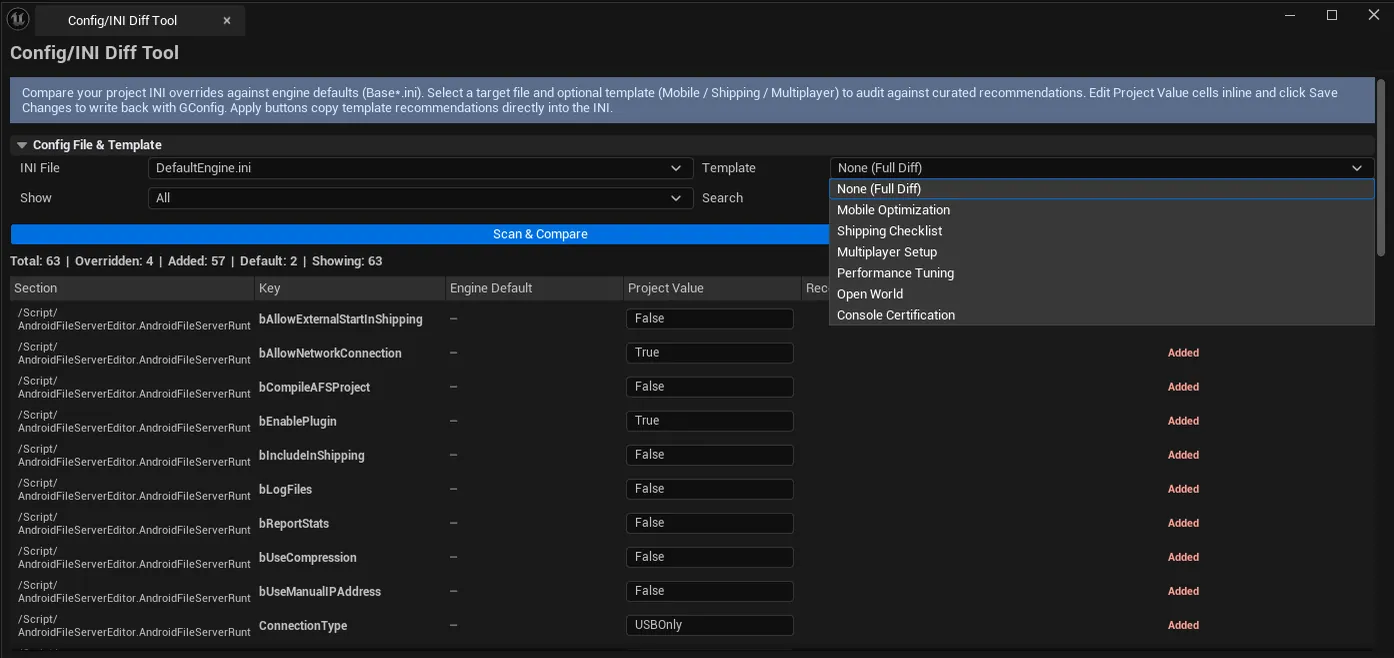
Section titled “Built-in templates”Templates ship with EQLabs covering common scenarios. Each template is a (section, key, recommended-value, description) quadruple list, applied to the selected config file.
Workflow
Section titled “Workflow”Audit current config
Section titled “Audit current config”- Pick
DefaultEngine.ini. - Leave Template = None.
- Click Scan.
- Filter to Overridden to see what’s customized.
Apply a template
Section titled “Apply a template”- Pick a template (e.g., Mobile).
- Click Scan — Recommended column populates.
- Per-row: click Apply Recommended to set values one at a time, OR click Apply All Template for bulk.
- Click Save Changes to write the
.ini.
Settings reference
Section titled “Settings reference”| Field | Default |
|---|---|
| Selected Config | DefaultEngine.ini |
| Filter | All |
Settings file:
[Project]/Saved/EQLabs/Settings/ConfigINIDiffTool.json
Output
Section titled “Output”- Modified
.inifiles. Save Changes writes back to<Project>/Config/. - Clipboard. Copy Results.
- No project metadata changes. Only config files.
Tips and gotchas
Section titled “Tips and gotchas”- Save Changes is final. There’s no undo for INI edits. Commit your config to source control before bulk applying.
- Templates are starting points. Mobile template is conservative; tune for your specific platform.
- Dirty flag tracks unsaved edits. The Dirty filter shows just the pending edits before save.
Related tools
Section titled “Related tools”- Console Variable Browser — for runtime CVar manipulation
- Project Doctor Suite. Broader project audit including config.
Report an issue with this tool
Opens our feedback form in a new tab with the tool name pre-filled.