
No. 0733 DE DesignEQLabs Pro
Data Systems Inspector
Module: Design · Category: Systems · Tool ID:
DataSystemsInspector
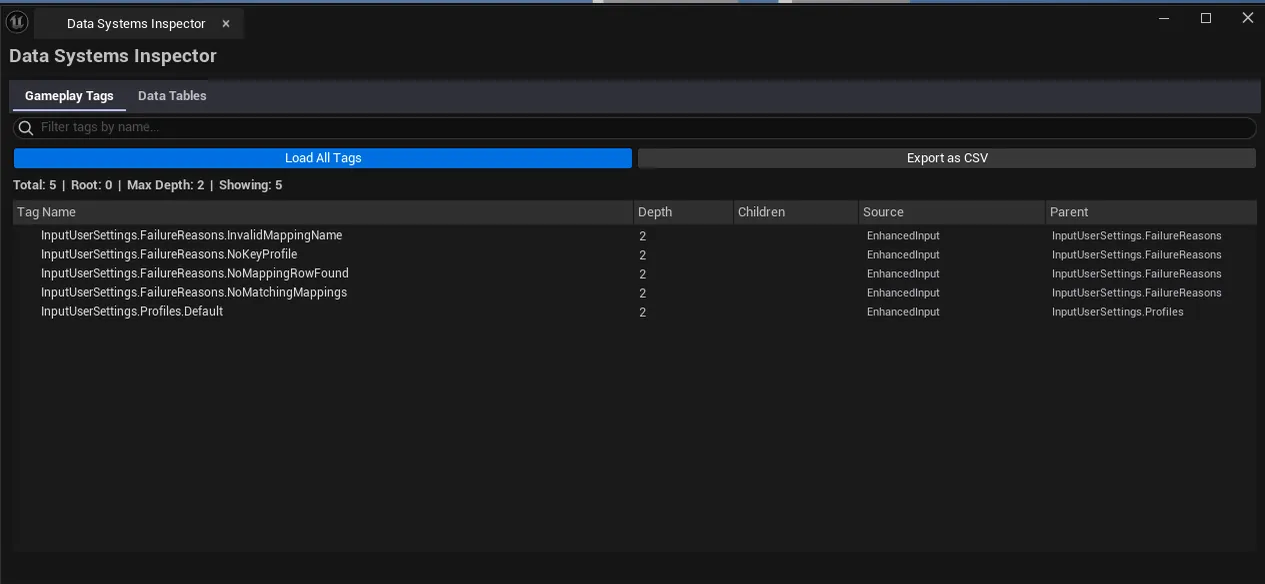
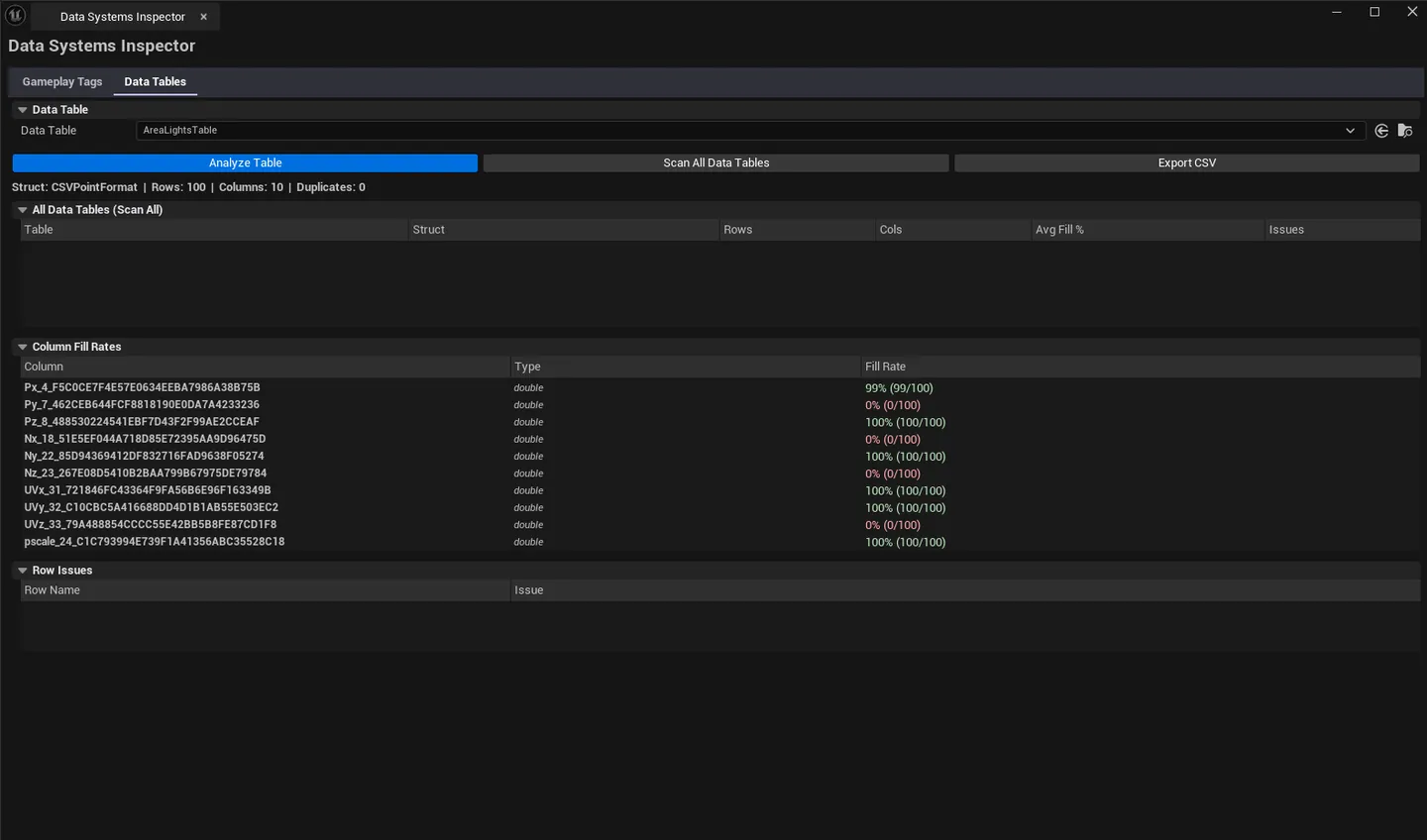
A two-tab inspector for the project’s tag and data systems. Tags browses the gameplay tag hierarchy with depth and source info. Data Tables audits every Data Table for column fill rate and duplicate rows.
When to use it
Section titled “When to use it”- Refactoring a tag taxonomy: seeing the full hierarchy and where tags come from
- Auditing data tables for missing rows or duplicate keys
- Pre-shipping check: confirming every tag in the project is registered correctly
What it isn’t for
Section titled “What it isn’t for”- Don’t expect tag editing. UE’s GameplayTagsManager owns that.
- Don’t expect data table editing. Use the Data Table editor.
Opening the tool
Section titled “Opening the tool”- Open the EQLabs Hub and search for Tags or
Data Table(or browse to Design → Systems). - Click the tool card.
- Use the tab bar: Tags or Data Tables.
Tab 1: Gameplay Tag Browser
Section titled “Tab 1: Gameplay Tag Browser”Hierarchical view of every registered tag.
| Section | What it does |
|---|---|
| Scan button | Enumerates registered tags via UGameplayTagsManager |
| Tag tree | Depth-indented hierarchy |
| Source column | Where the tag is registered (.ini, plugin, etc.) |
| Search | Filter by tag name |
Tab 2: Data Table Inspector
Section titled “Tab 2: Data Table Inspector”Per-DataTable column fill-rate and duplicate-row analysis.
| Section | What it does |
|---|---|
| Scan Path | Folder to scan |
| Scan | Walks every UDataTable |
| Tables list | Per-table row: name, row count, column count, fill rate, duplicate row flag |
| Per-table drill-in | Click to see column-by-column fill stats |
Workflow
Section titled “Workflow”Auditing tags
Section titled “Auditing tags”- Switch to Tags tab.
- Click Scan.
- Walk the hierarchy, search for specific tags.
Auditing data tables
Section titled “Auditing data tables”- Switch to Data Tables tab.
- Set scan path, click Scan.
- Sort by fill rate ascending — low fill rates indicate sparse data tables.
- Click rows with duplicate flags to drill in.
Settings reference
Section titled “Settings reference”| Field | Default |
|---|---|
| Scan Path (Data Tables tab) | /Game |
Settings file:
[Project]/Saved/EQLabs/Settings/DataSystemsInspector.json
Output
Section titled “Output”- In-panel tag tree and tables list.
- No edits. Read-only.
Tips and gotchas
Section titled “Tips and gotchas”- Tag source matters. Tags from
.inifiles are easy to remove; tags from plugins are harder. - Low fill rate isn’t always a bug. Sometimes tables are sparse on purpose. Use as signal.
- Duplicate keys in data tables are usually bugs. UE allows them but lookup is undefined.
Related tools
Section titled “Related tools”- Modeling-to-Gameplay Tag Pipeline — assigns tags to mesh sections + auto-generates trigger volumes
Report an issue with this tool
Opens our feedback form in a new tab with the tool name pre-filled.