
Core
The Core module hosts the EQLabs Hub — the central tool launcher — plus two Release-category tools and all the shared services that power every other tool in the plugin.
4 registered Hub tools (the smallest module by tool count, but the most important by reach — the framework lives here).
Hub tools
Section titled “Hub tools”-
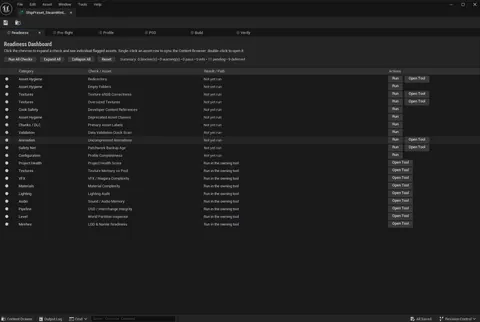
 Project Health Dashboard
 Aggregated health score across Assets / Materials / Performance / Blueprints / Animation / Level. The first tool to run on any project.
Release -
 Ship Lab
 From compile to cartridge. Six-phase build / packaging / release pipeline. Custom asset editor (Pattern B).
Release -
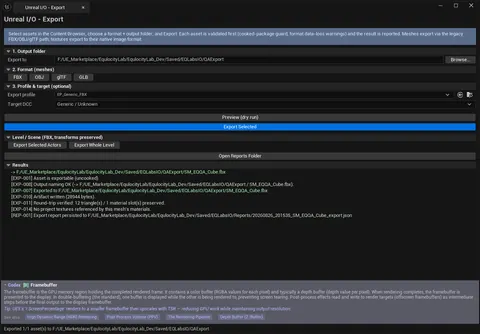 Unreal I/O — Export
 Export selected assets to FBX / OBJ / glTF with pre-export validation, data-loss warnings and a report.
I/O -
 Unreal I/O
 Profile-driven asset import: preflight, staged import, validation, safe fixes, and a published asset with provenance.
I/O
Framework reference
Section titled “Framework reference”| Doc | What it covers |
|---|---|
| Core Shared Services | The framework underneath every tool — Hub Window, Tool Registry, Base Tool Panel, Style, Result Items, Result List View, Viewport Overlay, Asset Navigator, Operation Cache, Blueprint API, Codex Subsystem, ArtForge services. |
What’s in Shared Services
Section titled “What’s in Shared Services”A breakdown of the building blocks every Hub tool uses:
- Hub & Registration.
SEQLabsHubWindow,FEQLabsToolRegistry,IEQLabsTool,FEQLabsBaseToolPanel. - Style.
FEQLabsStyle(centralized colors, brushes, icons). - Interactivity Framework.
FEQLabsResultItem,SEQLabsResultListView,FEQLabsViewportOverlay,FEQLabsAssetNavigator,FEQLabsOperationCache. - Codex.
UEQLabsCodexSubsystem,SEQLabsCodexStrip(367 entries / 15 volumes). - Blueprint API.
UEQLabsBlueprintLibrary(16 Blueprint-callable functions). - ArtForge Shared Services.
FAFBakeEngine,FAFUVSessionContext,FAFBatchProcessor,FAFPresetStore.
See the Shared Services doc for full detail.
Saved data layout
Section titled “Saved data layout”Every tool that persists settings or user data writes to [Project]/Saved/EQLabs/:
{Project}/Saved/EQLabs/├── Settings/<ToolId>.json ← Per-tool persisted settings├── ColorSchemes.json ← Color Scheme Manager palettes├── CVarPresets/<name>.json ← Console Variable Browser user presets├── MaterialPresets/<name>.json ← Material Preset Manager presets├── Patchwork/ ← Patchwork snapshot data + thumbnails└── Playtest/sessions/<name>.json ← Playtest Recorder & Tagger sessions