
No. 0843 DE DesignEQLabs Pro
Patchwork
Module: Design · Category: LevelDesign · Tool ID:
Patchwork
The missing source-control layer for Unreal levels. Save named snapshots of every reflected UPROPERTY on every actor and component in the level, diff two snapshots property-by-property in a tree view, then cherry-pick which changes to restore. Solves the “two artists editing the same level” conflict problem that traditional source-control (Git, Perforce) handles badly because UE’s .umap is binary.
ℹ️ Planned release: Free standalone Fab plugin. Currently registered as
Patchworkin the EQLabs Hub. The class is internallyFSceneSnapshotManageruntil the standalone extraction renames it.
When to use it
Section titled “When to use it”- “Save before risky change”: snapshot before a big lighting or layout change
- Two artists collaborating on the same level: diff their states and merge
- Pre-commit safety: snapshot before committing to source control as a fallback
- Iteration: save several variations and compare
What it isn’t for
Section titled “What it isn’t for”- Don’t use this as your primary source control. It’s a layer on top of Git / Perforce, not a replacement.
- Don’t expect this to handle level loads / saves. It captures actor state, not the level asset itself.
- Don’t expect SCC integration in V1. Phase C+D will add Git hooks and 3-way merge.
Opening the tool
Section titled “Opening the tool”- Open the EQLabs Hub and search for Patchwork (or browse to Design → LevelDesign).
- Click the tool card.
Interface tour
Section titled “Interface tour”| Section | What it does |
|---|---|
| Save Snapshot | Captures every reflected UPROPERTY across every actor + component |
| Snapshot list | Per-snapshot row: name, timestamp, author, tag, screenshot thumbnail |
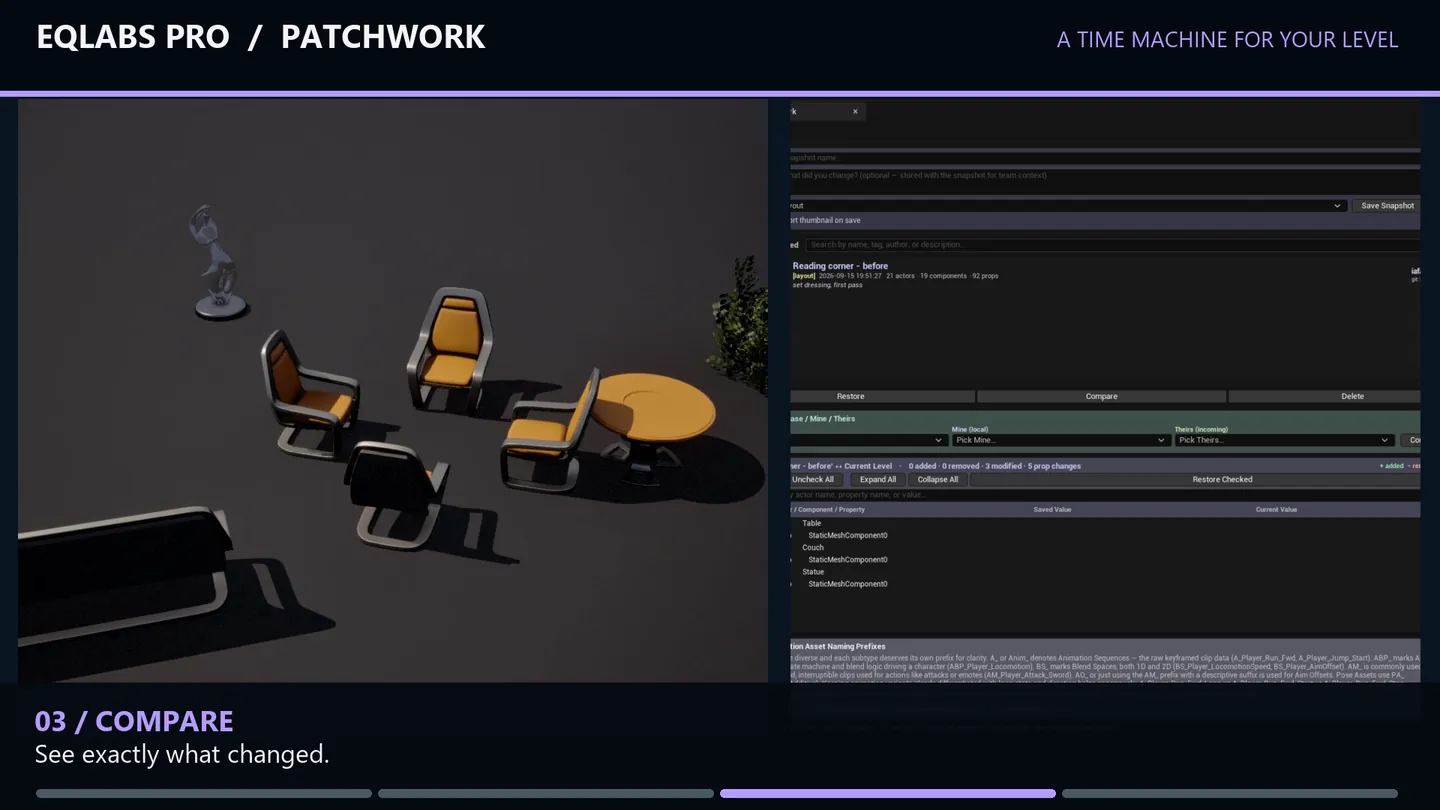
| Compare Snapshot | Diffs the selected snapshot against current state |
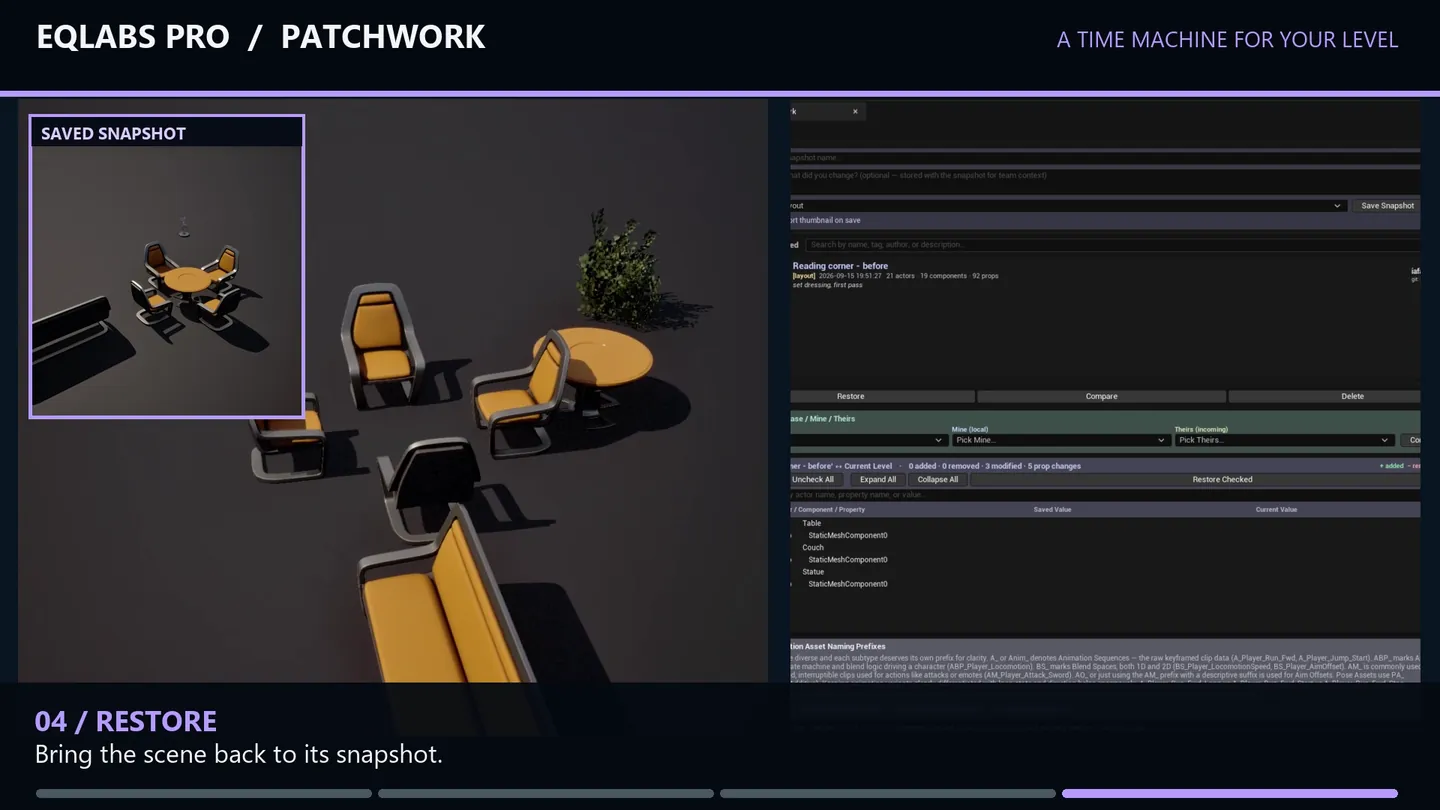
| Restore Snapshot | Restores every property in the snapshot |
| Restore Checked | Restores only the cherry-picked properties from the diff tree |
| Delete Snapshot | Deletes the snapshot file |
| Diff tree | Hierarchical view of every change |
Snapshot capture
Section titled “Snapshot capture”When you save a snapshot, every actor in the level is walked. For each actor, every reflected UPROPERTY is exported via FProperty::ExportText_InContainer. Components are walked recursively. Only properties that differ from the class default (CDO) are captured — keeps JSON size reasonable.
Snapshot metadata (Phase B)
Section titled “Snapshot metadata (Phase B)”Each snapshot stores:
- Name. Your label.
- Description. Free-text.
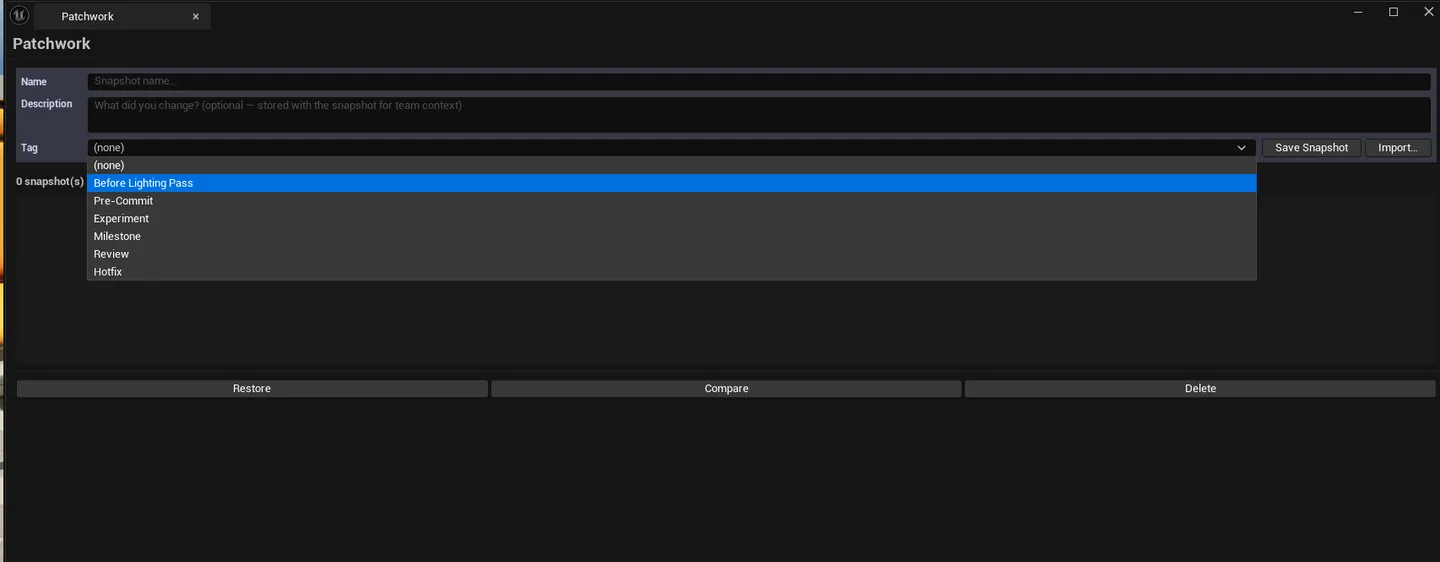
- Tag. Preset tags (
Before Lighting Pass,Pre-Commit,Custom...) or your own. - Author. Git config user.name / p4 info / OS username.
- Timestamp. Local ISO-8601.
- Commit SHA / Branch. Auto-captured from git.
- Screenshot. Viewport thumbnail captured at snapshot time.
Diff tree
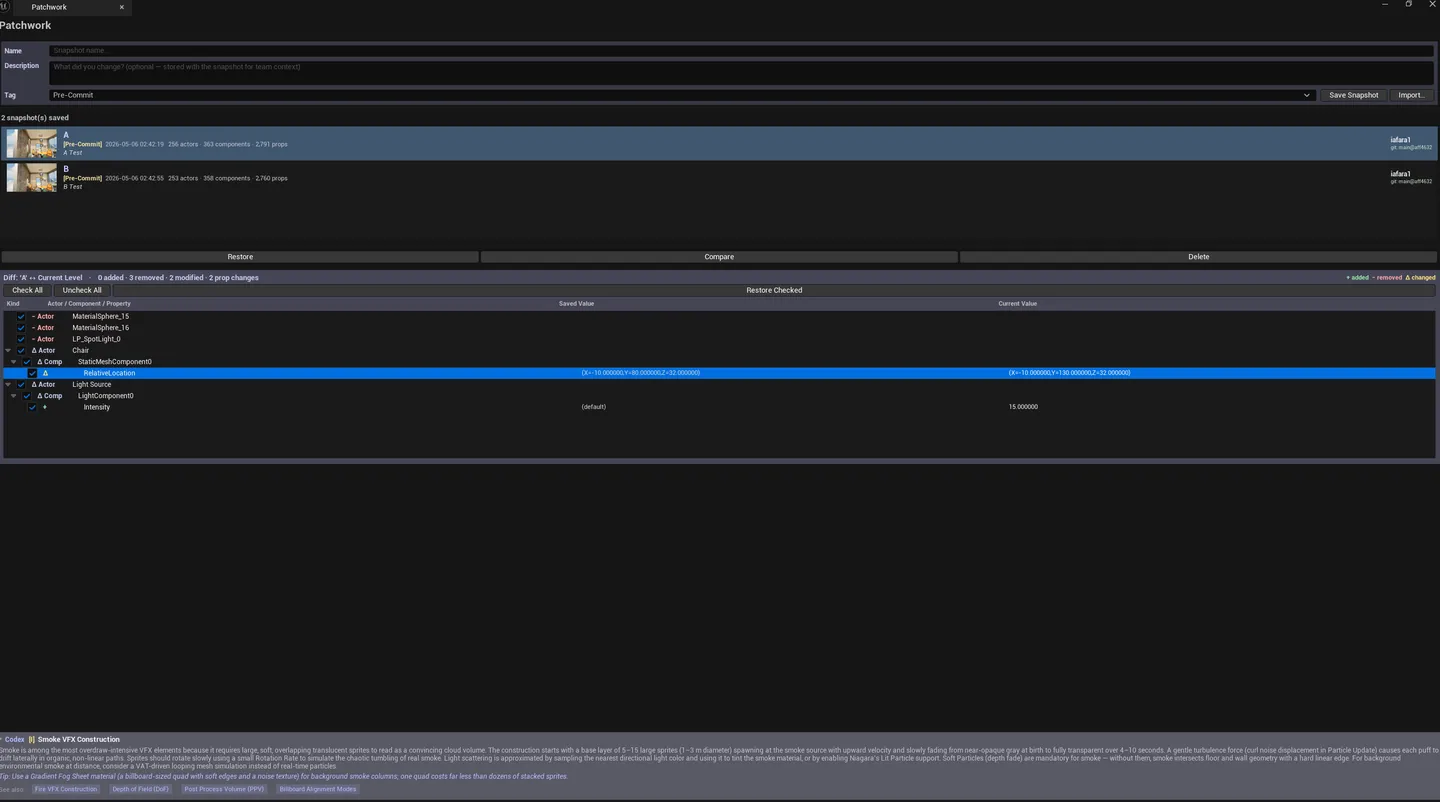
Section titled “Diff tree”Compare any two snapshots (or one snapshot vs current state). The tree shows:
| Node kind | Meaning |
|---|---|
| ActorAdded | New actor present in Current, missing from Saved |
| ActorRemoved | Actor in Saved, deleted in Current |
| ActorModified | Container for property changes within an actor |
| ComponentAdded / Removed / Modified | Same as Actor, for components |
| PropertyChanged | Leaf node — one property’s value differs |
| PropertyRevertedToDefault | Was captured in Saved (non-default), now matches CDO |
| PropertyDivergedFromDefault | Was matching CDO in Saved, now non-default |
Each leaf has a cherry-pick checkbox. Tri-state propagation means you can check a parent and the whole subtree gets selected. Click Restore Checked to apply only the selected leaves.
Workflow
Section titled “Workflow”Save a snapshot
Section titled “Save a snapshot”- Click Save Snapshot.
- Enter a name (e.g.,
Pre-LightingPass). - Optionally fill description / tag.
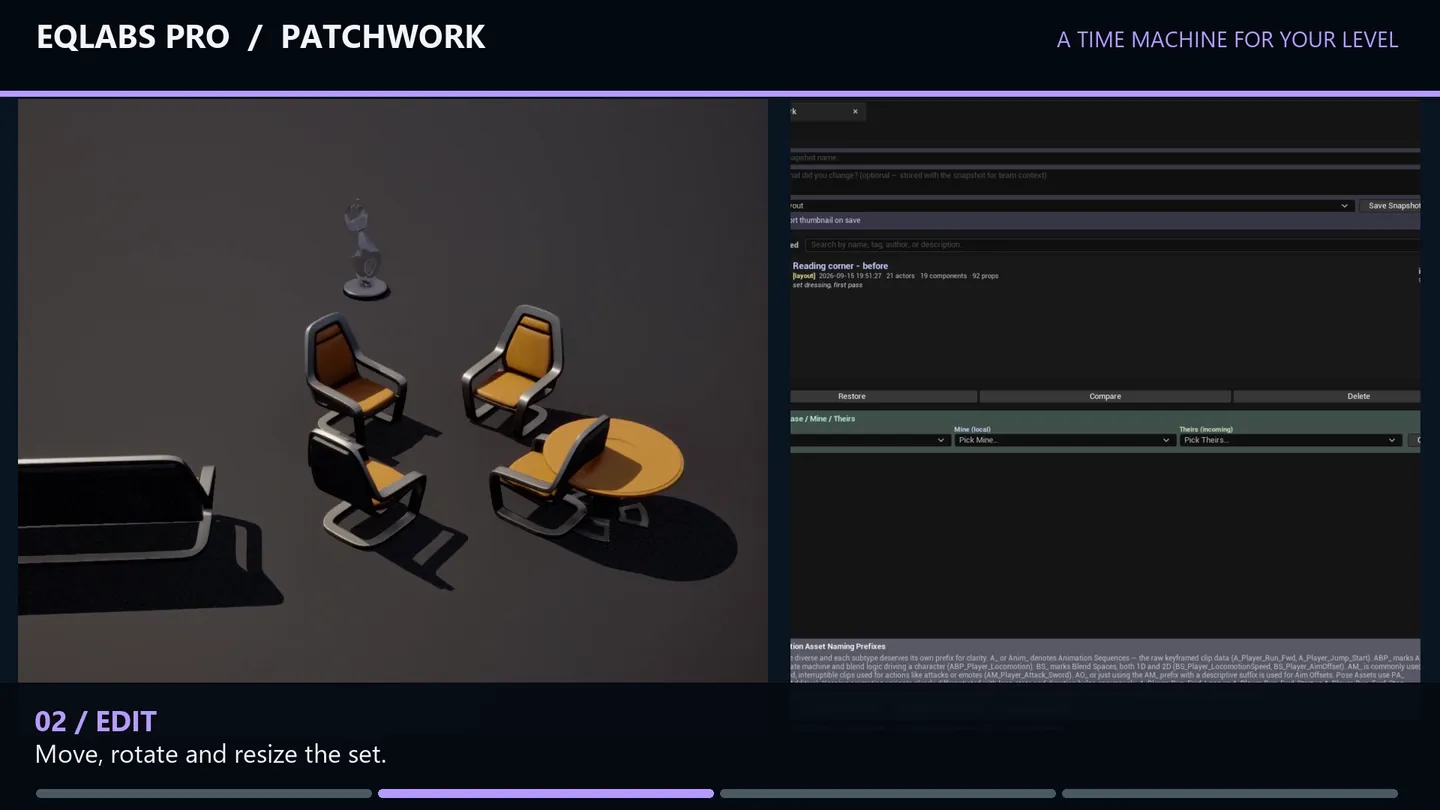
- Snapshot is captured — viewport thumbnail saved alongside.
Compare and restore
Section titled “Compare and restore”- Select a snapshot in the list.
- Click Compare Snapshot — diff tree populates.
- Walk the tree, checking properties you want to restore.
- Click Restore Checked — only checked properties revert.
Full restore
Section titled “Full restore”For “go back exactly to this state”, select the snapshot and click Restore Snapshot — every captured property is restored.
Export / Import / Duplicate
Section titled “Export / Import / Duplicate”Right-click a snapshot for context-menu actions: Duplicate, Export (saves snapshot file to disk), Delete. Import Snapshot at the top of the list lets you load a snapshot file from another machine / project.
Settings reference
Section titled “Settings reference”Snapshots persist to [Project]/Saved/EQLabs/Patchwork/snapshots.json. Thumbnails persist to [Project]/Saved/EQLabs/Patchwork/thumbnails/<snapshot-id>.png.
Output
Section titled “Output”- JSON snapshot file. Versioned schema, human-readable.
- PNG thumbnail. Per snapshot.
- Level state changes. Restore / Restore Checked modify actor state in-place.
- Undo. Restore is wrapped in
ScopedTransaction, but restore-of-restore can interact unpredictably; commit between large restores.
Tips and gotchas
Section titled “Tips and gotchas”- Patchwork captures in-memory state, not disk state. Save the level afterward to persist.
- Property capture excludes transient / editor-only / internal-use properties. What’s captured is roughly what UE serializes via SaveGame.
- Cherry-pick uses tri-state checkboxes. A parent shows partial when only some children are checked.
- Future plan: Phase C will add a git pre-commit hook that auto-snapshots before each commit
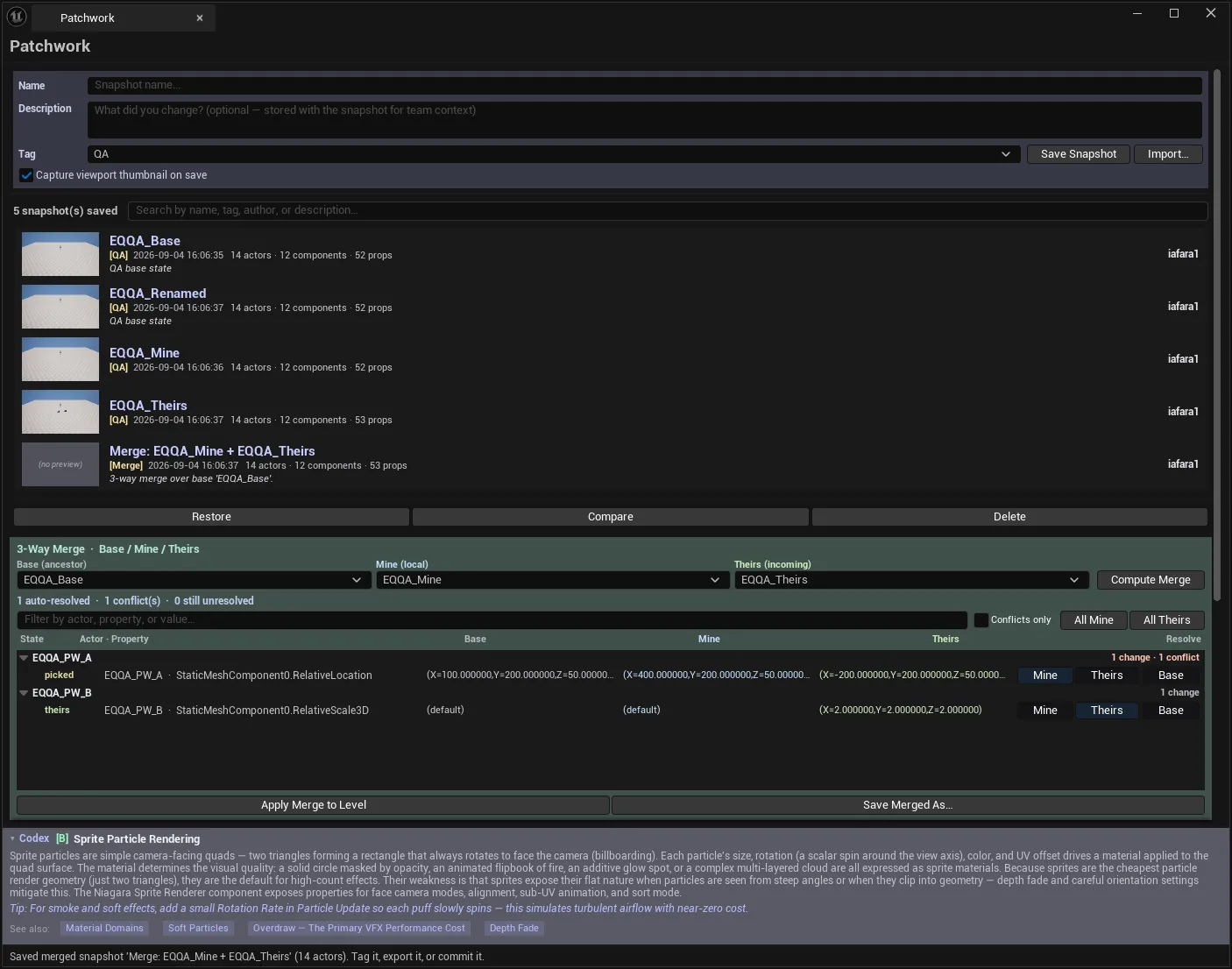
- Future plan: Phase D will add 3-way merge. Diff your changes against another artist’s changes against a shared base.
Related tools
Section titled “Related tools”- Project Doctor Suite (Tech module) — broader project-state audit alongside snapshot history
Opens our feedback form in a new tab with the tool name pre-filled.