
No. 0823 DE DesignEQLabs Pro
OFPA Nexus
Module: Design · Category: LevelDesign · Tool ID:
OFPANexus
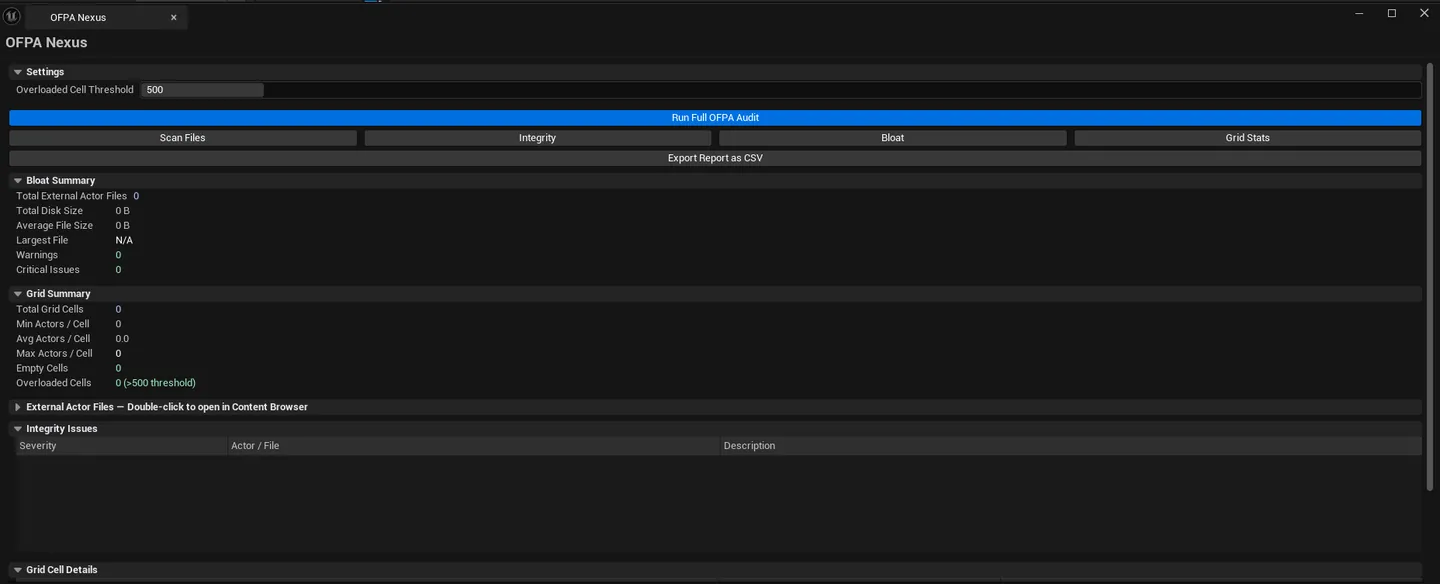
Integrity checker for One File Per Actor (OFPA) — UE’s file-system layout where each actor in a World Partition level is its own .uasset. Scans the __ExternalActors__ folder, runs integrity checks (orphans, missing packaging, duplicate GUIDs, oversized files), analyzes bloat, and reports World Partition grid statistics (cell counts, actors per cell, overloaded cells).
When to use it
Section titled “When to use it”- WP level health check: confirming OFPA data is clean
- Bloat investigation: finding the largest external actor files
- Grid analysis: finding overloaded cells (too many actors crammed together)
- Pre-cook validation: orphaned files cause cook failures
What it isn’t for
Section titled “What it isn’t for”- Don’t use this on non-WP levels. OFPA only applies to World Partition.
- Don’t expect this to fix issues. It surfaces them; fixes happen via UE’s standard tooling.
Opening the tool
Section titled “Opening the tool”- Open the EQLabs Hub and search for OFPA (or browse to Design → LevelDesign).
- Click the tool card.
- Click Run All (or run the four scans individually).
Interface tour
Section titled “Interface tour”| Action | What it does |
|---|---|
| Scan External Actors | Walks __ExternalActors__/ folder for the active level |
| Run Integrity Checks | Detects orphans, GUID duplicates, oversized files |
| Analyze Bloat | Computes file-size statistics |
| Scan Grid Stats | Reports WP grid cell stats |
| Run All | Runs all four scans in sequence |
| Export CSV | Saves the full report |
| External Actors list | Per-file row: filename, class, label, package path, size |
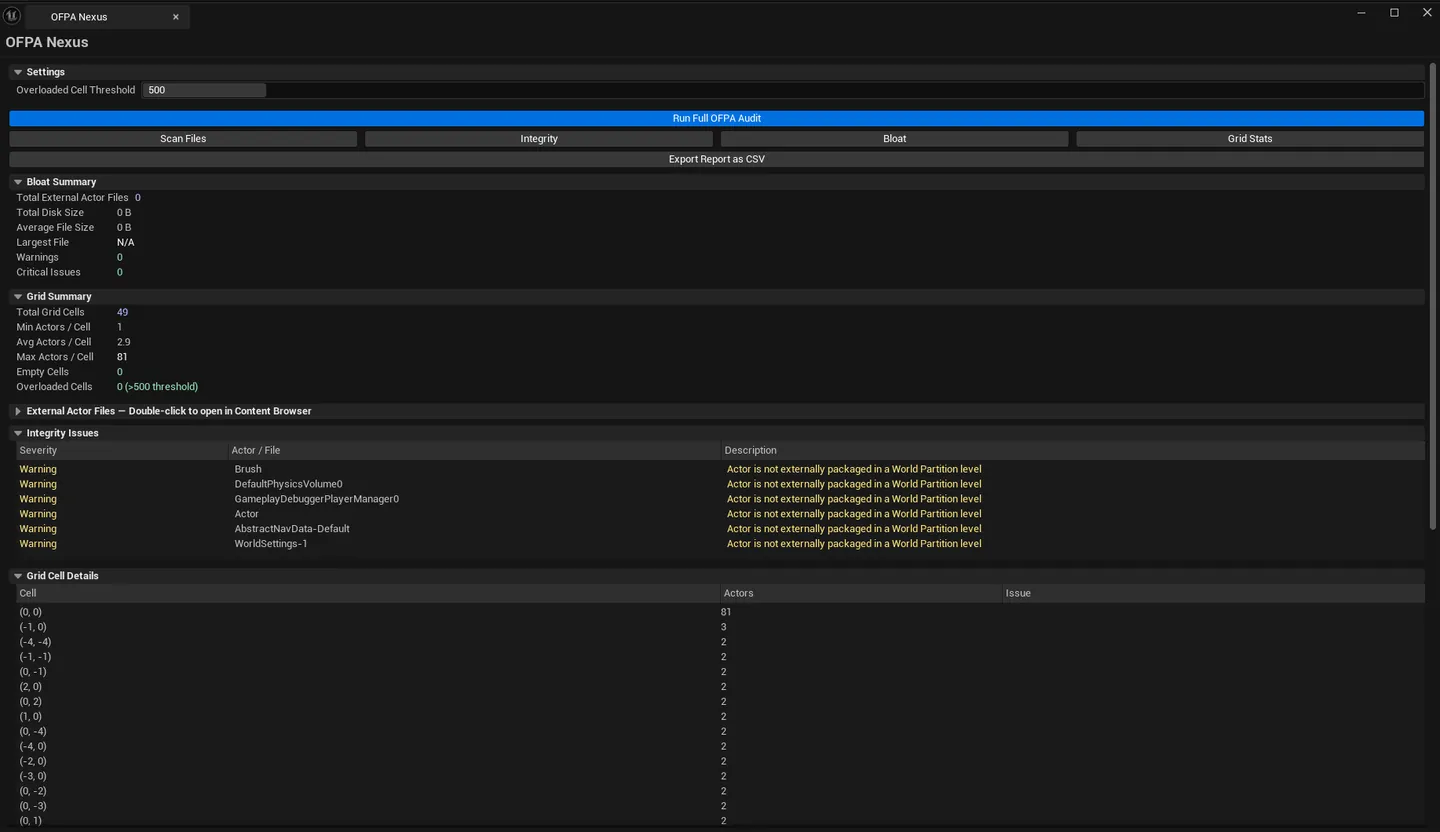
| Integrity Issues list | Per-issue row: description, actor/file, severity |
| Grid Cell Stats list | Per-cell row: cell name, actor count, issue |
Summary block
Section titled “Summary block”Total external actors / total disk size / average size / largest file / warning + critical counts. Plus grid summary: cell count / min/avg/max actors per cell / empty cells / overloaded cells.
Settings
Section titled “Settings”| Field | What it does | Default |
|---|---|---|
| Overloaded Cell Threshold | Cell with more than this many actors flags as overloaded | 500 |
What gets flagged
Section titled “What gets flagged”| Check | Severity | What it means |
|---|---|---|
| Orphaned file | Critical | File exists in __ExternalActors__/ but no actor references it |
| Missing external packaging | Critical | Actor is marked external but the file is missing |
| Duplicate GUID | Critical | Two files reference the same actor GUID |
| Oversized file | Warning | File over a heuristic size limit |
| Overloaded cell | Warning | Cell has more actors than the threshold |
| Excessive components | Warning | Single actor file contains too many components |
Workflow
Section titled “Workflow”One-click full scan
Section titled “One-click full scan”- Click Run All.
- Walk Critical issues first, then Warnings.
- Export CSV for team.
Bloat-focused
Section titled “Bloat-focused”- Click Analyze Bloat.
- Sort External Actors list by Size descending.
- Top entries are highest-impact optimization targets.
Settings reference
Section titled “Settings reference”| Field | Default |
|---|---|
| Overloaded Cell Threshold | 500 |
Settings file:
[Project]/Saved/EQLabs/Settings/OFPANexus.json
Output
Section titled “Output”- In-panel results. Three lists (external actors / integrity / grid).
- CSV export. Full audit.
- No file edits. Read-only.
Tips and gotchas
Section titled “Tips and gotchas”- Orphans usually point to renamed actors. UE’s WP system is supposed to clean these up; if you have orphans, something went wrong (often a half-completed save).
- Overloaded cells affect streaming performance. Fix by splitting via Data Layer assignment or HLOD.
- Single-click selects an actor file in the list; the file is the actor itself in the Content Browser.
Related tools
Section titled “Related tools”- World Partition Inspector — high-level WP audit, complementary to OFPA file-system analysis
Opens our feedback form in a new tab with the tool name pre-filled.