
No. 0141 TE TechEQLabs Pro
Lumen Scene Debugger
Module: Tech · Category: Debugging · Tool ID:
LumenSceneDebugger
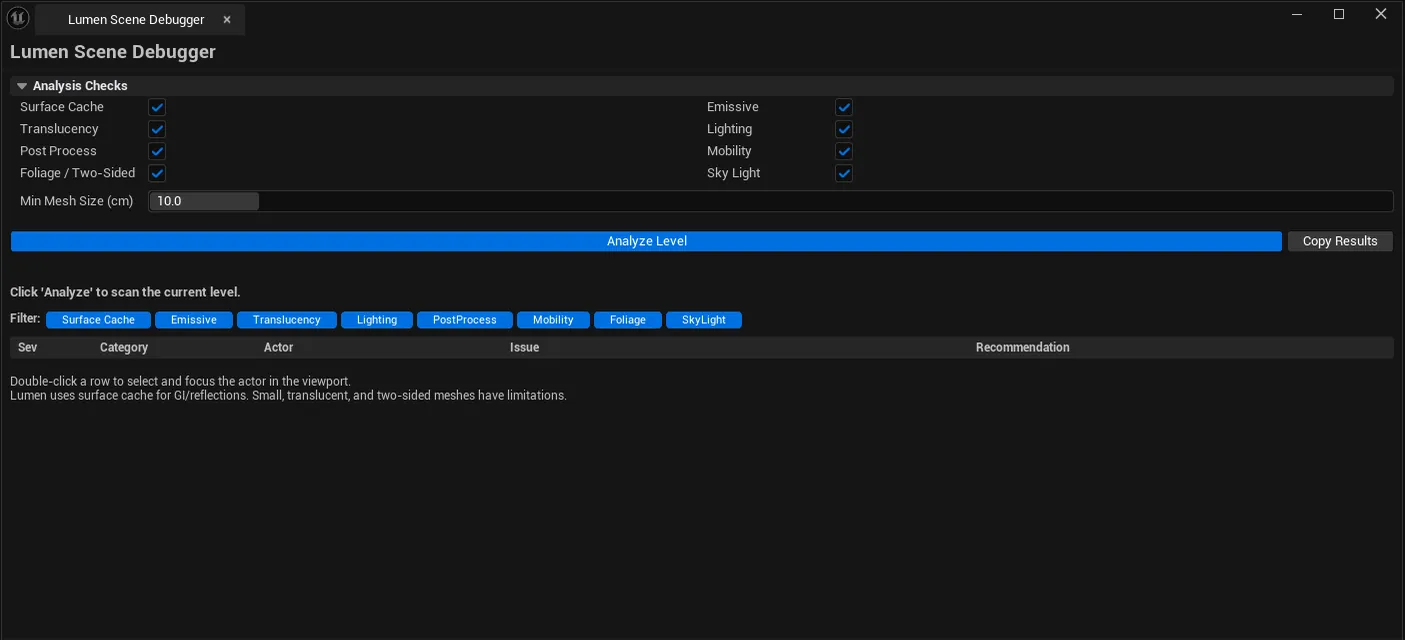
Comprehensive Lumen GI / reflection analyzer for the active level. Detects: meshes too small for surface cache, emissive materials that may not contribute to GI, translucent materials blocking rays, light sources with incompatible settings, PP volume Lumen method verification, mobility issues, two-sided / foliage flags, sky-light source-type validation. Includes a CVar report and a scene-complexity score.
When to use it
Section titled “When to use it”- Lumen-driven project pre-shipping audit
- “Why does GI look wrong?” debugging
- Scene complexity review: getting a complexity rating before optimization
- Verifying Lumen settings on PP volumes
What it isn’t for
Section titled “What it isn’t for”- Don’t use this for non-Lumen projects. Checks are Lumen-specific.
- Don’t expect runtime Lumen perf. See Rendering Systems Auditor for that.
Opening the tool
Section titled “Opening the tool”- Open the EQLabs Hub and search for Lumen (or browse to Tech → Debugging).
- Click the tool card.
- Click Analyze.
Interface tour
Section titled “Interface tour”Check toggles (per category)
Section titled “Check toggles (per category)”Surface Cache / Emissive / Translucency / Lighting / Post Process / Mobility / Foliage / Sky Light — toggle which checks to run.
Settings
Section titled “Settings”| Field | What it does | Default |
|---|---|---|
| Min Mesh Size for Lumen | Mesh size threshold for surface cache | 10.0 cm |
Filter toggles
Section titled “Filter toggles”Mirror the check toggles — narrow which categories appear in the issue list.
Output sections
Section titled “Output sections”| Section | What it shows |
|---|---|
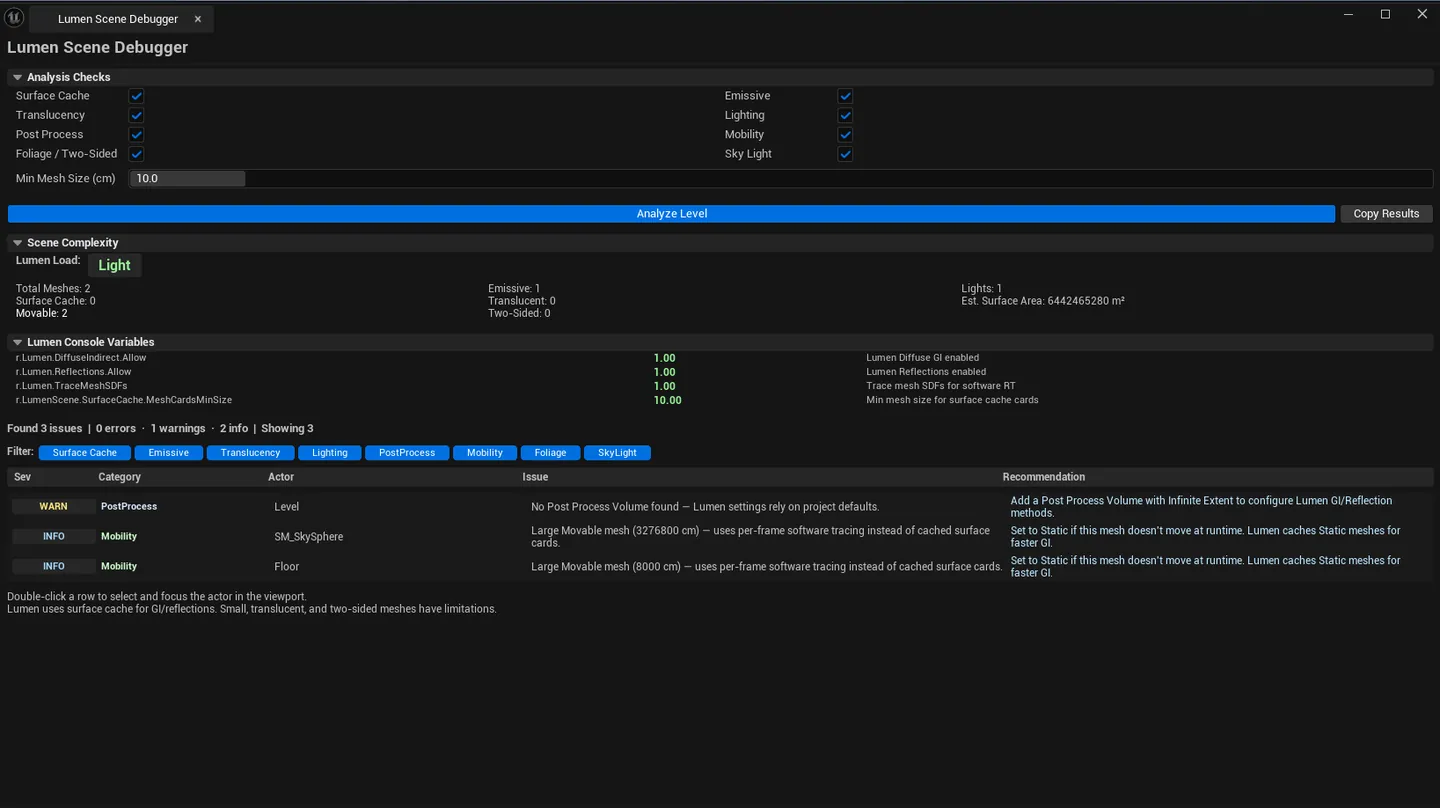
| Stats panel | Total meshes / surface cache / movable / translucent / emissive / lights / two-sided / total surface area / complexity rating |
| Issues list | Per-issue row: severity, actor name, component, category, description, recommendation |
| CVar Report | Lumen-related CVars with current values |
Complexity rating
Section titled “Complexity rating”A heuristic score: Simple / Moderate / Complex / Very Complex based on mesh count + lights + translucents + total surface area.
Workflow
Section titled “Workflow”- Open the level.
- Toggle which categories to check (defaults: all).
- Click Analyze.
- Walk the complexity rating + issues list.
- Filter by category to focus.
- Single-click pings the actor; double-click flies the camera.
Settings reference
Section titled “Settings reference”Settings persist to [Project]/Saved/EQLabs/Settings/LumenSceneDebugger.json.
Output
Section titled “Output”- In-panel issues list, stats and CVar report.
- Clipboard. Copy Results.
- No level edits. Read-only audit.
Tips and gotchas
Section titled “Tips and gotchas”- Surface Cache requires Min Mesh Size threshold. Too small a mesh is dropped from surface cache regardless of materials.
- Translucent materials block rays. Translucent foliage in particular hurts GI quality.
- WPO + Nanite is incompatible. Lumen scene flags this combination.
- Sky Light source type matters for Lumen. Real Time Capture vs Specified Cubemap have different cost / quality tradeoffs.
Related tools
Section titled “Related tools”- Virtual Texture Diagnostic — VT side
- Rendering Systems Auditor — runtime Lumen tuning
- Post-Process Volume Inspector — PP volume audit
Opens our feedback form in a new tab with the tool name pre-filled.