
No. 0231 TE TechEQLabs Pro
Project Doctor
Module: Tech · Category: QA · Tool ID:
ProjectDoctorSuite
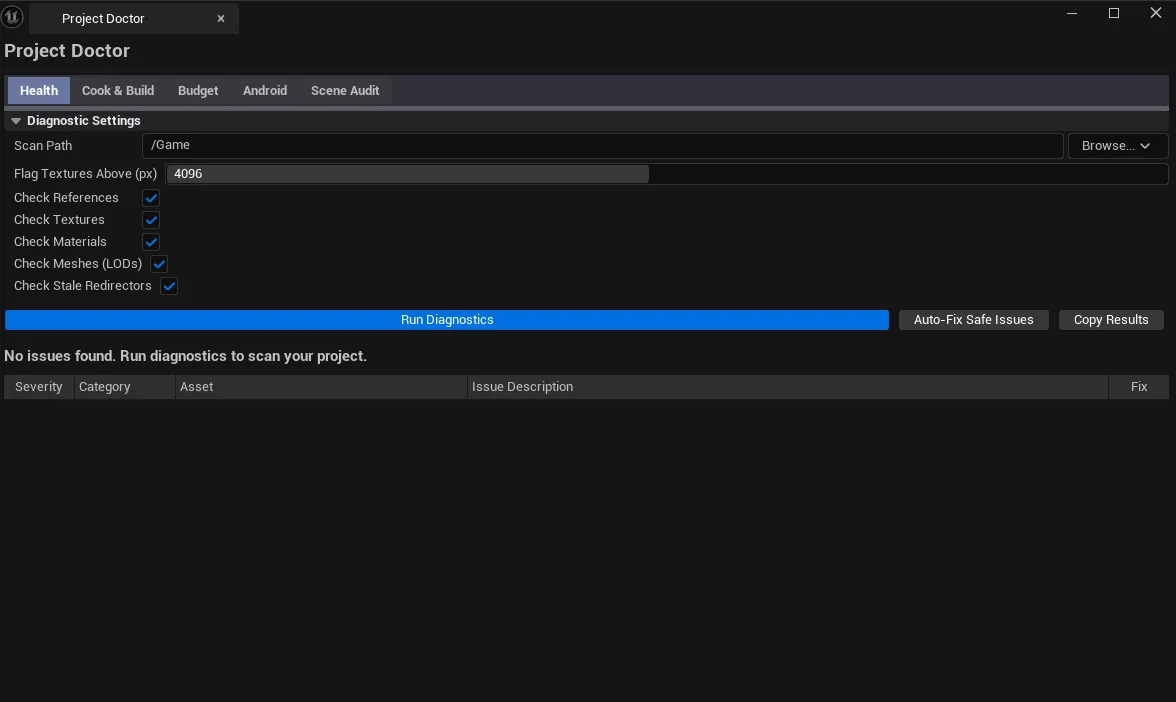
The flagship project-health suite. Five tabs covering: project health (references, textures, materials, meshes, naming), cook + build cost (texture/mesh/material footprint), texture memory budget (format distribution, streaming status), Android compliance (per-platform requirements wizard), and a scene audit with overdraw hotspot detection + tick-conflict identification + CSV export.
When to use it
Section titled “When to use it”- Pre-shipping comprehensive audit
- Cook size investigation: finding the biggest contributors to package bloat
- Texture memory budget review: format distribution, mip streaming
- Android-specific compliance verification
- Scene-by-scene performance audit
What it isn’t for
Section titled “What it isn’t for”- Don’t expect this to handle every platform. Android has dedicated compliance; iOS / Console have their own (mostly Quest Readiness Scanner for VR).
Opening the tool
Section titled “Opening the tool”- Open the EQLabs Hub and search for Project Doctor (or browse to Tech → QA).
- Click the tool card.
- Use the tab bar: Health / Cook & Build / Budget / Android / Scene Audit.
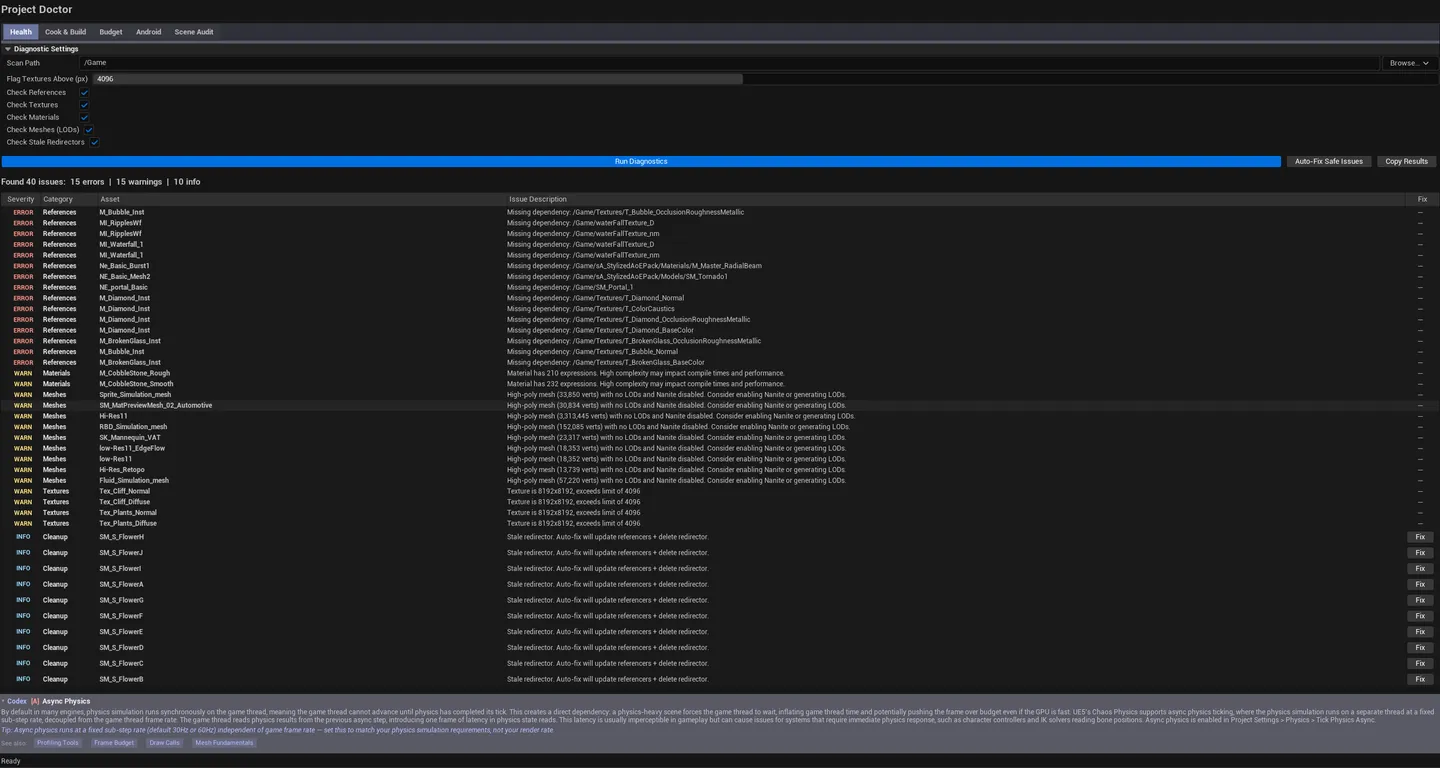
Tab 1: Project Doctor (Health)
Section titled “Tab 1: Project Doctor (Health)”Project-wide diagnostics:
- Asset references (orphans / circular)
- Texture stats and memory
- Material counts and complexity
- Mesh stats
- Naming convention violations
- Build settings sanity
Tab 2: Build Cost Intelligence
Section titled “Tab 2: Build Cost Intelligence”Texture / mesh / material footprint estimation. Estimates final cook size by asset type with breakdowns.
Tab 3: Texture Memory Budget
Section titled “Tab 3: Texture Memory Budget”Per-format distribution (BC1 / BC3 / BC5 / BC7 / DXT / etc.), streaming status (always-loaded vs streamed), per-LOD-group totals, memory budget vs actual.
Tab 4: Android Compliance Wizard
Section titled “Tab 4: Android Compliance Wizard”Android-specific requirements: ASTC support, OpenGL ES vs Vulkan, target SDK level, signing requirements, max APK / OBB sizes.
Tab 5: Scene Audit
Section titled “Tab 5: Scene Audit”Per-level analysis:
- Total actors / unique materials / unique meshes
- Estimated texture memory
- Draw call estimate
- Overdraw hotspot estimation. Areas of high translucent overdraw.
- Tick conflict count. Actors with conflicting tick groups.
- CSV export
Workflow
Section titled “Workflow”Pre-shipping audit
Section titled “Pre-shipping audit”- Walk all five tabs in sequence.
- Note Critical issues from each tab.
- Build a punch list, address in priority order.
Scene optimization
Section titled “Scene optimization”- Open the level.
- Switch to Scene Audit tab.
- Click Run — list populates.
- Sort by texture memory descending — top entries are highest-impact.
- Single-click pings asset, double-click opens editor; for hotspots, double-click flies camera to actor.
Settings reference
Section titled “Settings reference”Per-tab parameters persist to [Project]/Saved/EQLabs/Settings/ProjectDoctorSuite.json.
Output
Section titled “Output”- In-panel results per tab.
- CSV export. Scene Audit tab.
- Viewport overlay. Overdraw hotspots and tick-conflict indicators (when Scene Audit results are loaded).
Tips and gotchas
Section titled “Tips and gotchas”- Project Doctor is the flagship audit tool. Run it before every milestone.
- Scene Audit’s tick conflict detection complements Motion-Physics Sync Engine — but covers more general cases
- Build Cost is an estimate. Real cook output depends on platform-specific compression and runtime settings.
Full walkthrough
Section titled “Full walkthrough”Related tools
Section titled “Related tools”- Asset Naming Checker — focused naming audit
- Quest Readiness Scanner — VR-specific equivalent of Android Compliance Wizard
- Texture Validation & Color Mgmt — focused texture audit
Opens our feedback form in a new tab with the tool name pre-filled.