
No. 0361 TE TechEQLabs Pro
USD Interchange Repair Kit
Module: Tech · Category: Workflow · Tool ID:
USDInterchangeRepairKit
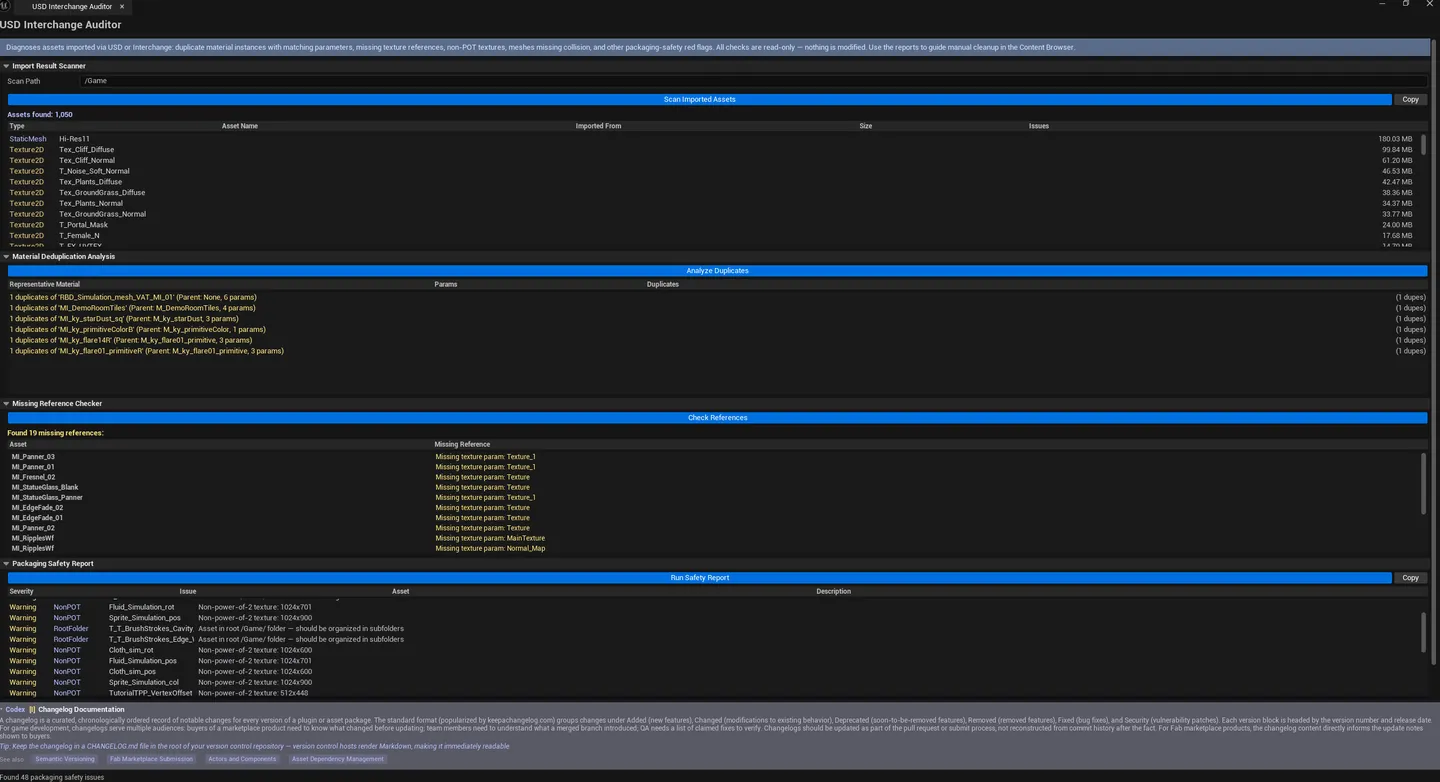
Analyzes the results of USD / Interchange imports. Scans imported assets for: material deduplication opportunities (materials with identical parameters that could be merged), missing references (dangling refs), and packaging safety issues (non-power-of-2 textures, missing collision, root-folder placement, WPO usage).
When to use it
Section titled “When to use it”- After a large USD or Interchange import: auditing the result for cleanup opportunities
- Material deduplication: merging identical-parameter MIs
- Pre-cook validation: finding NonPOT textures or missing collision
- Diagnosing “this imported asset references something missing”
What it isn’t for
Section titled “What it isn’t for”- Don’t use this for non-USD-imported projects. Checks are import-result-specific.
- Don’t expect this to fix automatically. Surfaces issues; fixes happen per-asset.
Opening the tool
Section titled “Opening the tool”- Open the EQLabs Hub and search for USD or
Interchange(or browse to Tech → Workflow). - Click the tool card.
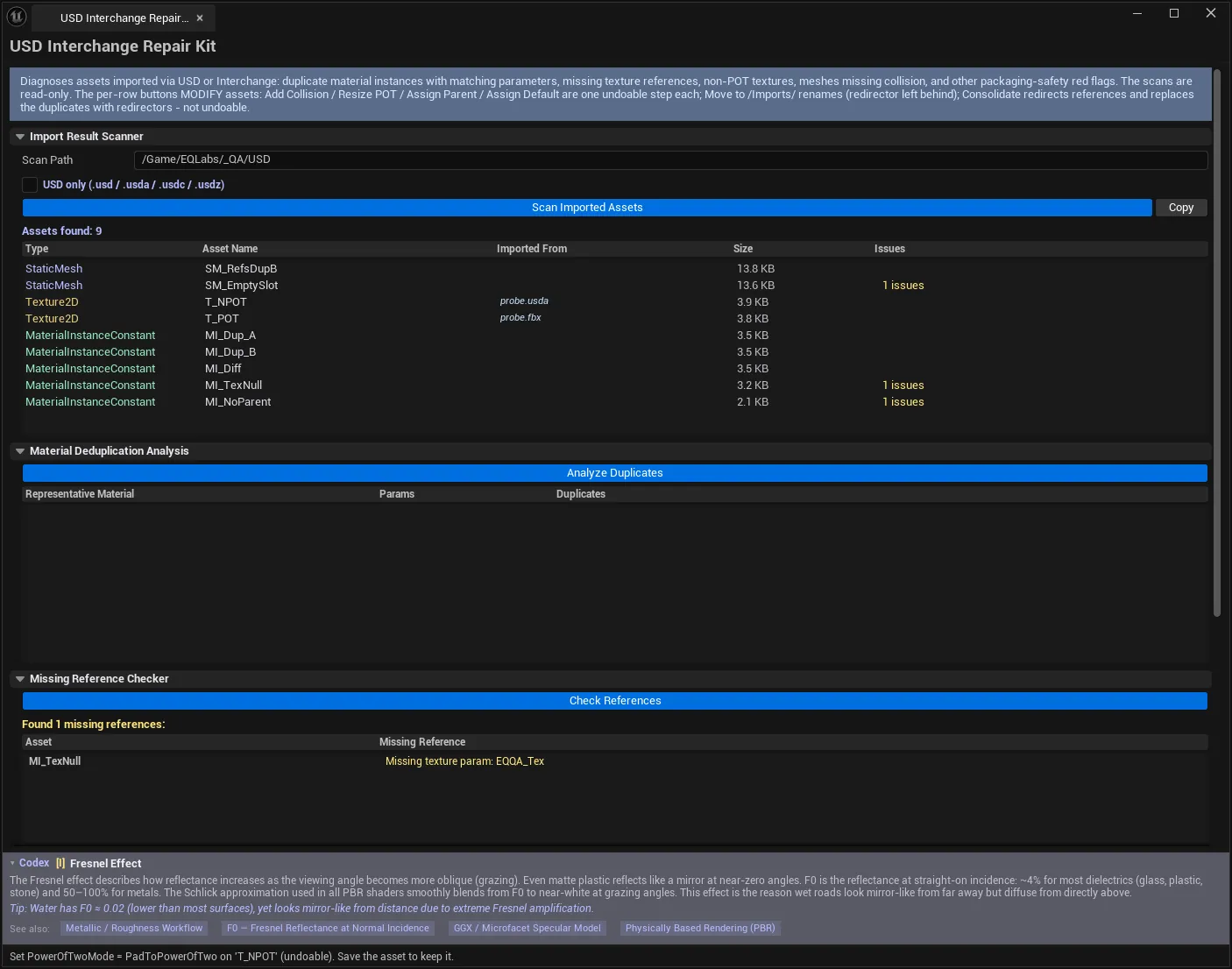
- Set Scan Path, run the four checks.
Interface tour
Section titled “Interface tour”| Field | What it does | Default |
|---|---|---|
| Scan Path | Folder to inspect | /Game |
| Scan Assets | Walks the folder, lists imported assets | |
| Analyze Duplicates | Finds materials with identical parameters | |
| Check References | Finds dangling references | |
| Run Safety Report | Audits for packaging-safety issues | |
| Copy Assets / Copy Safety | Clipboard dumps per category | |
| Imported Assets list | Per-asset row: name, type, size, source ref, issues | |
| Material Duplicates list | Per-group row: representative name, duplicate names, shared param count | |
| Missing References list | Per-row: asset name, missing ref name | |
| Packaging Safety Issues list | Per-row: asset name, issue type (NonPOT / NoCollision / WPO / RootFolder), description, severity |
Workflow
Section titled “Workflow”- Set Scan Path to the folder USD imported into.
- Click Scan Assets.
- Click Analyze Duplicates — review groups, decide which to merge.
- Click Check References — fix dangling refs.
- Click Run Safety Report — fix NonPOT / collision / WPO issues.
- Optionally Copy results for team review.
Settings reference
Section titled “Settings reference”| Field | Default |
|---|---|
| Scan Path | /Game |
Settings file:
[Project]/Saved/EQLabs/Settings/USDInterchangeRepairKit.json
Output
Section titled “Output”- In-panel results across four lists.
- Clipboard. Copy Assets / Copy Safety.
- No edits. Read-only audit.
Tips and gotchas
Section titled “Tips and gotchas”- Duplicate groups need manual merging. The tool surfaces; you decide whether to merge (and which to keep as the canonical).
- NonPOT is sometimes intentional. UI textures often are; landscape / atlas textures rarely should be.
- Missing references usually mean a broken import. Fix the source USD or re-import.
Related tools
Section titled “Related tools”- Asset Naming Checker — for naming-side audit
- Texture Validation & Color Mgmt — texture-side audit
Report an issue with this tool
Opens our feedback form in a new tab with the tool name pre-filled.