
No. 0191 TE TechEQLabs Pro
Material Property Diff
Module: Tech · Category: Debugging · Tool ID:
MaterialPropertyDiff
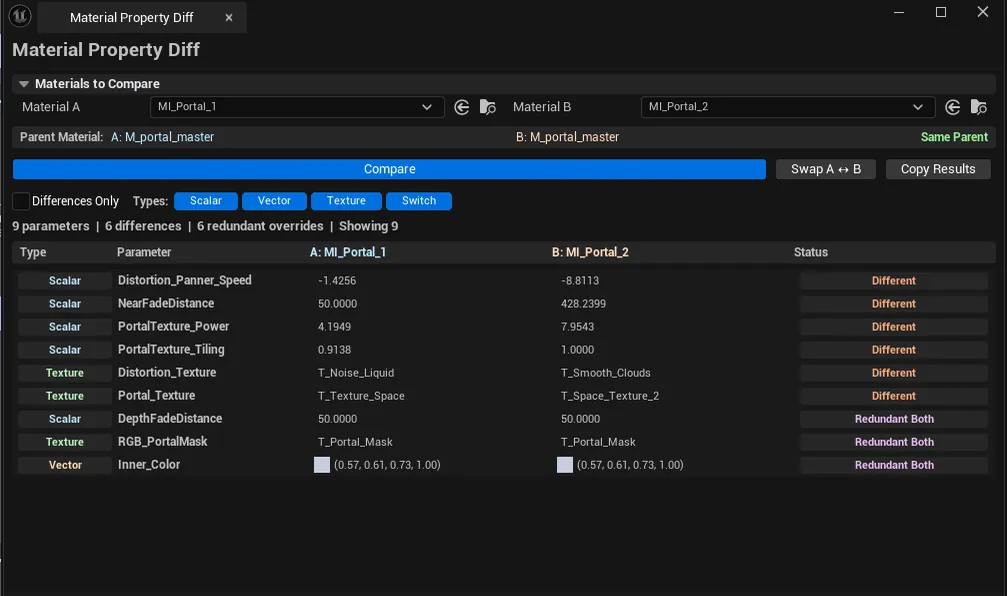
Side-by-side parameter diff between two Material Instances. Highlights: parameters with different values, parameters overridden in one but not the other, redundant overrides (value matches parent default — usually safe to remove), scalar/vector/texture/static-switch comparison, parent material info, and color swatches for vector parameters.
When to use it
Section titled “When to use it”- Diffing two MIs to confirm they were authored consistently
- Finding redundant overrides for cleanup
- Migrating parameters from one MI to another
- Pre-merge review on shared materials
What it isn’t for
Section titled “What it isn’t for”- Don’t expect cross-parent diff to be meaningful. Diff is most useful when both MIs share the same parent.
Opening the tool
Section titled “Opening the tool”- Open the EQLabs Hub and search for Material Diff (or browse to Tech → Debugging).
- Click the tool card.
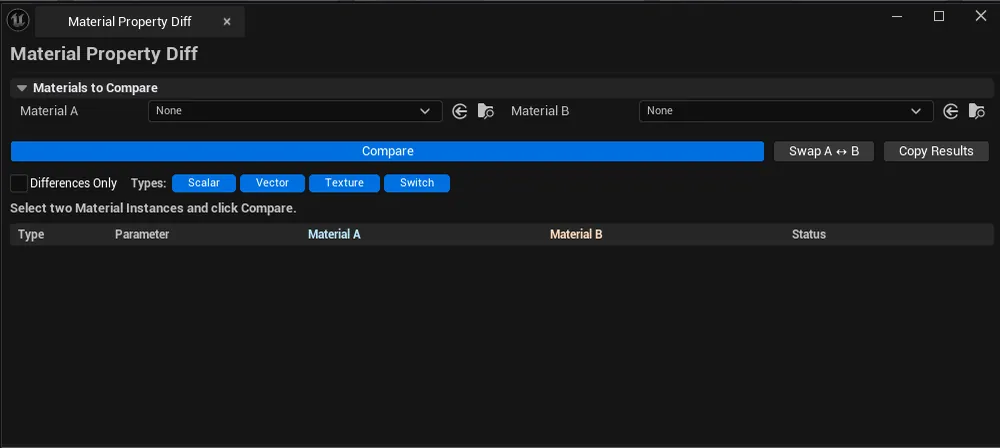
- Drop two MIs into A + B pickers, click Compare.
Interface tour
Section titled “Interface tour”| Section | What it does |
|---|---|
| Material A / B pickers | The two MIs to compare |
| Compare | Computes the diff |
| Swap Materials | Quick swap A ↔ B |
| Show Only Differences | Hide Same rows |
| Type filters | Scalar / Vector / Texture / StaticSwitch toggles |
| Parent Info | Shows whether both MIs share a parent |
| Copy Results | Plain-text dump |
| Diff list | Per-row: param name, type, value A, value B, status, color swatches (vector only) |
Status values
Section titled “Status values”| Status | Meaning |
|---|---|
| Different | Same param, different values |
| Only in A / Only in B | Param overridden in only one MI |
| Same | Both equal |
| Redundant A / B / Both | Override exists but matches parent default — safe to remove |
Workflow
Section titled “Workflow”- Drop both MIs.
- Click Compare.
- Toggle Show Only Differences to focus on actual changes.
- Cross-reference with the source MI editor to fix or migrate.
Settings reference
Section titled “Settings reference”| Field | Default |
|---|---|
| Show Only Differences | false |
| Filter toggles | all on |
Settings file:
[Project]/Saved/EQLabs/Settings/MaterialPropertyDiff.json
Output
Section titled “Output”- In-panel diff list
- Clipboard. Copy Results.
- No edits. Read-only.
Tips and gotchas
Section titled “Tips and gotchas”- Redundant overrides happen when a parameter was set then the parent default changed. Cleanup is safe.
- Color swatches make vector diffs intuitive. Easy to see “these are different shades of blue”.
- Static switch state matters. Affects which parameters are actually in use.
Related tools
Section titled “Related tools”- Material Instance Manager — hierarchy + override tracking
- Material Preset Manager — capture / apply parameter sets
Report an issue with this tool
Opens our feedback form in a new tab with the tool name pre-filled.