
No. 0753 DE DesignEQLabs Pro
Level Analysis Suite
Module: Design · Category: LevelDesign · Tool ID:
LevelAnalysisSuite
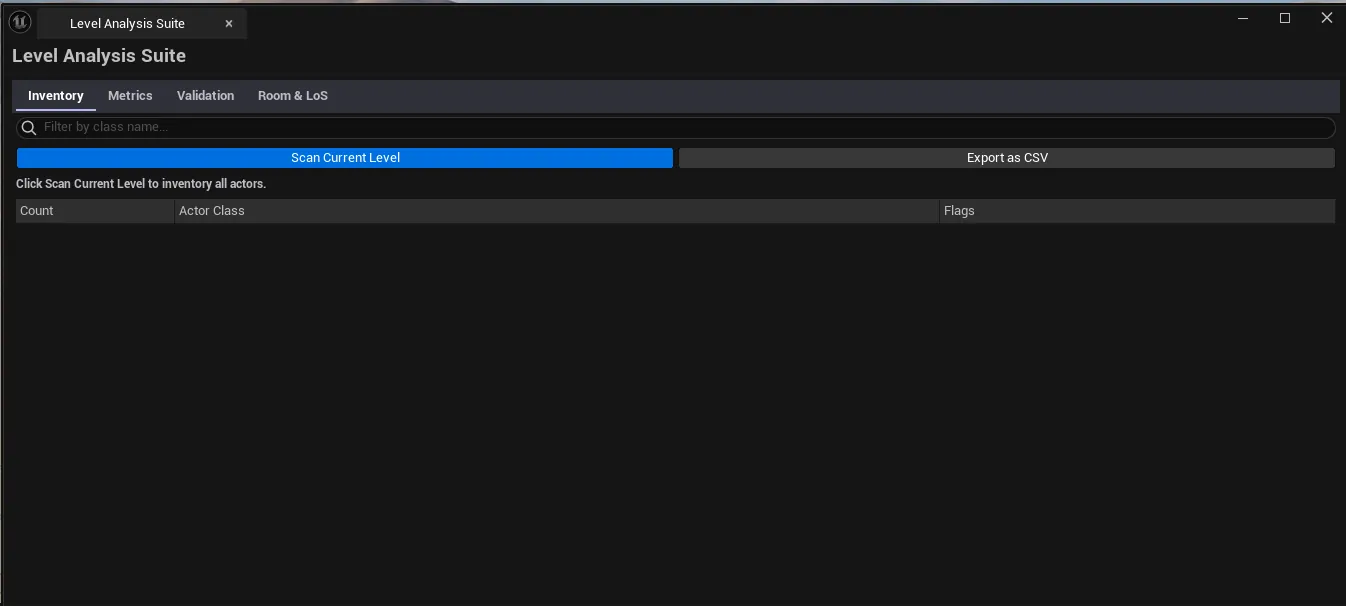
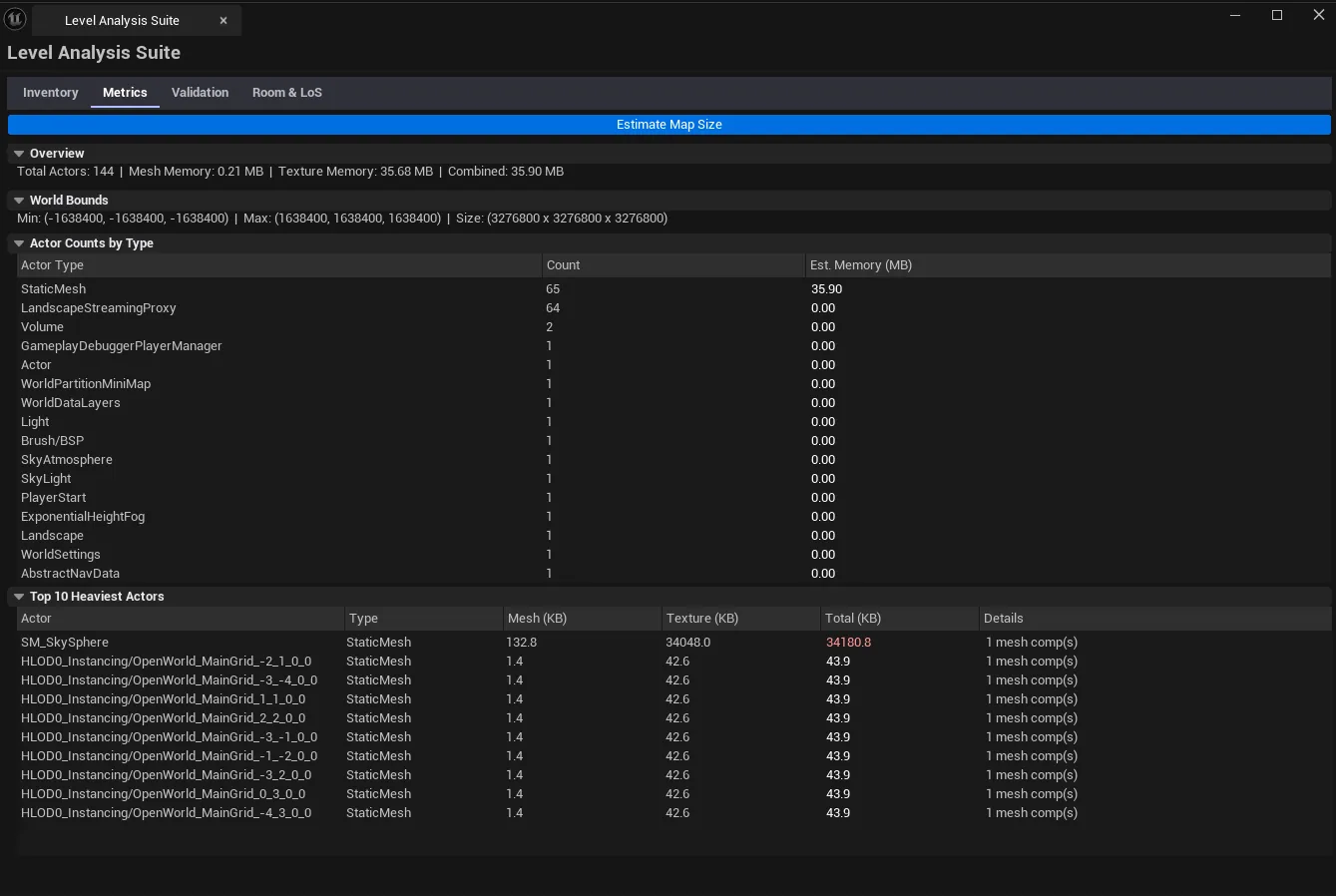
A four-tab merged suite for level-side analysis. Inventory groups actors by class with counts. Metrics estimates map size and lists the heaviest actors. Validation runs a configurable level-checkpoint checklist with severity. Room Metrics analyzes room-scale geometry (cover, sightlines, line-of-sight).
When to use it
Section titled “When to use it”- Final level audit: getting a one-glance breakdown of every actor type and the heaviest actors
- Production checkpoint: running the validation checklist before review
- Combat / cover design: using the room metrics tab to evaluate sightlines
- Reporting level health to the team
What it isn’t for
Section titled “What it isn’t for”- Don’t expect detailed mesh stats. Use Mesh Intelligence Dashboard for that.
- Don’t expect this to author levels. Read-only audit.
Opening the tool
Section titled “Opening the tool”- Open the EQLabs Hub and search for Level Analysis (or browse to Design → LevelDesign).
- Click the tool card.
- Use the tab bar: Inventory, Metrics, Validation, Room Metrics.
Tab 1: Actor Inventory Report
Section titled “Tab 1: Actor Inventory Report”Class-based actor grouping with counts.
| Section | What it does |
|---|---|
| Scan button | Walks the active level |
| Class summary list | Per-class row: class name, count |
| Drill-down | Click a class to see every actor of that class |
Tab 2: Map Size Estimator
Section titled “Tab 2: Map Size Estimator”Map metrics + heaviest-actor inventory.
| Section | What it does |
|---|---|
| Scan | Walks the level |
| Map dimensions | Bounding box of all actors |
| Heaviest actors list | Sorted by triangle count, draw cost, or memory |
Tab 3: Level Checkpoint Validator
Section titled “Tab 3: Level Checkpoint Validator”Configurable checklist with severity.
| Section | What it does |
|---|---|
| Run Validation | Executes every check |
| Checklist items | Configurable per project — covers things like “navigation built”, “lighting built”, “shadowing volume present”, “kill volume present”, etc. |
| Severity per check | Pass / Warning / Fail |
Tab 4: Room Metric Analyzer
Section titled “Tab 4: Room Metric Analyzer”Cover / sightline / room-scale geometry analysis.
| Section | What it does |
|---|---|
| Analyze | Performs room-scale analysis on the active level |
| Cover map | Identifies cover points |
| Sightline analysis | Line-of-sight between key points |
Workflow
Section titled “Workflow”A typical level audit walks all four tabs in order:
- Inventory — see what’s there.
- Metrics — see what costs what.
- Validation — confirm production checklist.
- Room Metrics — only if it’s a combat / cover-design level.
Settings reference
Section titled “Settings reference”Per-tab settings persist to [Project]/Saved/EQLabs/Settings/LevelAnalysisSuite.json.
Output
Section titled “Output”- In-panel results per tab.
- No edits. Read-only.
Tips and gotchas
Section titled “Tips and gotchas”- Heaviest actors are a relative metric. The heaviest actor in a small level is fine; in a shipping level it might be a problem.
- Validation checklist is configurable. The default checks are sensible but project-specific tuning is expected.
- Room Metrics is geometry-driven. Works best on levels with clear room boundaries.
Related tools
Section titled “Related tools”- World Partition Inspector — for WP-specific level analysis
- Lighting Scenario Auditor — lighting-side analysis
- Mesh Intelligence Dashboard (Modeling module) — for asset-side mesh stats
Opens our feedback form in a new tab with the tool name pre-filled.