
No. 0301 TE TechEQLabs Pro
SDF Generator
Module: Tech · Category: TextureGenerators · Tool ID:
SDFGenerator
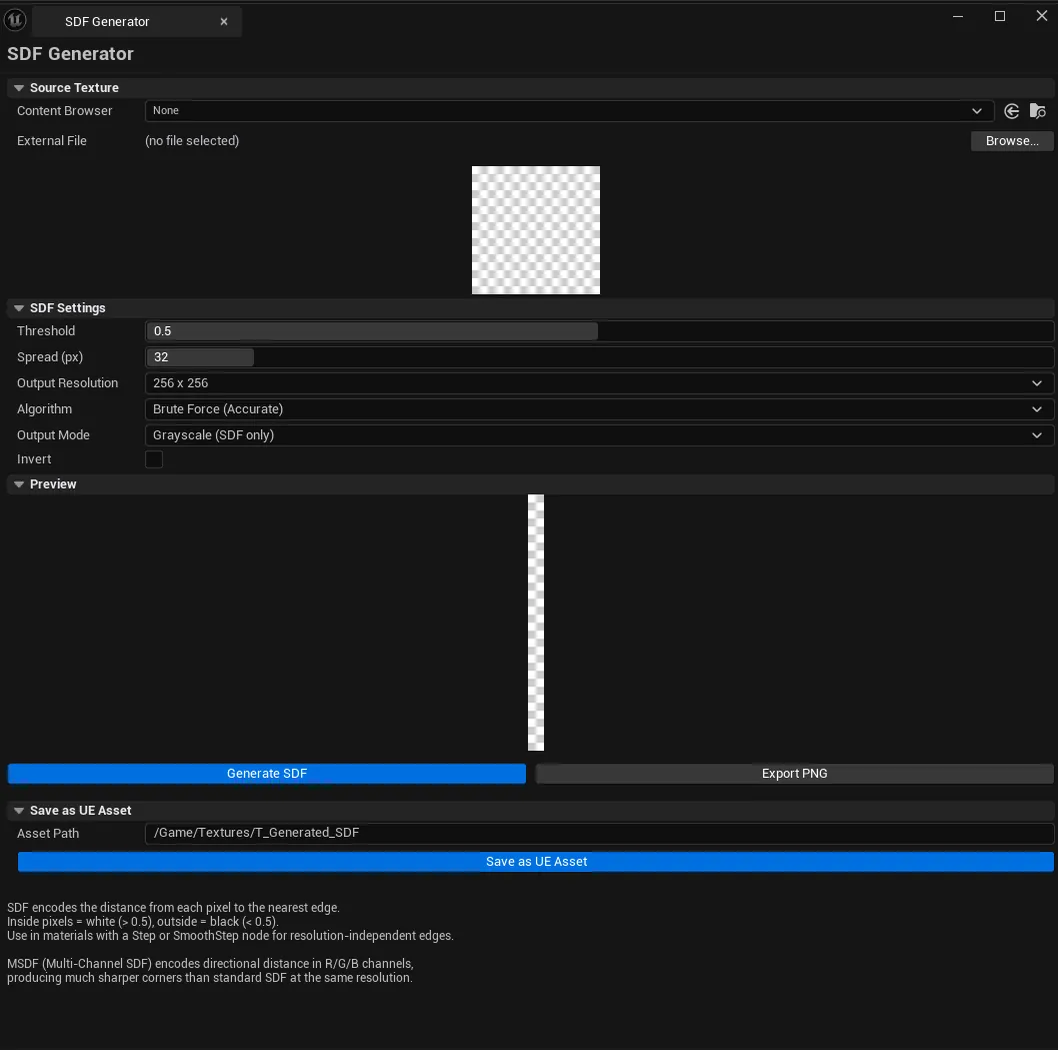
Generate Signed Distance Field (SDF) textures from source images. SDFs let you render shapes at arbitrary resolution without pixelation — perfect for UI icons, glyphs, vector-style VFX, and any material that needs sharp edges that scale. Supports two SDF algorithms (Brute Force / Dead Reckoning Sweep), three output modes (Grayscale / RGBA-with-source / Multi-Channel SDF), and configurable spread distance.
When to use it
Section titled “When to use it”- UI icon SDFs: sharp at any resolution
- Vector-style VFX masks
- Glyph / text SDF generation for custom font systems
- Distance-driven material effects (outlines, dilation, erosion)
What it isn’t for
Section titled “What it isn’t for”- Don’t use this for general-purpose textures. SDFs encode distance, not color. Standard textures are usually what you want.
- Don’t expect 3D SDFs. 2D output only.
Opening the tool
Section titled “Opening the tool”- Open the EQLabs Hub and search for SDF (or browse to Tech → TextureGenerators).
- Click the tool card.
- Browse for a source image (or pick from Content Browser).
- Configure, click Generate Preview.
Interface tour
Section titled “Interface tour”| Section | What it does | Default |
|---|---|---|
| Source Texture File | External file path (Browse) | (empty) |
| Source Texture (Content Browser) | UTexture2D from CB | (empty) |
| Threshold | Binary mask threshold | 0.5 |
| Spread | Maximum distance encoded (in pixels) | 32 |
| Output Resolution | Output texture size | 256 |
| Algorithm combo | Brute Force (slow, accurate) or Dead Reckoning Sweep (fast, near-accurate) | Brute Force |
| Invert | Flip inside/outside | false |
| Output Mode | Grayscale / RGBA (source RGB + SDF in alpha) / MSDF (3-channel SDF) | Grayscale |
| Save Asset Path | Output asset path | /Game/Textures/T_Generated_SDF |
| Browse Source | OS file picker | |
| Generate Preview | Computes the SDF | |
| Export PNG / Save as UE Asset | Saves the result |
Output modes
Section titled “Output modes”| Mode | What it produces |
|---|---|
| Grayscale | Single-channel SDF (smallest, simplest) |
| RGBA + SDF Alpha | Source RGB preserved, SDF in alpha channel |
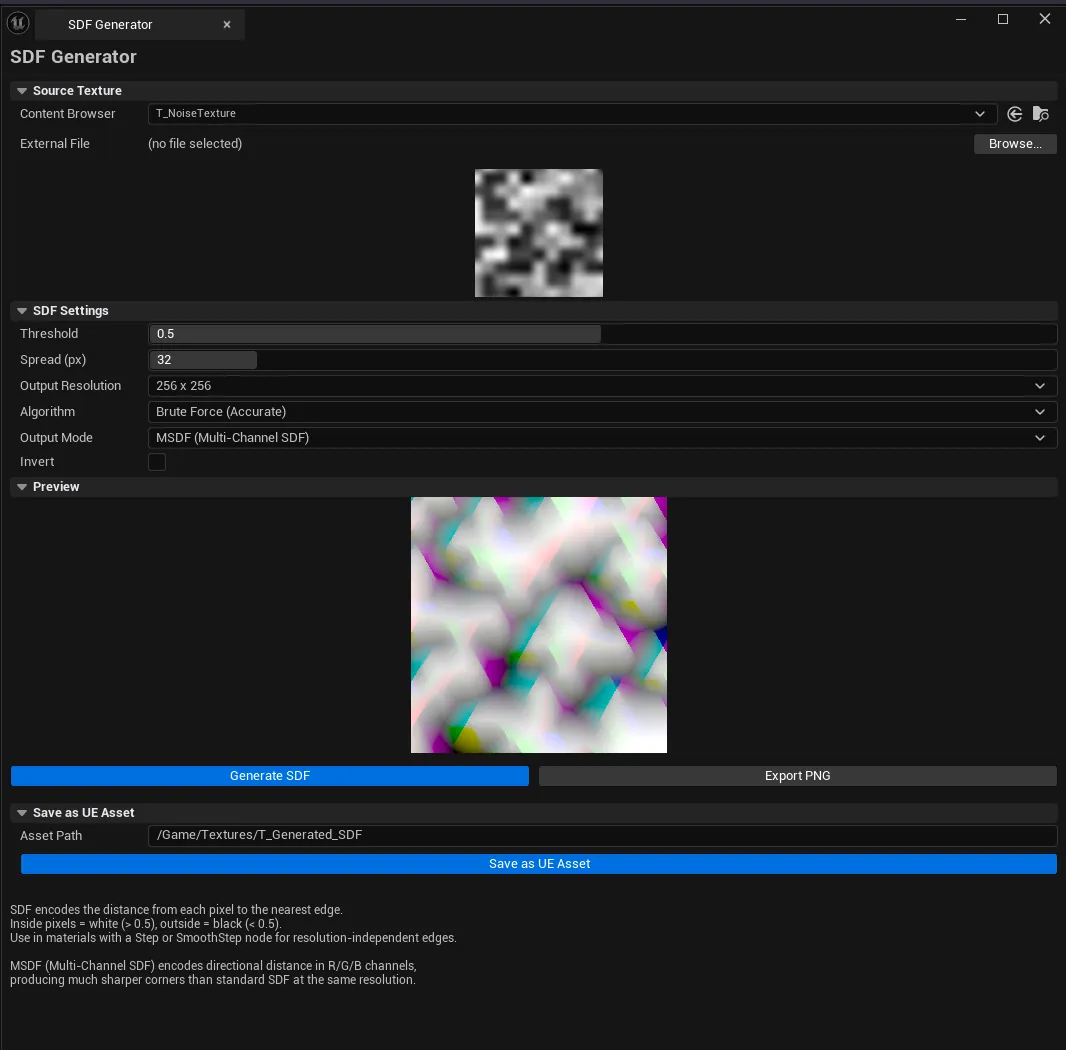
| MSDF | Multi-channel SDF — sharp corners are preserved better than single-channel SDFs |
Algorithms
Section titled “Algorithms”| Algorithm | When to use |
|---|---|
| Brute Force | Small images / when accuracy matters most |
| Dead Reckoning Sweep | Large images — much faster with negligible quality loss for typical use |
Workflow
Section titled “Workflow”Standard UI icon SDF
Section titled “Standard UI icon SDF”- Browse / pick a source icon.
- Set Threshold (
0.5is the default for clean black-and-white icons). - Set Spread (
32for typical 256² output; raise for larger). - Pick Grayscale mode.
- Click Generate Preview, then Save as UE Asset.
Logo with sharp corners
Section titled “Logo with sharp corners”- Same setup as above.
- Pick MSDF mode — preserves corners better.
- Generate, save as asset.
Settings reference
Section titled “Settings reference”Settings persist to [Project]/Saved/EQLabs/Settings/SDFGenerator.json.
Output
Section titled “Output”UTexture2Dasset. Via Save as UE Asset.- PNG file. Via Export.
- Compression. Auto-set appropriate per output mode.
Tips and gotchas
Section titled “Tips and gotchas”- Spread sets the max encoded distance. Too small clips at the boundary, too large wastes precision.
- MSDF needs a shader that knows how to sample 3 channels. Vanilla Grayscale works with any sampler.
- Dead Reckoning Sweep is the production default. Brute Force is fine for hero icons but slow on 1024+.
- Source image binary threshold matters. Clean black-on-white sources work best; antialiased edges can shift the mask boundary.
Related tools
Section titled “Related tools”- Gradient Ramp Generator — for color-ramp generation
- Noise Texture Generator — for procedural noise textures
Report an issue with this tool
Opens our feedback form in a new tab with the tool name pre-filled.