
No. 0673 DE DesignEQLabs Pro
Batch Actor Replacer
Module: Design · Category: LevelDesign · Tool ID:
BatchActorReplacer
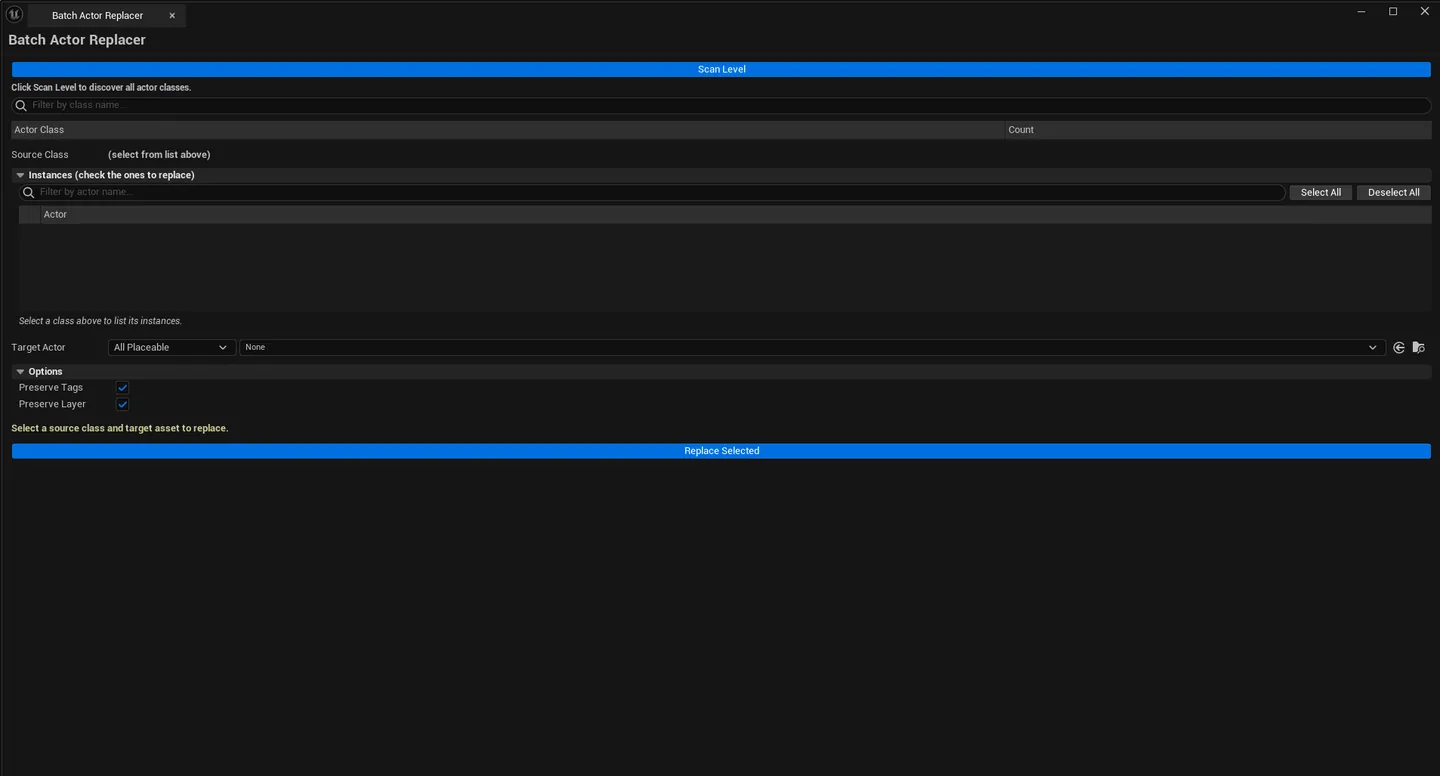
Two-list batch replacement tool. Scan the level, pick a source class, narrow to specific instances via per-row checkboxes, pick a target asset (any placeable: StaticMesh, SkeletalMesh, Blueprint, Niagara, Decal, etc.), click Replace Selected. Every checked instance is swapped while preserving transform, tags, and layer assignment. Full undo support.
When to use it
Section titled “When to use it”- Swapping placeholder cubes for the real meshes after blockout
- Replacing one Blueprint with a refactored version across the whole level
- Bulk-converting old
AStaticMeshActorto new modular pieces - Migrating placed Niagara systems to a newer template
What it isn’t for
Section titled “What it isn’t for”- Don’t use this for one-off replacements. UE’s regular drag-replace is faster.
- Don’t expect this to handle non-placeable assets. Only assets with a registered ActorFactory work.
Opening the tool
Section titled “Opening the tool”- Open the EQLabs Hub and search for Batch Actor or
Replace(or browse to Design → LevelDesign). - Click the tool card.
- Click Scan Level.
Interface tour
Section titled “Interface tour”Class list (top)
Section titled “Class list (top)”| Section | What it does |
|---|---|
| Scan Level | Walks the active level, groups actors by class |
| Class Search | Filter by class name |
| Class list | Per-class row: class name, instance count |
Click a class row to populate the instance list below.
Instance list (middle)
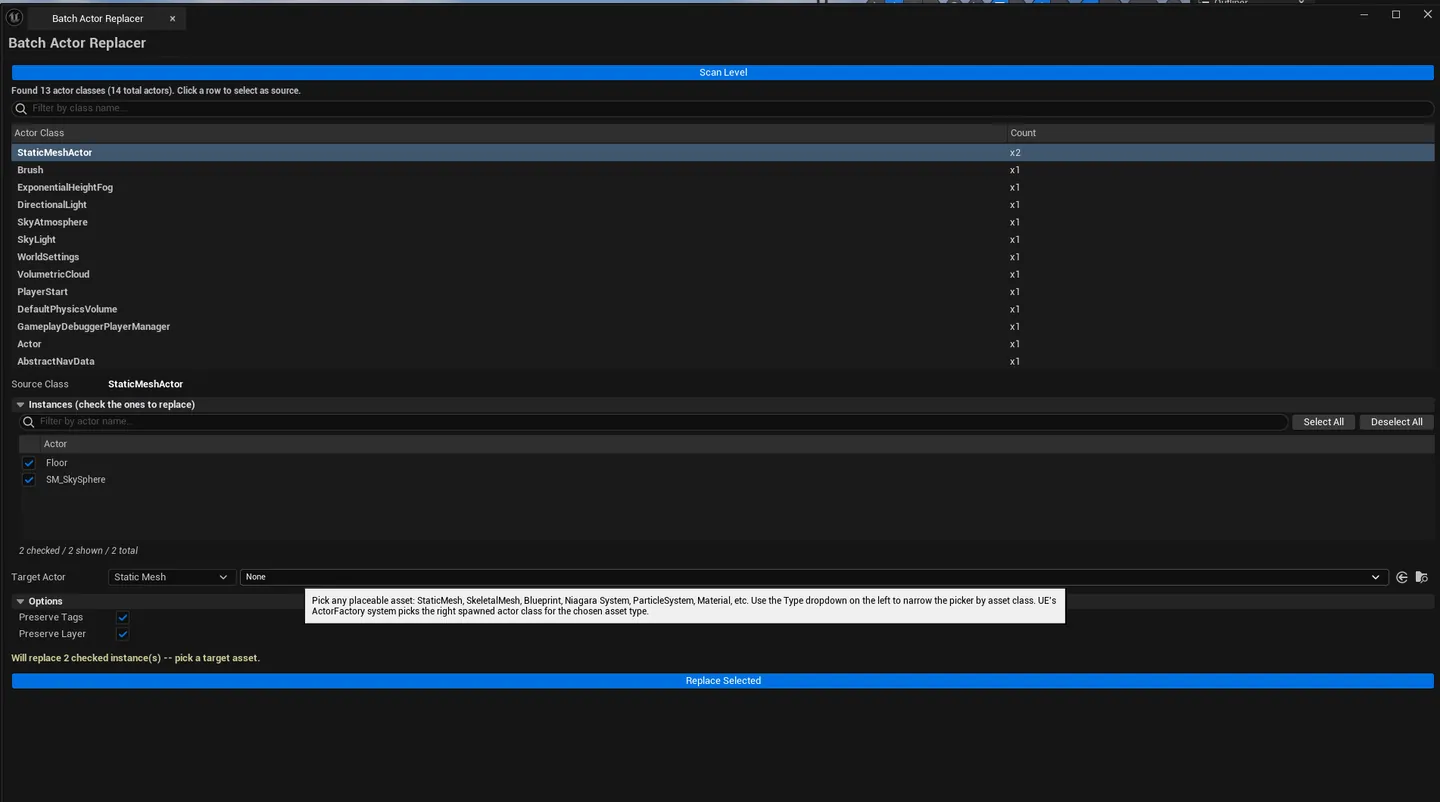
Section titled “Instance list (middle)”| Section | What it does |
|---|---|
| Instance Search | Filter by actor name within the source class |
| Per-row checkbox | Include this actor in the replacement |
| Select All / Deselect All | Bulk toggle |
| Instance list | Per-row: actor label, selected flag |
Target picker (bottom)
Section titled “Target picker (bottom)”| Field | What it does | Default |
|---|---|---|
| Type Filter combo | All Placeable / StaticMesh / SkeletalMesh / Blueprint / NiagaraSystem / ParticleSystem / Material / Sound / AnimBlueprint | All Placeable |
| Target Asset picker | Restricted to the selected type filter | |
| Preserve Tags checkbox | Keep actor tags through replacement | true |
| Preserve Layer checkbox | Keep editor layer assignment | true |
| Replace Selected | Performs the batch swap |
Workflow
Section titled “Workflow”Bulk swap placeholder for real
Section titled “Bulk swap placeholder for real”- Click Scan Level.
- In the class list, click
AStaticMeshActor(or your placeholder class). - The instance list populates — Ctrl+Click rows or use Select All.
- In the target picker, set Type Filter to
StaticMesh. - Drop the real mesh into the picker.
- Click Replace Selected.
Swap one Blueprint for another
Section titled “Swap one Blueprint for another”- Scan, pick the source Blueprint class in the class list.
- Filter instance list, pick the ones to replace.
- Set Type Filter to
Blueprint, drop the new Blueprint into the picker. - Click Replace Selected.
Cross-class replacement
Section titled “Cross-class replacement”You can swap an AStaticMeshActor for a Blueprint, or a Blueprint for a Niagara system — UE’s FActorFactoryAssetProxy handles the right actor class for the target asset.
Settings reference
Section titled “Settings reference”| Field | Default |
|---|---|
| Preserve Tags | true |
| Preserve Layer | true |
| Type Filter | All Placeable |
| Class Search / Instance Search | empty |
Settings file:
[Project]/Saved/EQLabs/Settings/BatchActorReplacer.json
Output
Section titled “Output”- In-place actor replacement. Old actors removed, new actors spawned with the target asset.
- Transform preserved. Location, rotation, scale carry over.
- Tags preserved. When Preserve Tags is on.
- Layer preserved. When Preserve Layer is on.
- Undo. Entire batch wrapped in a single
ScopedTransaction.Ctrl+Zreverts the lot.
Tips and gotchas
Section titled “Tips and gotchas”- Cross-class swaps can lose properties. If the source is a custom Blueprint with custom variables, those are lost when swapping to a different class.
- Type Filter narrows the picker. Use it to avoid accidentally picking the wrong asset class.
- References to replaced actors will break. Gameplay code that references replaced actors by pointer/path will need update; check after a big batch swap.
- Single-click on a class row populates the instance list; on an instance row, selects the actor in the viewport.
Related tools
Section titled “Related tools”- Modular Kit Auditor — placement validation alongside replacement workflows
- Smart Actor Align & Distribute — for post-replacement alignment
Opens our feedback form in a new tab with the tool name pre-filled.