
No. 0011 TE TechEQLabs Pro
Asset Naming Convention Checker
Module: Tech · Category: QA · Tool ID:
AssetNamingChecker
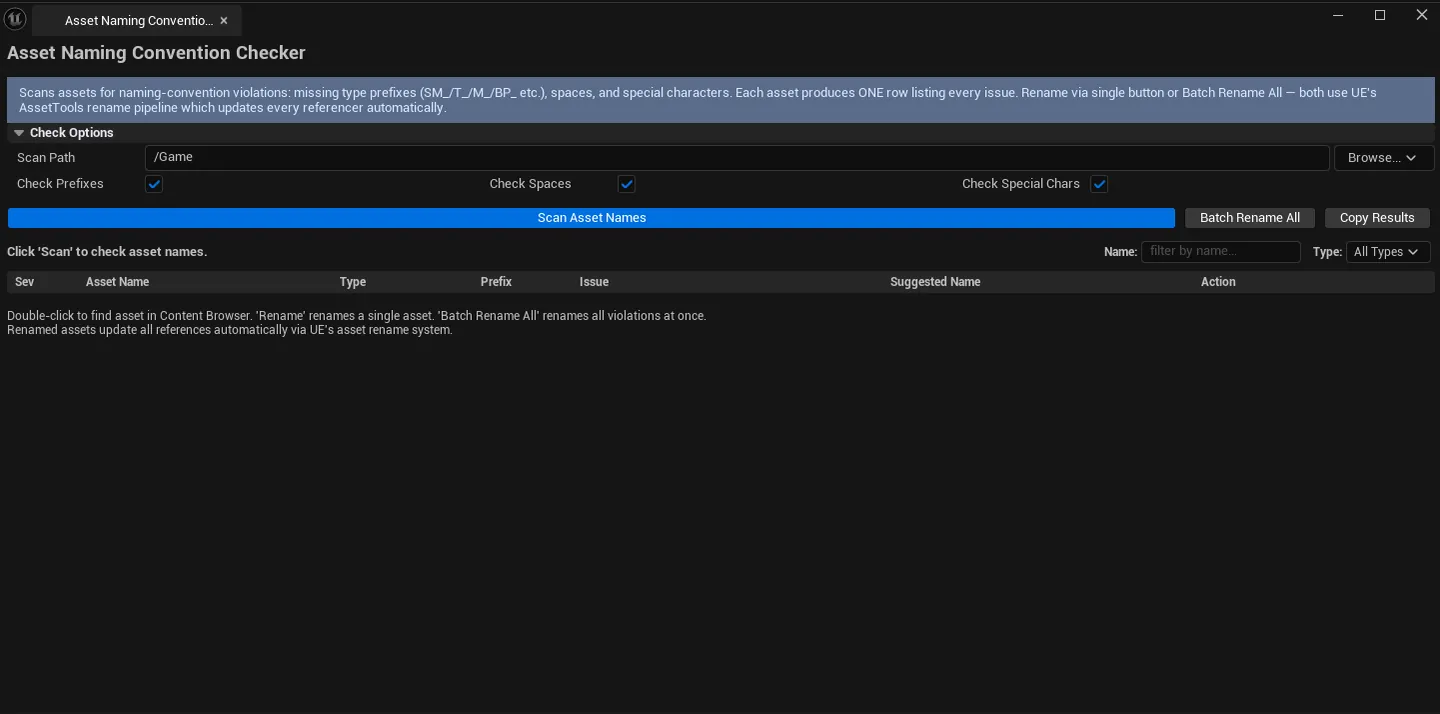
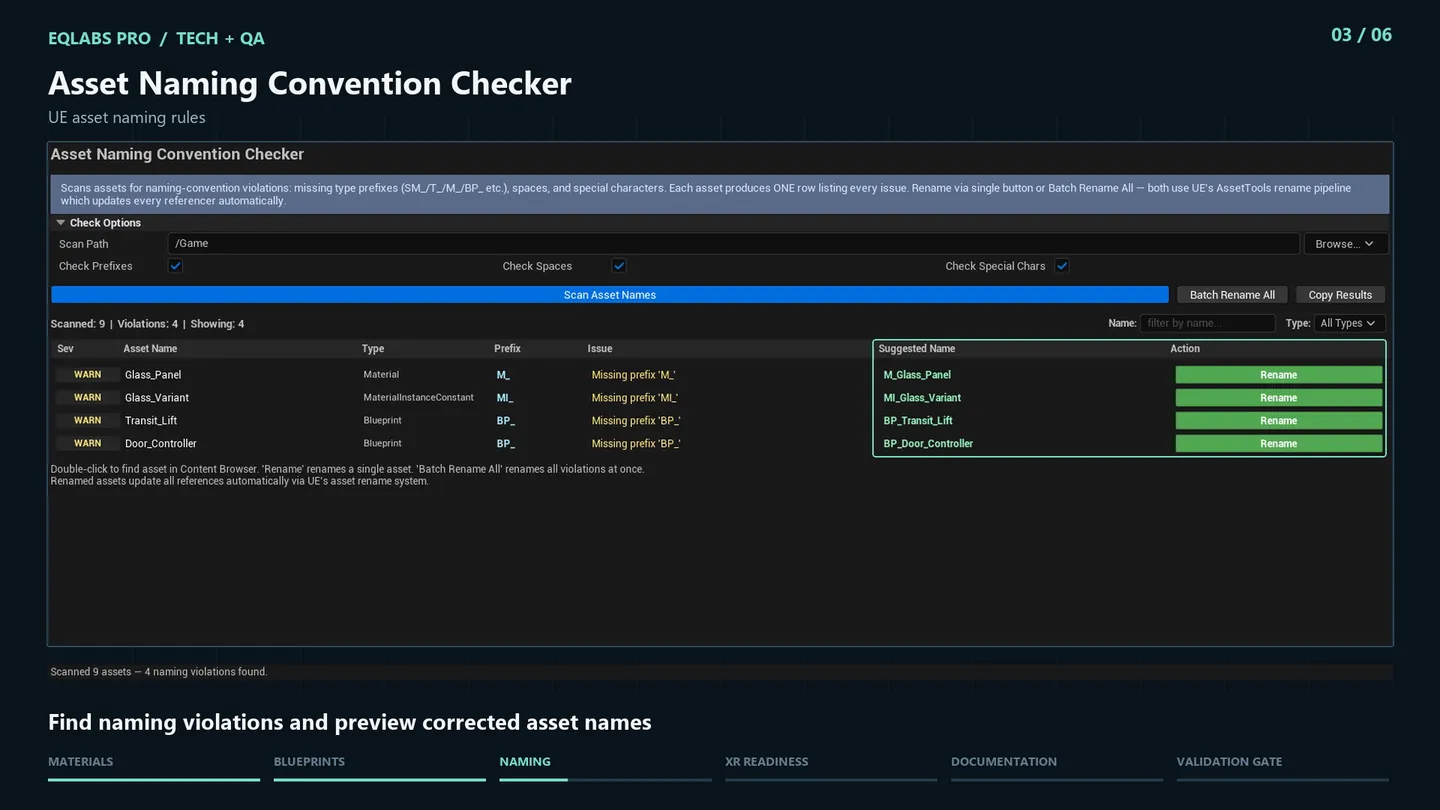
Validates asset names against configurable prefix rules: SM_ for Static Meshes, SK_ for Skeletal Meshes, T_ for Textures, M_ for Materials, etc. Detects spaces and special characters. Generates suggested corrected names. Supports per-asset rename plus batch-rename-all-violations.
When to use it
Section titled “When to use it”- Pre-shipping QA: confirming naming conventions are consistent
- Onboarding to a project with poor naming: bulk-fix violations
- After importing third-party packs: usually full of non-standard names
What it isn’t for
Section titled “What it isn’t for”- Don’t expect this to handle complex naming rules. Basic prefix + special character validation; for richer rules use a custom tool.
Opening the tool
Section titled “Opening the tool”- Open the EQLabs Hub and search for Naming (or browse to Tech → QA).
- Click the tool card.
- Click Scan.
Interface tour
Section titled “Interface tour”| Field | What it does | Default |
|---|---|---|
| Scan Path | Folder to scan | /Game |
| Check Prefixes | Toggle prefix rule check | true |
| Check Spaces | Toggle space detection | true |
| Check Special Chars | Toggle special-char detection | true |
| Type Filter combo | Show only one asset type | |
| Name Filter | Substring filter on asset name | |
| Scan | Walks the path | |
| Copy Results | Plain-text dump | |
| Batch Rename | Renames every violation to its suggested name | |
| Stats | Total scanned / violation count | |
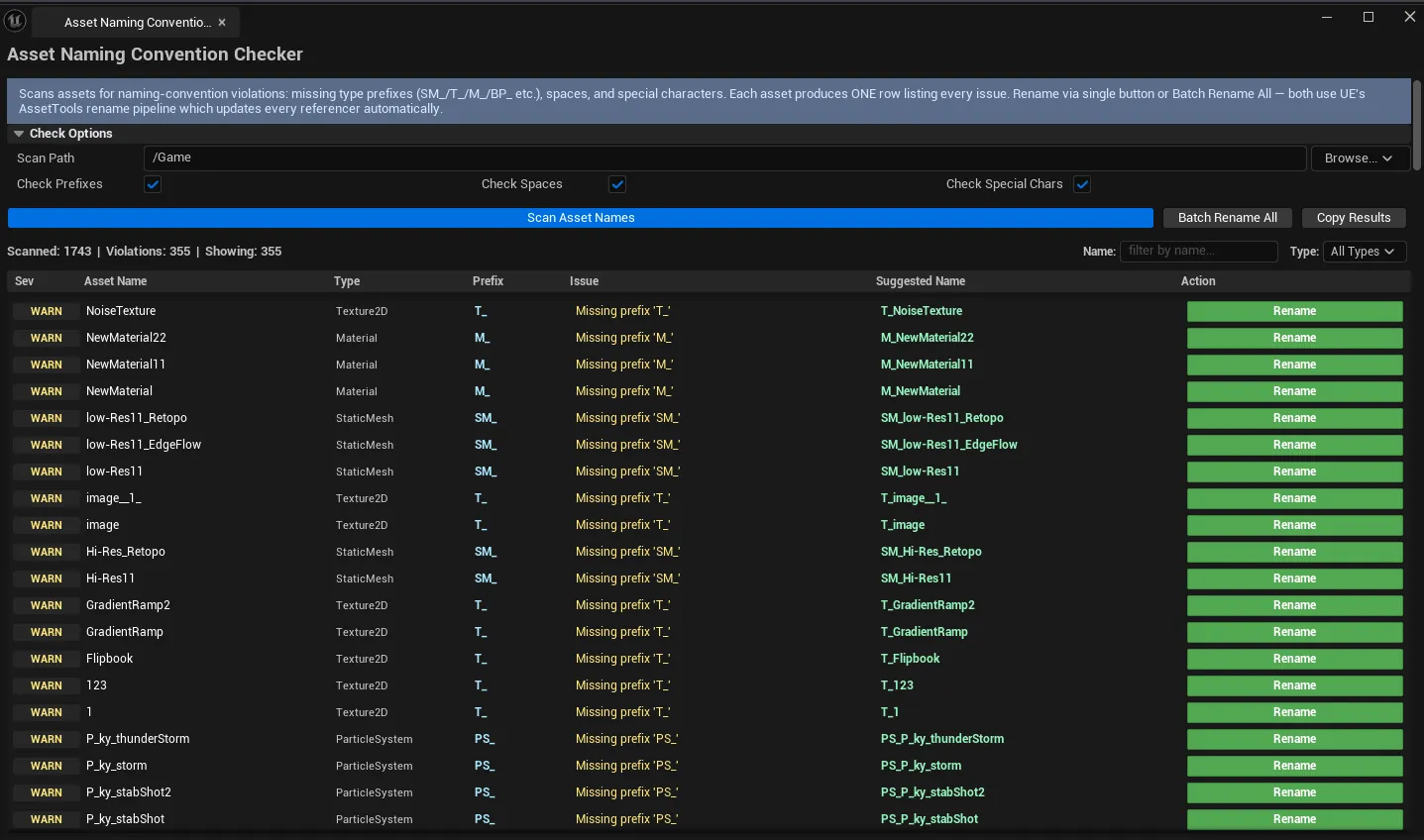
| Violations list | Per-row: severity, asset name, type, expected prefix, issue, suggested name, rename action |
Severity coding
Section titled “Severity coding”| Severity | Meaning |
|---|---|
| Error | Special characters in name (often breaks cooking) |
| Warning | Wrong / missing prefix, spaces |
| Info | Minor issue |
Built-in prefix rules
Section titled “Built-in prefix rules”SM_ (Static Mesh), SK_ (Skeletal Mesh), T_ (Texture), M_ (Material), MI_ (Material Instance), BP_ (Blueprint), WBP_ (Widget BP), A_ (Animation), MNT_ (Montage), PA_ (PoseAsset), NS_ (Niagara System), SC_ (SoundCue), SW_ (SoundWave), etc.
Workflow
Section titled “Workflow”Cleanup pass
Section titled “Cleanup pass”- Set Scan Path.
- Click Scan.
- Filter by type / name.
- Click Batch Rename to fix all violations at once.
Per-asset review
Section titled “Per-asset review”- Walk the violations list.
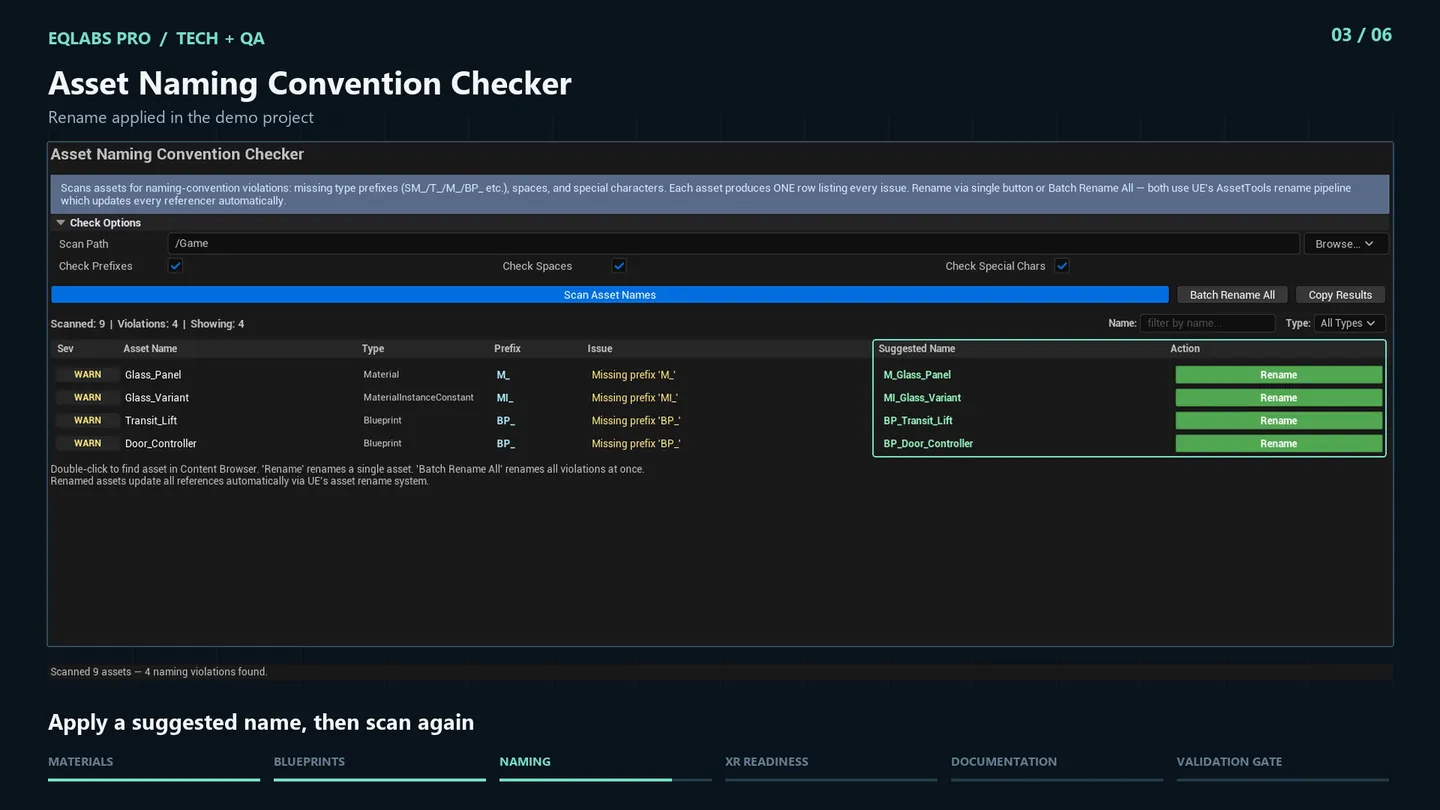
- For each row, click the per-row Rename action to apply just that fix.
- Skip rows where the suggested name doesn’t match what you actually want.
Settings reference
Section titled “Settings reference”| Field | Default |
|---|---|
| Scan Path | /Game |
| Check Prefixes / Spaces / Special Chars | all true |
Settings file:
[Project]/Saved/EQLabs/Settings/AssetNamingChecker.json
Output
Section titled “Output”- Asset rename operations. Modifies asset names + updates references.
- Clipboard. Copy Results.
- Undo. Wrapped in
ScopedTransactionper-rename.
Tips and gotchas
Section titled “Tips and gotchas”- Renames update references. UE’s asset rename automatically fixes up referrers, but commit before bulk renames just in case.
- Suggested name uses
<Prefix>_<OriginalCleanName>. Review before bulk applying; suggestions can be wrong for unusual base names. - Special characters cause cook failures. These are Errors and should be fixed first.
Related tools
Section titled “Related tools”- Project Doctor Suite. Broader project audit.
- USD Interchange Repair Kit — for fixing imports
Report an issue with this tool
Opens our feedback form in a new tab with the tool name pre-filled.