
No. 0502 AR ArtEQLabs Pro
FX Mesh Generator
Module: Art · Category: VFX · Tool ID:
FXMeshGenerator
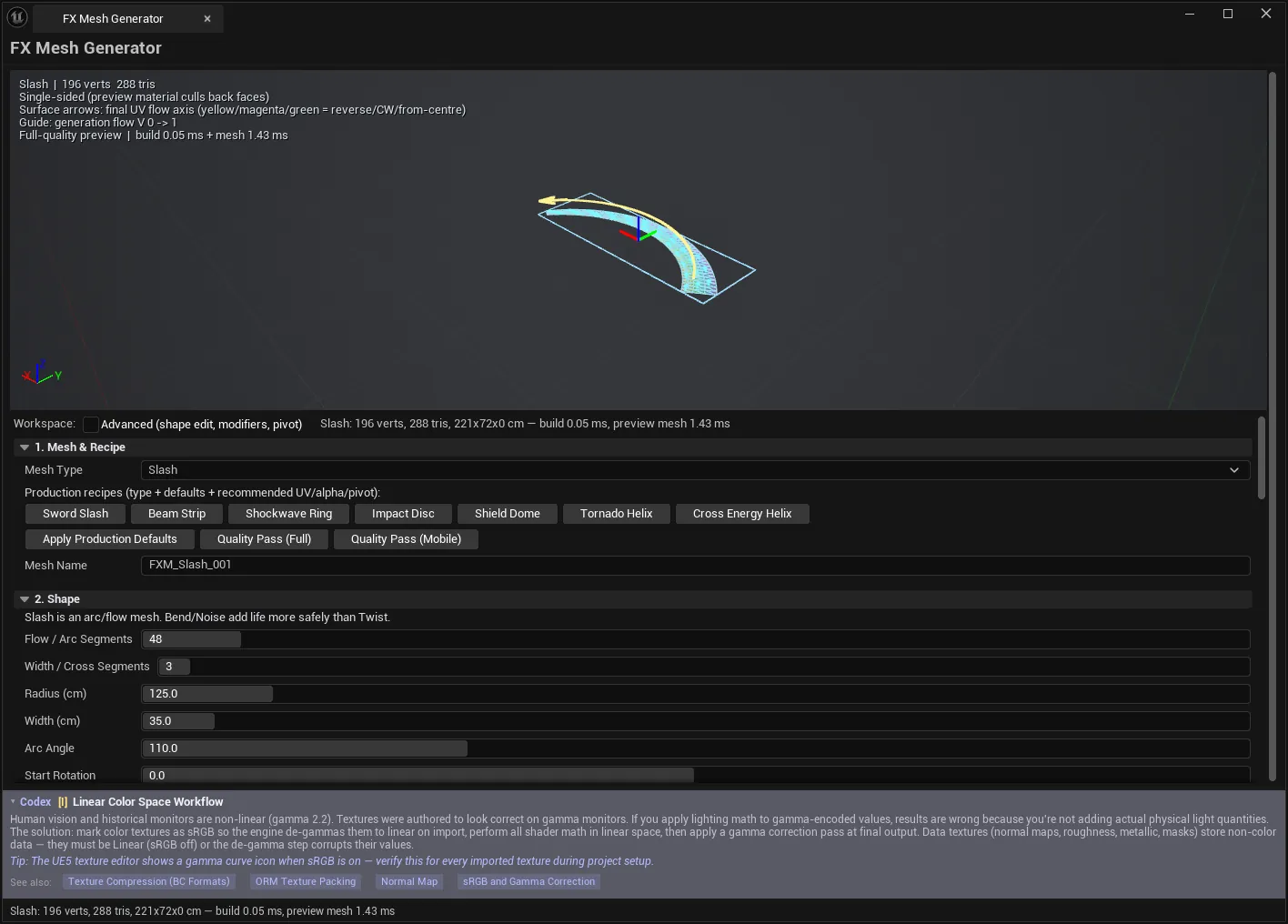
The meshes VFX work is built on — sword slashes, energy beams, shockwave rings, impact discs, shield domes, tornado helixes — generated parametrically with UV flow and vertex alpha baked in, previewed live, validated against budgets, and saved as Static Meshes ready for Niagara.
The value is not just the shapes. It is that the UV flow direction and the alpha mask are baked into the mesh, so the material can be trivial: scroll a texture along V and multiply by vertex alpha. No per-mesh UV surgery, no hand-painted masks.
When to use it
Section titled “When to use it”- Melee slash arcs and weapon trails
- Beams, lasers and energy strips
- Shockwave rings and ground impact discs
- Shield domes and bubbles
- Tornado and spiral helix trails
- Any Niagara mesh particle that needs flowing UVs and a soft alpha falloff
What it isn’t for
Section titled “What it isn’t for”- Don’t use it for hero geometry. These are FX primitives, not sculpted assets.
- Don’t use it where a ribbon renderer is the right answer. Niagara ribbons follow a moving emitter; these are static meshes.
Opening the tool
Section titled “Opening the tool”- Open the EQLabs Hub and search for fx mesh or
slash(or browse to Art → VFX). - Click the tool card.
- Pick a production recipe, look at the preview, then adjust.
The panel runs top to bottom in eight numbered sections. A Workspace toggle hides the advanced ones — Advanced (shape edit, modifiers, pivot) — so the default view stays manageable.
1. Mesh & Recipe
Section titled “1. Mesh & Recipe”Eight mesh families:
Slash · Beam · Ring · Disc · Dome · Half Dome · Helix · Cross Helix
And seven production recipes — a type plus tuned defaults plus recommended UV, alpha and pivot settings:
| Recipe | Produces |
|---|---|
| Sword Slash | A melee arc |
| Beam Strip | A straight energy beam |
| Shockwave Ring | An expanding ring |
| Impact Disc | A ground impact plane |
| Shield Dome | A protective dome |
| Tornado Helix | A spiralling column |
| Cross Energy Helix | Interwoven helix ribbons |
Start from a recipe. Apply Production Defaults sets not just the shape but the UV flow, alpha mode and pivot that suit it — which is most of the knowledge in the tool. Two quality passes are available: Quality Pass (Full) and Quality Pass (Mobile).
2. Shape
Section titled “2. Shape”Shape parameters are family-gated — each mesh type exposes only what applies, and the panel states plainly which fields the current family ignores:
Ignored by this family: …
Representative controls: Radius, Width, Arc Angle, Start Rotation, Root/Tip Scale, Length, Thickness, Height, Open Angle, Roundness, Turns, Ribbon Width, Inner Radius Ratio, Edge Jitter, Noise Seed.
Two worth calling out:
- Arc Angle.
360is a closed ring; lower values open it into a broken ring. - Broken Amount. Randomly drops ring columns using the seed, for shattered shockwaves.
2b. Shape Edit (3ds-Max style)
Section titled “2b. Shape Edit (3ds-Max style)”An optional modifier stack for people who think in Max terms. See Modifiers.
3. UV Flow
Section titled “3. UV Flow”Where the flow direction is baked.
| Control | Notes |
|---|---|
| Flow Direction | Auto, V Forward/Reverse, U Forward/Reverse, From/To Center, Circular CW/CCW |
| Recommended UV for this type | What the family expects |
| Flip current direction | Reverses it |
| Tiling U / V, Bias U / V, Flip U / V | UV transform, baked |
Unreal samples V top-down. Reverse and Flip are BAKED into the mesh UVs — the viewport arrows follow the mesh’s real UV axes, so trust the arrows, not your mental model of which way V runs.
That sentence saves the most time of anything in this tool. Flow direction bugs are almost always someone reasoning about V instead of reading the arrows.
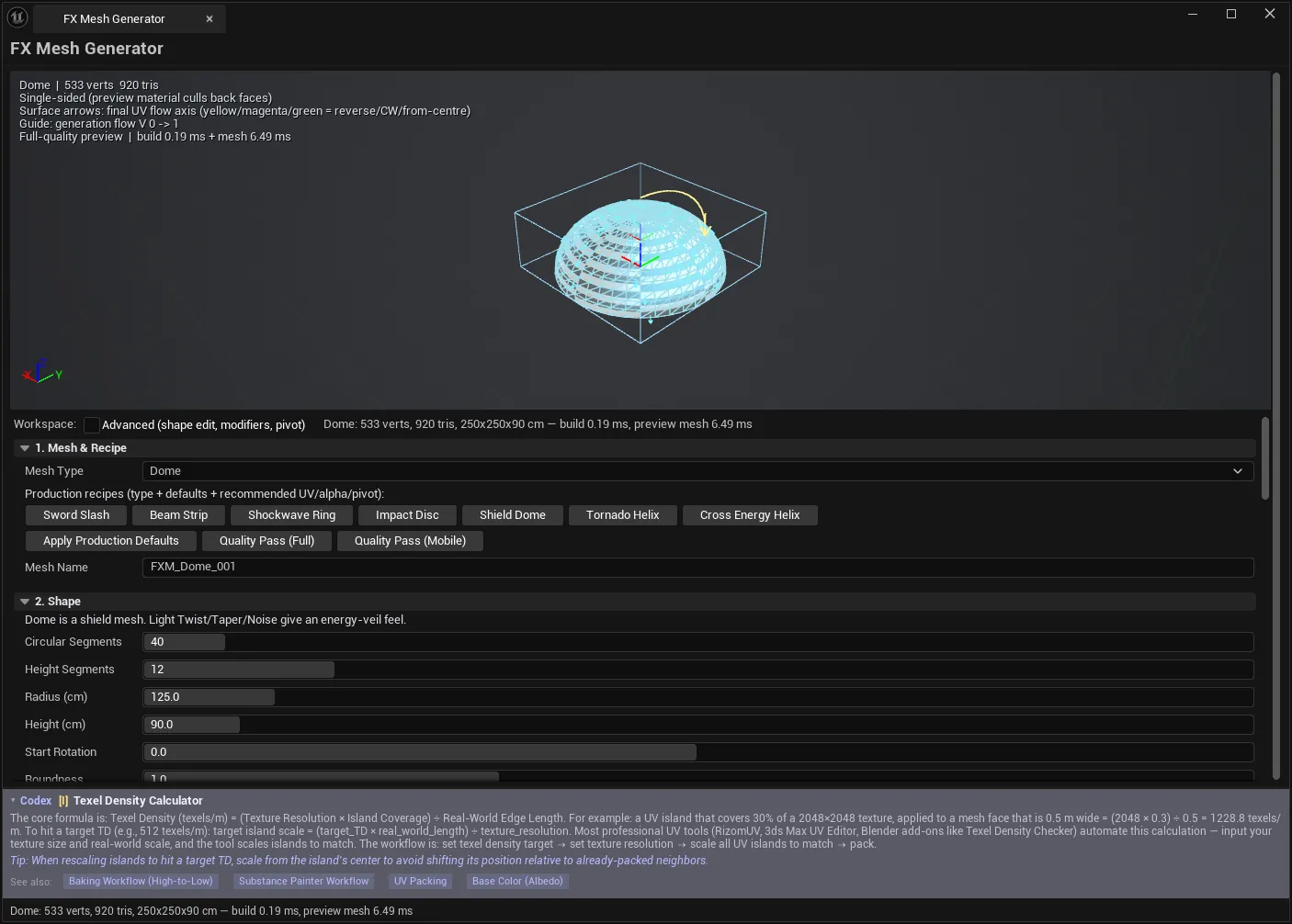
Preview-only flow controls
Section titled “Preview-only flow controls”A clearly separated group that is never written to the mesh:
| Control | Purpose |
|---|---|
| Flow Offset | Slides the preview texture along the flow axis. 1.0 wraps to the same frame — use 0.25/0.5 to check direction |
| Animate flow preview | Animates it |
| UV cycles per second | Animation rate |
4. Vertex Alpha
Section titled “4. Vertex Alpha”The mask, baked into vertex alpha.
Alpha modes include Along U/V, Center Out, Edge Fade, Tip Fade, Flow V, Width U, Center Hole, Root Fade, Corner Fade, Radial variants — and twelve alpha presets:
Flow In · Flow Out · Soft Tip · Soft Edge · All Border · Geometry Border · Center Core · Center Hole · Corner Fade · Noisy Dissolve · Energy Stripes · Reset
Shaping controls: Softness, Power, Range Start/End, Offset, Contrast, Min/Max Alpha, Edge Width U/V, Noise Strength/Scale, Stripe Count/Softness, Invert, Symmetry U/V.
Some alpha modes need interior samples, and the tool says so: “This alpha mode needs interior samples: building with N × M segments.” Segment count rises to serve the mask — expect a heavier mesh.
RGB Packing
Section titled “RGB Packing”Optionally packs the mask into RGB for shaders that read colour: White, Alpha→RGB, Invert Alpha→RGB, Alpha→R/G/B.
RGB is pre-linearised so the saved bytes match; alpha is stored linear. This is the correctness detail that stops a packed mask reading differently from the alpha it was packed from — see the suite’s notes on vertex-colour sRGB behaviour.
5. Modifiers & Shell
Section titled “5. Modifiers & Shell”An optional stack, family-gated: “Simple stack (family-gated: disabled ones are ignored)”.
Order is fixed and Max-like:
Bend → Twist → Taper → FFD → Noisewith Unreal axes throughout.
| Modifier | Controls |
|---|---|
| Bend | Angle, Axis, Plane, Bias |
| Twist | Angle, Axis, Direction, Mode (Centered/Bottom→Top/Top→Bottom), Bias |
| Taper | Amount, Axis, Bias, Direction |
| FFD | Mode (Box/Cyl), Points (2/3/4), Axis, Strength, per-point Scale/Height |
| Noise | Scale, per-axis Strength, Seed, Fractal |
Per-family modifier profiles
Section titled “Per-family modifier profiles”Each family gets a profile explaining which modifiers help and why the disabled ones are disabled — the tool argues its case rather than greying things out silently:
| Family | Guidance |
|---|---|
| Slash | Twist disabled — “twist over-kinks a slash arc.” Taper direction matters a lot |
| Beam | Twist disabled — “a twisted beam reads as a kinked ribbon.” Taper, Bend, light Noise |
| Ring | Twist and Taper excluded — “circular topology already carries rotation.” Use Circular Bend + Noise |
| Disc | Prefer centre-to-edge Bend and subtle Noise. “Rotate via texture / UV flow instead” |
| Dome | Accepts light twist, taper, noise — keep values low or the silhouette breaks |
| Half Dome | Twist excluded — “twist skews the left/right silhouette” |
Shell / output topology
Section titled “Shell / output topology”| Control | Notes |
|---|---|
| Shell Thickness | Gives the surface depth |
| Shell Axis, Shell Mode | Center, Outer, Inner |
| Flip Normals, Double-Sided Geometry | Sidedness |
| Normals, MikkT Tangents | Whether to generate them |
6. Pivot & Axis
Section titled “6. Pivot & Axis”| Control | Notes |
|---|---|
| Pivot Anchor | Keep Generated Origin, Bounds Center/Bottom/Top, Custom Offset Only |
| Pivot Offset, Pivot Rotation (P/Y/R) | Fine placement |
| Centre vertices after build | Re-centres geometry |
| Recommended pivot for this type | What the family expects |
Pivot placement decides how the mesh behaves as a Niagara particle. A slash wants its pivot at the hilt; a shockwave ring wants it at the centre.
7. Preview & Helpers
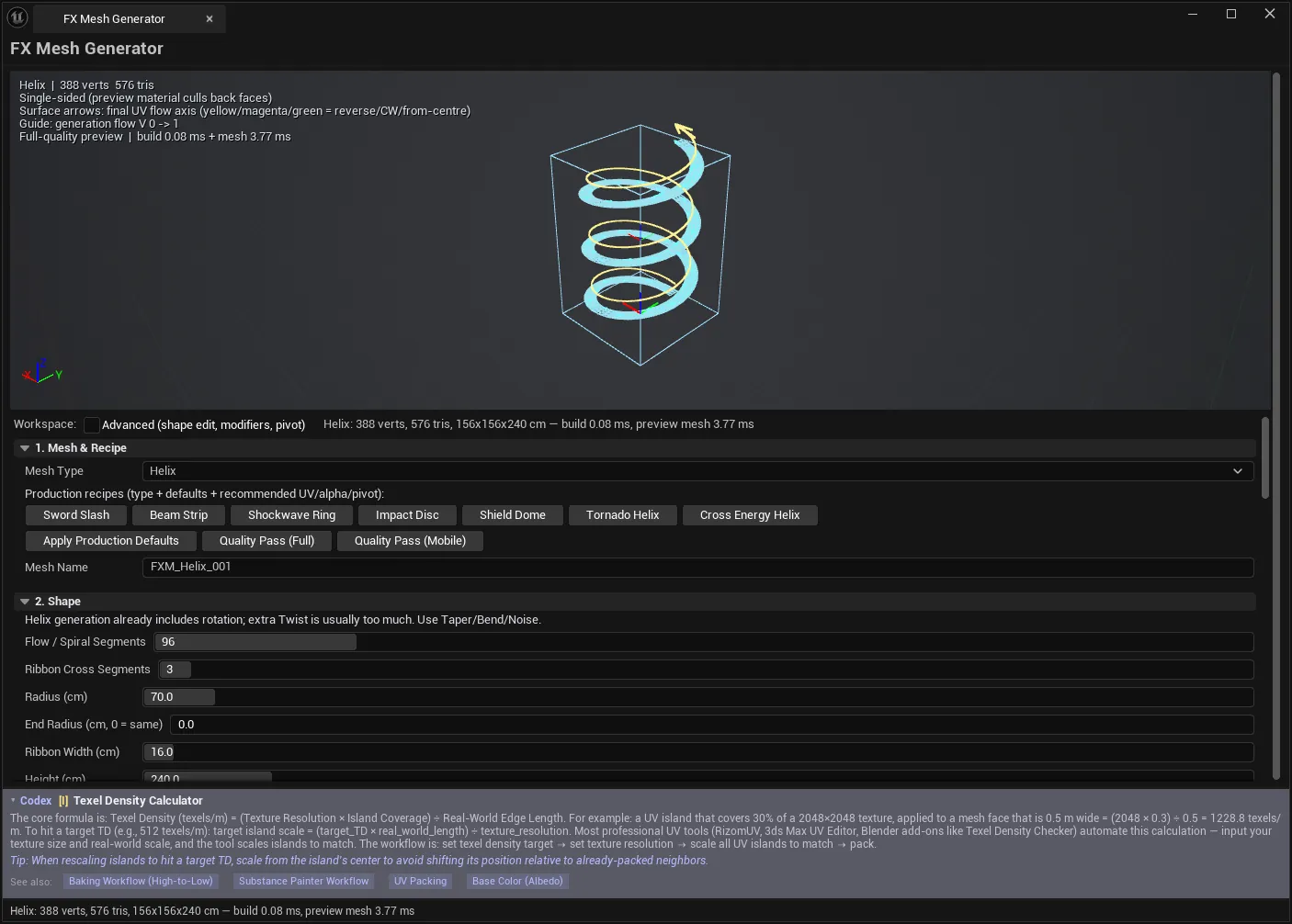
Section titled “7. Preview & Helpers”Preview modes: Solid Tint, UV Checker, Vertex Alpha, UV Checker + Alpha, Vertex RGB, UV Flow.
Viewport helpers: UV surface flow arrows · generation flow guide · U/V basis (orange/green) · mesh wire · bounds · face orientation (green front / orange back) · pivot gizmo · generated axis gizmo · labels · helper scale · max surface arrows.
Face orientation is worth leaving on. Single-sided FX meshes facing away from camera are invisible, and green/orange tells you instantly.
Preview LOD
Section titled “Preview LOD”Off · Auto · Performance
Reduces segments for the preview only. Save always rebuilds full quality. The preview being cheap never costs you output fidelity — and the status line marks preview-LOD builds so the numbers are not mistaken for final.
8. Validate & Save
Section titled “8. Validate & Save”| Control | Notes |
|---|---|
| Output Path | Long package path, e.g. /Game/EQLabs/FXMesh/Generated |
| Export Preset | See below |
| Overwrite existing asset | Guard |
| Validate | Runs budget validation without saving |
| Save Static Mesh | Writes the asset |
| Batch: all 7 recipes | Generates and saves the whole recipe pack |
| Place in Level | Spawns an actor referencing the last saved mesh — undoable |
Export presets
Section titled “Export presets”| Preset | Configuration |
|---|---|
| Niagara Mesh Particle | Single-sided, no tangents, RGB White, centre pivot |
| Static Mesh Trail | Adds normals/tangents, bounds-centre pivot |
| Two Sided | Double-sided |
The mesh is always saved material-free. The preview material is a debug aid, not an export — assign your real FX material downstream.
Reports and status
Section titled “Reports and status”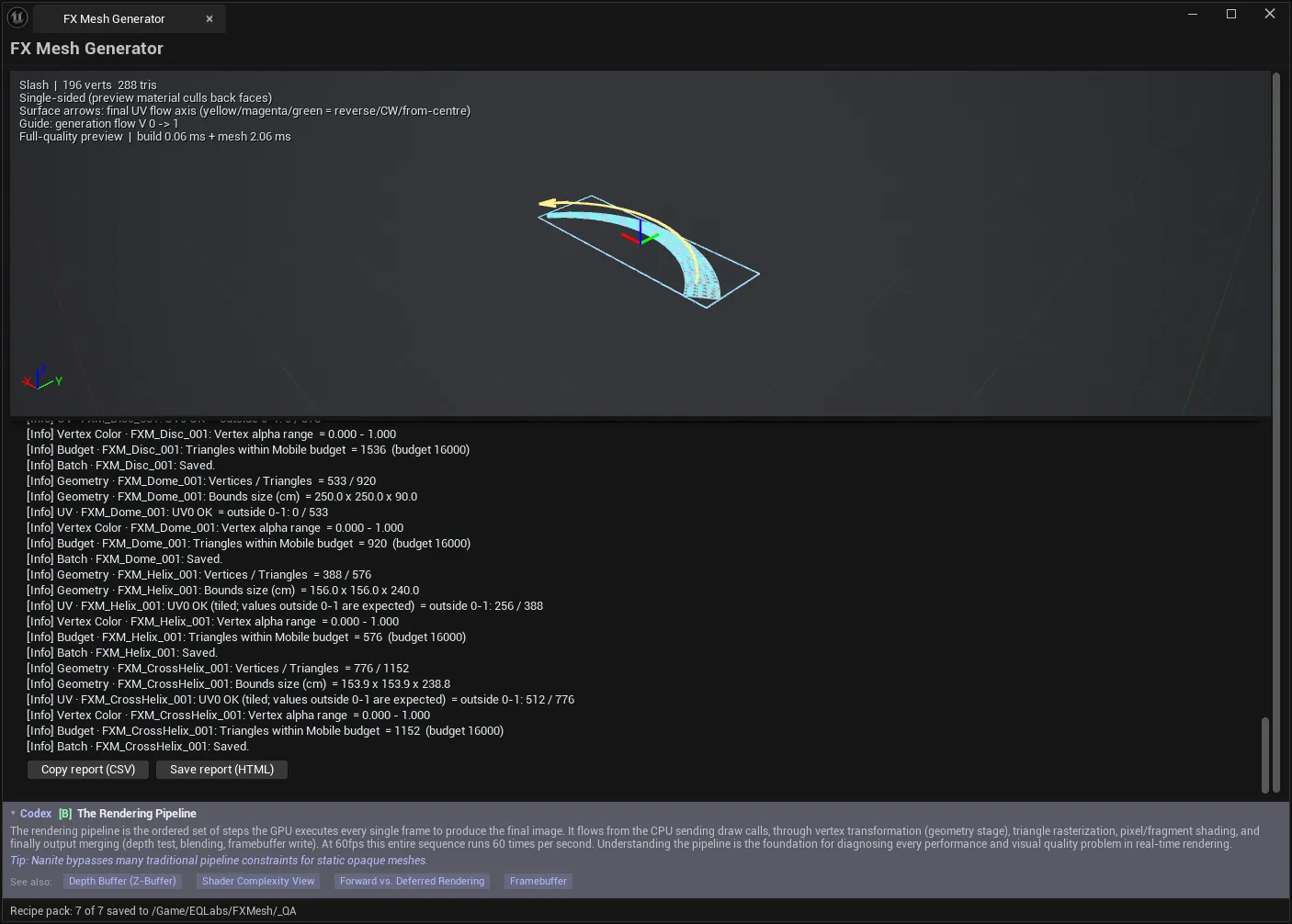
The status line reports measured facts after every build:
SwordSlash: 812 verts, 1420 tris, 180x40x6 cm — build 12 ms, preview mesh 4 msValidation produces a report with error/warning counts, and Copy report (CSV) / Save report (HTML).
Place in Level requires a saved mesh — it references the asset, and says “Save the mesh first” rather than placing a preview.
Tips and gotchas
Section titled “Tips and gotchas”- Start from a recipe. The defaults encode which UV flow, alpha and pivot suit each family.
- Trust the viewport arrows for flow direction, not reasoning about V. Flip and Reverse are baked.
- Flow Offset, animation and Preview LOD never reach the mesh. They are preview-only by design.
- Some alpha modes force higher segment counts to get interior samples — the tool warns, and the mesh gets heavier.
- Disabled modifiers are ignored, not clamped, and each family explains why.
- Saved meshes are material-free. An unassigned-looking result in the level is expected.
- Leave face-orientation helpers on for single-sided output.
- Batch: all 7 recipes is the fastest way to get a starter FX mesh library.
- Validate before saving in bulk. Budget failures are cheaper to find before you write seven assets.
Full walkthrough
Section titled “Full walkthrough”Related tools
Section titled “Related tools”- Niagara Profiler — profile the systems these meshes feed
- Niagara FX Library — browse and reuse FX systems
- Flipbook Maker — the texture side of an FX asset
- Smear FX — the other motion-exaggeration mesh generator
Opens our feedback form in a new tab with the tool name pre-filled.