
No. 1115 MO ModelingEQLabs Pro
Outline Shell & Cage Builder
Module: Modeling · Category: Mesh · Tool ID:
ShellCageBuilder
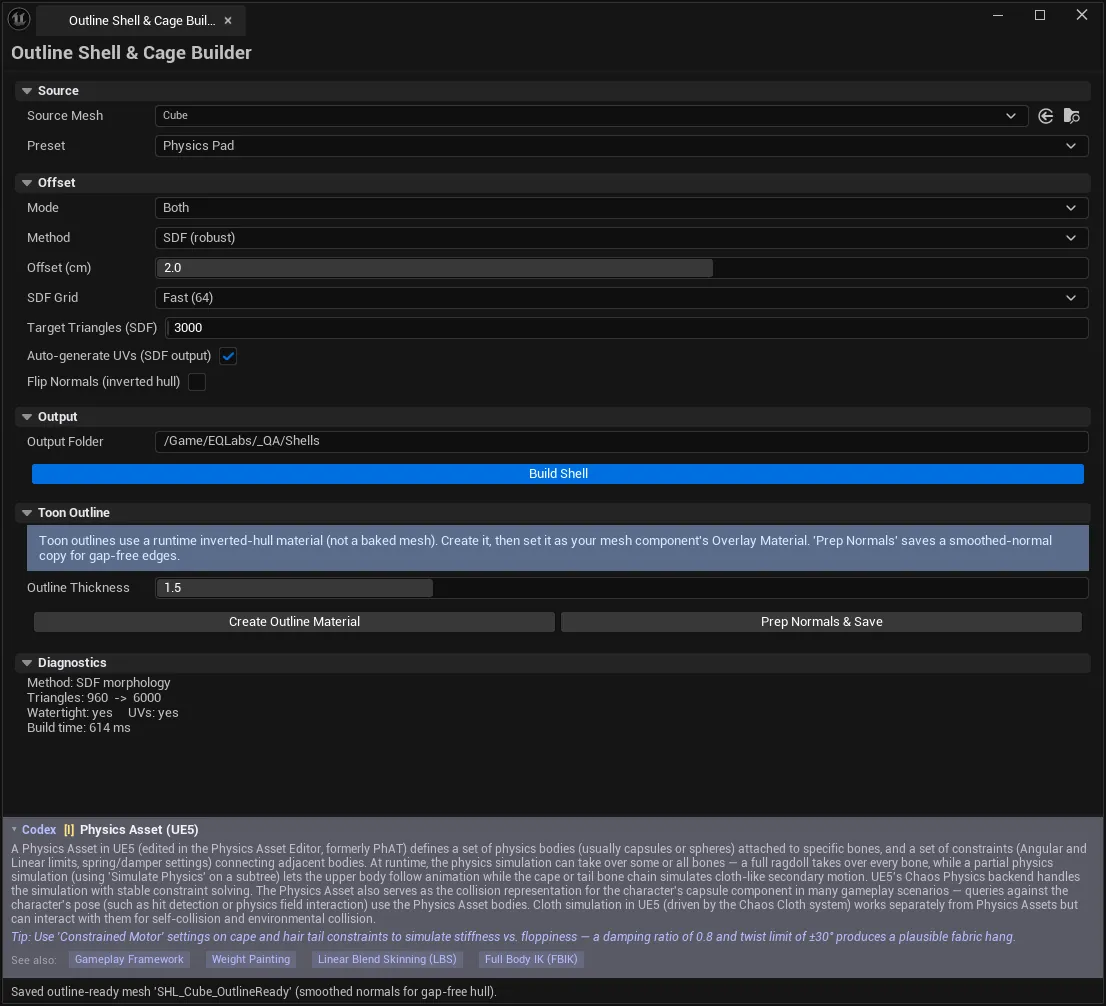
Offsets a mesh outward into a shell or inward into a cage and saves the result as a Static Mesh asset. Two engines sit behind one panel: an SDF path that voxelises and re-meshes (robust and watertight, but discards UVs) and a Vertex-Normal path that pushes vertices along their normals (fast, keeps UVs, but can self-intersect on concave geometry). Auto picks between them from your use case.
Toon outlines are handled separately and deliberately — see Toon Outline below, because the answer there is a material, not a mesh.
When to use it
Section titled “When to use it”- Cloth cages. A low-poly inner cage to drive simulation on a dense render mesh.
- Physics padding. An inflated collision proxy that keeps characters from clipping into geometry.
- VFX / SDF shells. Watertight volumes for volumetric or distance-field effects.
- Inverted-hull outline meshes. When you specifically need a baked outline mesh rather than a runtime material.
- Any time you need a watertight version of geometry that is not watertight to begin with: the SDF path produces one by construction
What it isn’t for
Section titled “What it isn’t for”- Don’t use it for toon outlines by default. A runtime inverted-hull material is cheaper and does not double your asset count. The Toon Outline section creates one for you.
- Don’t use the SDF path when you need UVs preserved. SDF output has no UVs at all. Either enable Auto-generate UVs (box projection) or use the Vertex-Normal method.
- Don’t push an offset larger than the object’s inner radius in Inner Cage mode — the surfaces cross and the build produces no geometry. The tool tells you this rather than saving an empty mesh.
Opening the tool
Section titled “Opening the tool”- Open the EQLabs Hub and search for shell or
cage(or browse to Modeling → Mesh). - Click the tool card.
- Pick a Source Mesh, choose a Preset, then Build Shell.
Source
Section titled “Source”| Control | Notes |
|---|---|
| Source Mesh | The Static Mesh to generate a shell/cage from. Read from its LOD0 MeshDescription |
| Preset | Seeds every setting below for a use case. You can still tweak them afterwards |
Presets correspond to the four supported use cases — Toon Outline, Cloth Cage, Physics Pad and VFX Shell — and they matter beyond convenience: the use case is what Auto consults when routing to SDF or Vertex-Normal.
Offset
Section titled “Offset”| Setting | Default | What it does |
|---|---|---|
| Mode | Outer Shell | Outer Shell, Inner Cage, or Both |
| Method | Auto | Auto, SDF, or Vertex Normal |
| Offset (cm) | 1.0 | Offset magnitude. Direction comes from Mode, not from the sign |
| SDF Grid | 128 | Sampling resolution — SDF method only |
| Target Triangles (SDF) | 20000 | SDF output is decimated to this budget |
| Auto-generate UVs (SDF output) | Off | Box-projects UVs onto SDF output, which otherwise has none |
| Flip Normals (inverted hull) | Off | Reverses winding for an inverted-hull outline mesh export |
Choosing a method
Section titled “Choosing a method”| SDF | Vertex Normal | |
|---|---|---|
| Watertight output | Yes, by construction | Only if the input was |
| UVs | None — must be auto-projected | Preserved |
| Concave geometry | Handles it | Can self-intersect |
| Speed | Slower | Fast |
| Best for | Cloth cages, physics pads, VFX shells | Outline meshes, UV-dependent shells |
SDF grid cost
Section titled “SDF grid cost”Measured sampling cost, before decimation:
| Grid | Approx. cost |
|---|---|
| Fast 64 | ~30 ms |
| Default 128 | ~150 ms |
| High 256 | ~1 s |
| Max 512 | Substantially longer — reach for it only when 256 visibly loses detail |
The SDF engine’s raw output is roughly 150k–780k triangles, which is why the decimation budget exists. Leaving Target Triangles at its default is almost always right; raise it only if decimation is visibly destroying the silhouette.
Output
Section titled “Output”| Control | Notes |
|---|---|
| Output Folder | Default /Game/EQLabs/Shells. Must be a valid mounted package path |
| Build Shell | Generates and saves the asset(s) |
Assets are saved as:
<Folder>/<MeshName>/SHL_<MeshName>_Outer<Folder>/<MeshName>/SHL_<MeshName>_InnerIn Both mode you get both. If assets already exist at those paths the tool asks before proceeding, and overwriting is not undoable — it replaces the assets in place. Declining leaves the existing assets untouched and reports Build aborted.
Toon Outline
Section titled “Toon Outline”A separate section, because for toon outlines the right answer is usually not a generated mesh.
Toon outlines use a runtime inverted-hull material applied as the mesh component’s Overlay Material. That costs one extra draw pass instead of a second mesh asset per object, and the thickness stays tweakable at runtime.
| Control | What it does |
|---|---|
| Outline Thickness | Default OutlineThickness parameter — world units the hull extrudes along vertex normals |
| Create Outline Material | Creates M_EQ_ToonOutline (inverted-hull, front-face masked) with OutlineColor + OutlineThickness parameters |
| Prep Normals & Save | Saves an outline-ready copy of the source mesh with smoothed vertex normals |
Workflow
Section titled “Workflow”- Click Create Outline Material. If the material already exists it is reused with its parameters unchanged.
- Set it as your mesh component’s Overlay Material.
- If the outline shows gaps at hard edges, click Prep Normals & Save and use the prepared copy.
Why Prep Normals matters: an inverted hull extrudes along vertex normals, so anywhere the mesh has split normals — every hard edge — the hull tears open at that seam. Smoothing the normals closes the hull without changing how the mesh shades, because only the outline pass reads them.
Diagnostics
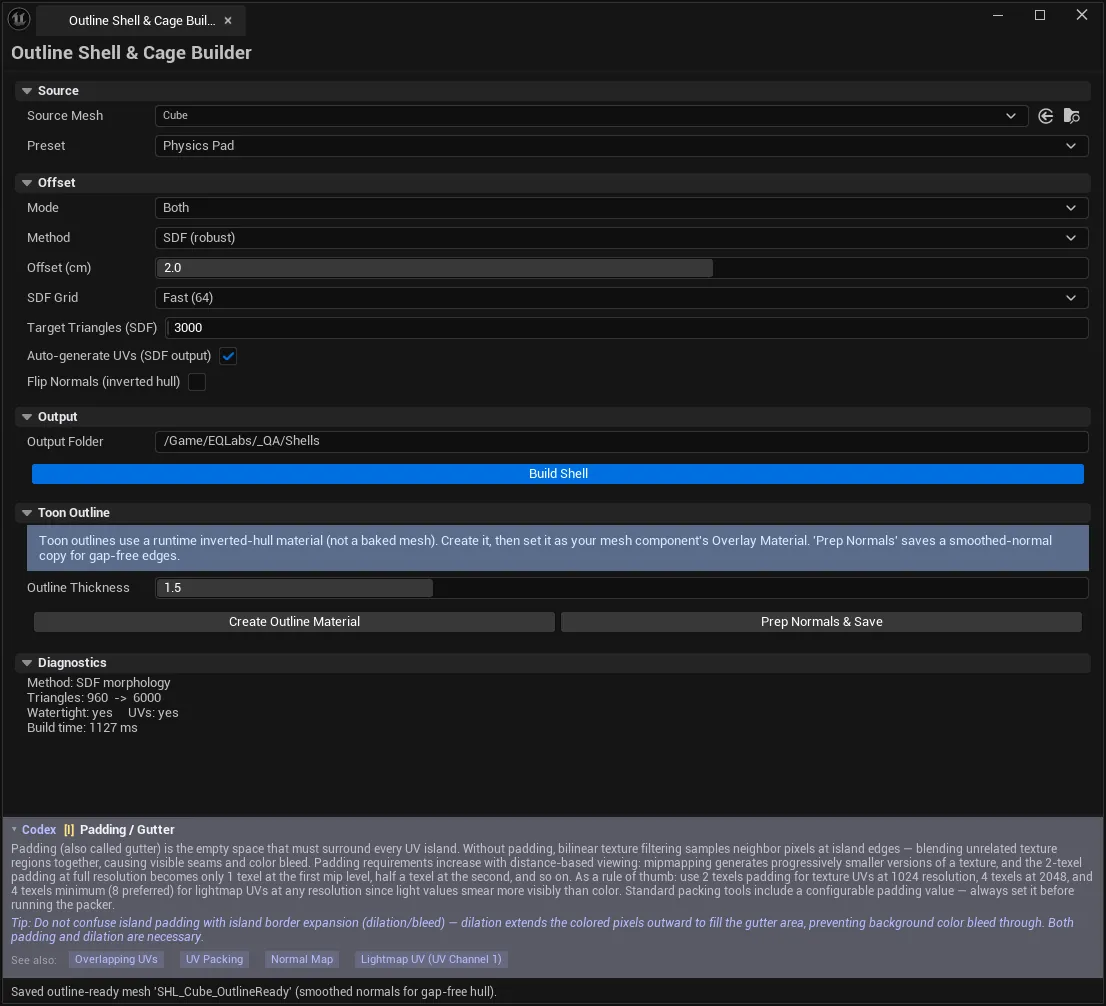
Section titled “Diagnostics”After a build, the Diagnostics section reports method used, triangle count, watertightness, UV status, timing, and warnings. Worth reading every time — it is where you find out that Auto chose a different engine than you assumed, or that your “watertight” shell is not.
Settings reference
Section titled “Settings reference”| Setting | Default |
|---|---|
| Mode | Outer Shell |
| Method | Auto |
| Offset Distance | 1.0 cm |
| SDF Grid | Default128 |
| Target Triangle Count | 20000 (min 16) |
| UV Strategy | Preserve If Possible |
| Flip Normals | Off |
| Use Case | Physics Pad |
| Output Folder | /Game/EQLabs/Shells |
Settings can be saved as a UEQShellBuildProfile data asset — a DataAsset, not a Project Settings block, so profiles travel with the project and can be version-controlled.
Tips and gotchas
Section titled “Tips and gotchas”- “Build produced no geometry.” The offset exceeded the object’s inner radius, so the offset surfaces crossed. Reduce the offset or switch to Outer Shell.
- SDF output has no UVs. If you plan to texture the shell, enable Auto-generate UVs or use the Vertex-Normal method. This trips people up on cloth cages routed through SDF.
- Overwrites are not undoable. The confirmation dialog is the only guard — it replaces assets in place, outside the transaction system.
- Offset direction comes from Mode, not the sign of the number. A negative offset does not turn a shell into a cage.
Automay not choose what you expect. It routes from the use case, so changing the preset changes the engine. The Diagnostics panel reports which one actually ran.- A vertical-walled mesh with hard edges is the worst case for Vertex-Normal. Split normals push apart at seams — either smooth them first or use SDF.
Related tools
Section titled “Related tools”- LOD & Nanite Studio — for reducing the source mesh rather than offsetting it
- Physics & Collision Studio — generated cages often become collision proxies
- Mesh Intelligence Dashboard — check watertightness and normals before building a shell
- UV & Texel Suite — inspect the UVs an SDF shell does not have
Opens our feedback form in a new tab with the tool name pre-filled.