
No. 0371 TE TechEQLabs Pro
Validation Gate Hub
Module: Tech · Category: QA · Tool ID:
ValidationGateHubTab
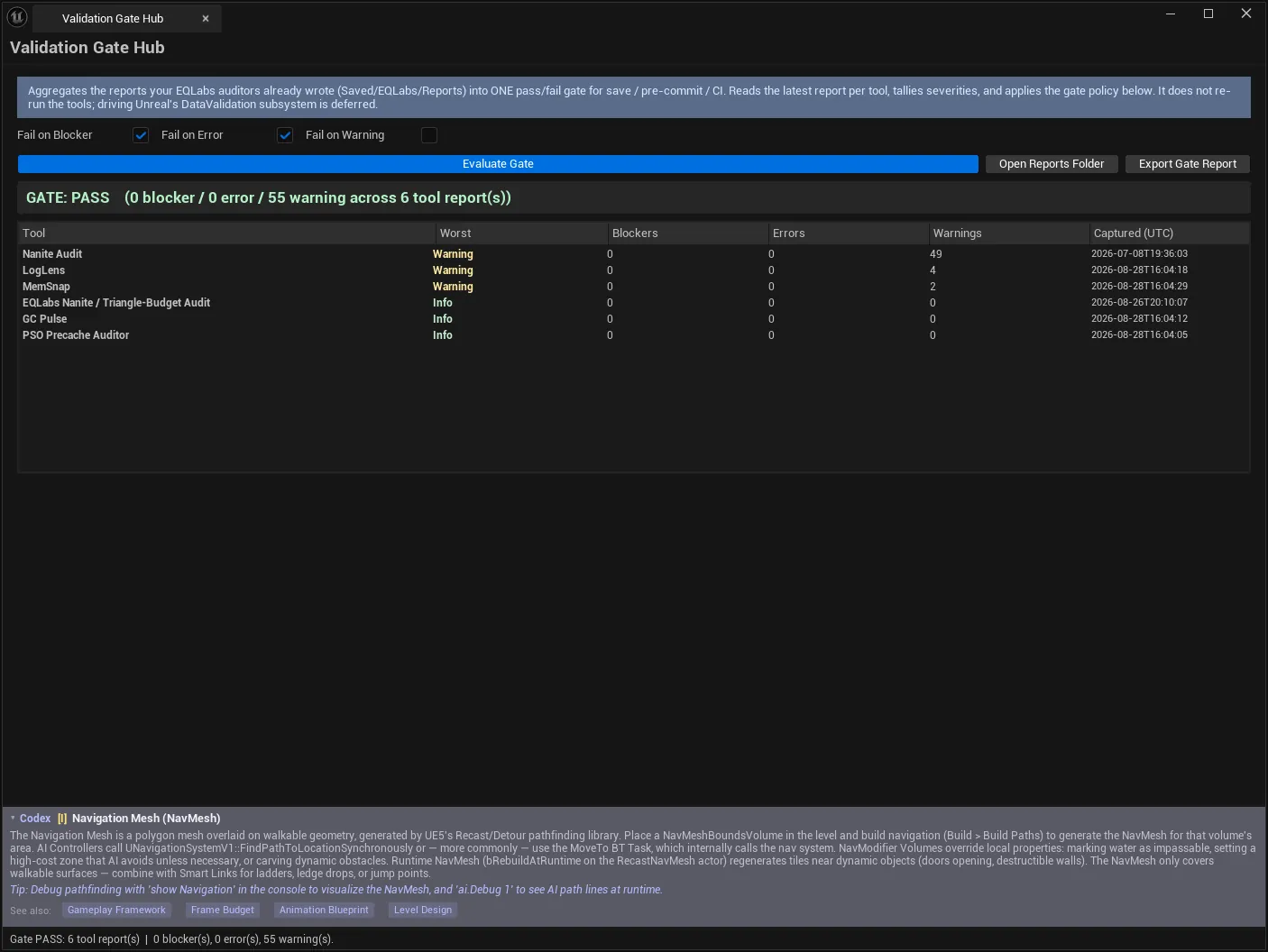
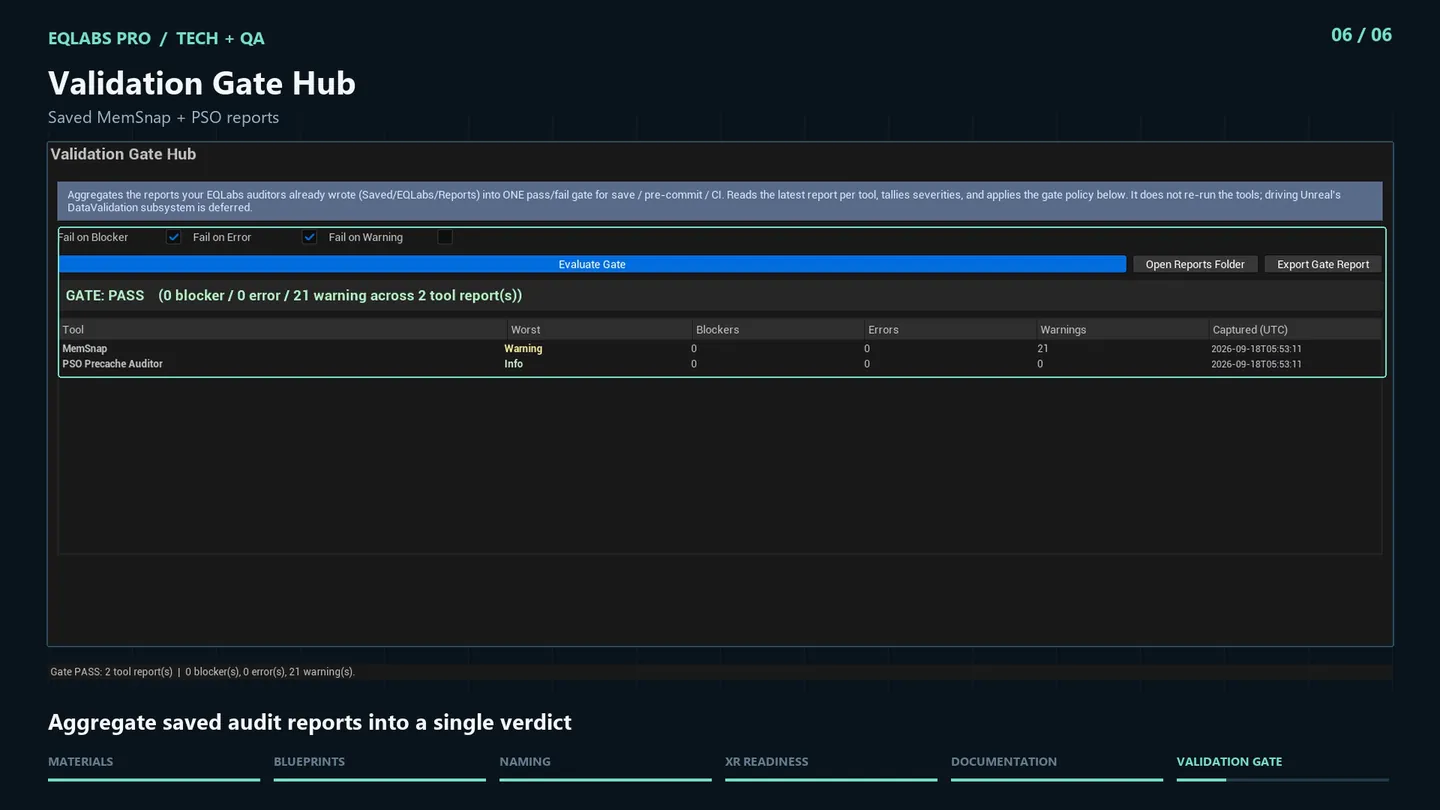
Every EQLabs tool writes its findings through the shared report engine into Saved/EQLabs/Reports/<ToolId>/. This hub reads the latest report per tool, tallies the severities, applies a policy you choose, and produces one verdict: Pass or Fail.
That is what makes a suite of auditors into a gate. Individually they each produce a report somebody has to read; together, through this, they produce a single answer suitable for a pre-commit hook or a CI step.
When to use it
Section titled “When to use it”- A pre-commit or pre-save check across everything the auditors know
- A CI step that fails the build on blockers
- A milestone check: one number for “is the project clean”
- Confirming that a round of fixes actually moved the gate
What it isn’t for
Section titled “What it isn’t for”- Don’t expect it to run the tools. It evaluates reports that already exist on disk — see below.
- Don’t use it as your only quality gate. It covers what EQLabs auditors report, not everything.
Opening the tool
Section titled “Opening the tool”- Open the EQLabs Hub and search for validation or
gate(or browse to Tech → QA). - Click the tool card.
- Click Evaluate Gate.
If no reports exist yet the tool says exactly what to do:
“GATE: NO DATA — no EQLabs reports found. Run some auditors and Export Report first.”
“No data” is not a pass. A gate that passed because nothing had been measured would be worse than useless, and it refuses to report one.
The critical prerequisite
Section titled “The critical prerequisite”This hub does not re-run any tool. It reads what is on disk.
So the workflow has an ordering requirement: run the auditors you care about and Export Report from each, then evaluate the gate. A report that was never exported is not considered; a stale report is evaluated as-is — which is why the Captured (UTC) column exists.
Gate policy
Section titled “Gate policy”| Setting | Effect |
|---|---|
| Fail on Blocker | Gate fails if any tool reported a Blocker |
| Fail on Error | Gate fails if any tool reported an Error |
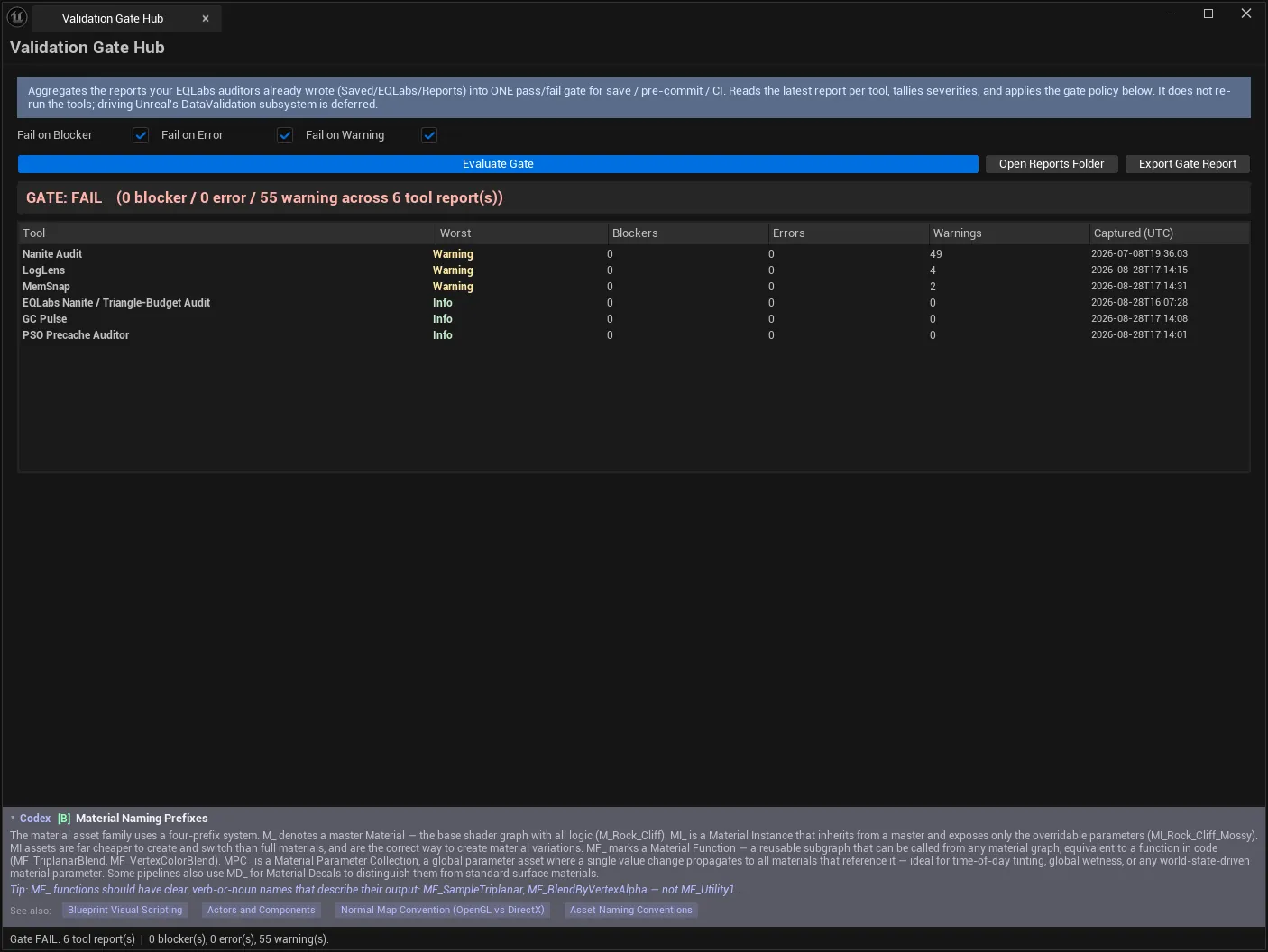
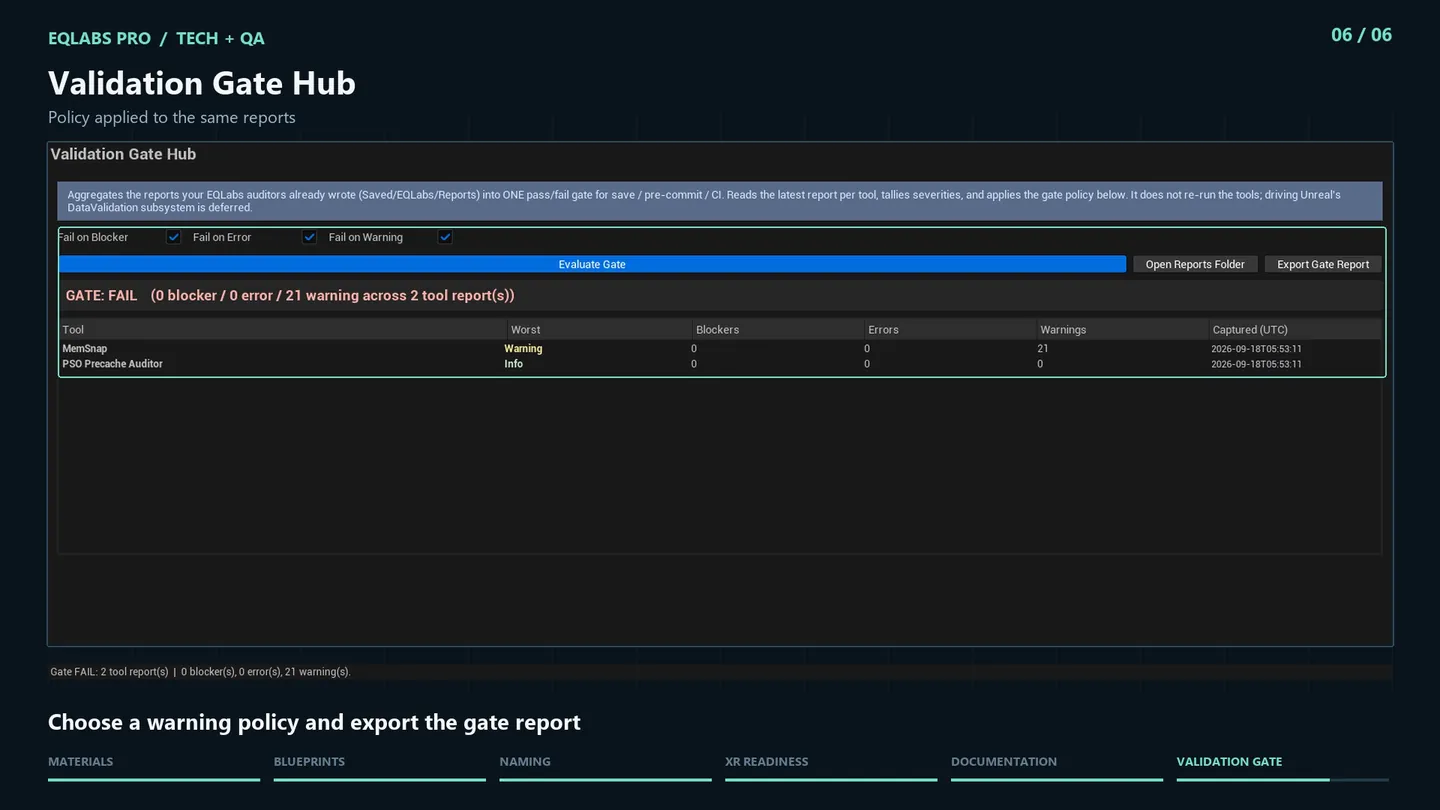
| Fail on Warning | Gate fails if any tool reported a Warning |
The three are independent, so the policy can be tightened over time — a sensible progression is Blocker-only during development, adding Error before a milestone, and Warning only if the project is genuinely clean enough to sustain it.
A gate that fails constantly gets ignored, which is worse than not having one.
Results
Section titled “Results”| Column | Meaning |
|---|---|
| Tool | Which auditor |
| Worst | Worst severity in its latest report |
| Blockers | Blocker count |
| Errors | Error count |
| Warnings | Warning count |
| Captured (UTC) | When that report was written |
Verdict line:
GATE: FAIL (2 blocker / 14 error / 63 warning across 9 tool report(s))Watch Captured (UTC). A tool whose report is three weeks old is telling you about a three-week-old project. The column is there so a passing gate built on stale evidence is visible rather than hidden.
Actions
Section titled “Actions”| Control | Effect |
|---|---|
| Evaluate Gate | Reads the latest report per tool and applies the policy |
| Open Reports Folder | Opens Saved/EQLabs/Reports |
| Export Gate Report | Writes the combined result (JSON/CSV/HTML) |
The exported gate report is the CI artefact — one file summarising every auditor’s contribution and the resulting verdict.
What is deferred
Section titled “What is deferred”Stated as honest scope:
- It does not re-run each tool
- It does not drive Unreal’s DataValidation subsystem
- There is no per-tool rule-provider interface yet
Every count it shows is read from a real report JSON. Nothing is synthesised.
Workflow: a pre-milestone gate
Section titled “Workflow: a pre-milestone gate”- Decide which auditors matter for this milestone.
- Run each and Export Report — this is the step that populates the gate.
- Open Validation Gate Hub.
- Set the policy — start with Fail on Blocker and Fail on Error.
- Evaluate Gate.
- Check every row’s Captured (UTC) — re-run anything stale.
- Work the failures by worst severity.
- Re-run the affected auditors, re-export, re-evaluate.
- Export Gate Report as the milestone record.
Tips and gotchas
Section titled “Tips and gotchas”- Reports must be exported first. The hub reads disk, not live tool state.
- NO DATA is not a pass. It is refusing to certify an unmeasured project.
- Stale reports pass or fail on stale evidence. The timestamp column is load-bearing.
- Start the policy loose and tighten it. A permanently red gate gets ignored.
- Only the latest report per tool counts. Re-export after fixing, or you re-evaluate the old findings.
- It covers EQLabs auditors, so its verdict is as broad as the set of tools you actually ran.
Related tools
Section titled “Related tools”- Ship Lab — release readiness and packaging, the natural next gate
- Project Health Dashboard — a project-wide health view rather than a pass/fail
- LogLens — one of the auditors that feeds this gate
- PSO Precache Auditor — another pre-ship report worth gating on
Opens our feedback form in a new tab with the tool name pre-filled.